.png)


The 7 Best Websites for Consulting Firms to Model in 2025
A great consulting website is your most powerful sales and marketing asset. It’s a 24/7 engine that should be qualifying leads, demonstrating your expertise, and turning high-value prospects into clients. Yet, many consulting firms are held back by websites that feel more like digital brochures than strategic growth tools, failing to communicate their true value or capture qualified interest. This isn't just about aesthetics; it's about architecture, messaging, and conversion strategy working in harmony.
This guide is designed to change that. We've curated a list of the best websites for consulting firms, but we’re going beyond a simple showcase. We will dissect why these examples work, breaking down the strategic decisions behind their design, user experience, and lead-generation funnels. You’ll find annotated screenshots, direct links, and deep analysis of each site's strengths, from homepage hero sections to case study layouts.
Crucially, we'll provide actionable takeaways you can implement immediately, with specific tutorials and insights for those building on Webflow. To truly grasp the central role of your online presence, remember that Your website is at the heart of B2B marketing growth. This article provides the blueprint to ensure your site fulfills that role, transforming it from a static page into your primary driver for new business and sustainable growth.
1. Block Studio
Block Studio stands out as an exceptional choice for consulting firms, especially those built on Webflow, that aim to transform their website from a digital brochure into a consistent source of qualified leads. It’s not merely a design or development agency; it operates as a full-stack, outsourced growth department. This integrated model is purpose-built to address the core challenge many consulting firms face: attracting and converting high-value clients through a sophisticated digital presence.
For firms tired of juggling separate freelancers or agencies for design, Webflow development, SEO, and content, Block Studio offers a streamlined, high-velocity alternative. They bundle every critical function into a single, cohesive service, ensuring that technical SEO, content strategy, and conversion rate optimization work in concert rather than in silos. This unified approach is what makes it one of the best websites for consulting firms looking to scale their inbound marketing efforts efficiently.

Strategic Analysis: The Unified Growth Stack Model
The core strength of Block Studio lies in its "plug-and-play growth stack." This isn't just about offering multiple services; it’s about integrating them into a single, seamless workflow designed for compounding returns.
- Deep Webflow Expertise: Unlike generalist agencies, their exclusive focus on Webflow allows them to execute platform-specific technical fixes and optimizations with exceptional speed. This means faster onboarding (typically 2–3 weeks) and resolving nuanced issues related to site architecture, page speed, and indexing that others might miss.
- High-Velocity Content Engine: A standout feature is the daily content engine, which produces one editor-reviewed, SEO-optimized article per day. For consulting firms, this is a powerful tool for establishing thought leadership, targeting niche long-tail keywords, and rapidly building topical authority in their domain.
- Data-Driven Conversion Focus: The service extends beyond just attracting traffic. With a dedicated CRO specialist (in their Pro plan), the team actively works on improving user experience and lead capture funnels, turning increased visibility into tangible business inquiries and client engagements.
Key Takeaway: By bundling strategy, development, content, and optimization, Block Studio eliminates the coordination friction that often stalls growth. Consulting firms get a single, accountable partner focused squarely on driving measurable outcomes like organic traffic and lead conversions.
Actionable Webflow Takeaways for Consultants
Even if you're not ready for a full agency partnership, Block Studio's approach offers valuable insights. For consulting firms managing their own Webflow site, consider implementing these strategies:
- Conduct a Technical SEO Audit: Start with the fundamentals. Use tools like Ahrefs or Semrush to check for indexing issues, broken links, and slow page speeds. Webflow Tutorial: In your Webflow project settings, go to the
SEOtab. Ensure "Disable Webflow Subdomain Indexing" is ON. Then, check theHostingtab ->301 Redirectsto fix any broken links you found. Finally, use Webflow's built-in Audit panel to identify and fix uncompressed images or accessibility issues. - Systematize Your Content Production: You don't need a daily cadence, but establish a consistent, realistic schedule for publishing high-quality, SEO-driven articles. Focus on answering specific questions your ideal clients are asking. For a deeper dive, their guide offers insights on how to build an effective strategy, as you can discover more about their website marketing approach on BlockStudio.co.
- Optimize Your Lead Capture Funnels: Don't just have a "Contact Us" page. Create targeted lead magnets (e.g., whitepapers, case study downloads, webinar sign-ups) that align with your service pages and blog content. Webflow Tutorial: Create a separate static page for each lead magnet. Use a Webflow Form element and style it to match your brand. In the Form Settings, configure a custom success message or redirect users to a thank you page to track conversions in analytics.
Who is Block Studio Best For?
This solution is ideal for growth-stage consulting firms, B2B service providers, and tech companies that are built on Webflow and are serious about scaling their organic marketing channel. If your goal is to build a sustainable inbound lead engine without the overhead of hiring an entire in-house team or managing multiple agencies, Block Studio’s model is exceptionally well-suited.
Pricing is transparently tiered, starting at $1,299/month for the Basic plan, which includes the content engine and SEO strategy. The $2,499/month Growth plan adds Webflow design and development, while the $3,999/month Pro plan offers a complete, full-service growth stack. Note that they often have a waitlist (currently booking for Q1 2026), reflecting strong demand for their specialized service.
Visit the website: https://www.blockstudio.co
2. Clutch.co
Clutch isn't a consulting firm's website, but rather a B2B marketplace and directory that is arguably one of the most powerful platforms for generating high-intent leads. For any consulting practice, having a strong, well-reviewed profile on Clutch is a non-negotiable part of a modern inbound marketing strategy. It functions as a high-trust referral engine, connecting businesses actively seeking specialized services with verified providers.

The platform’s core value lies in its verified client review system. Clutch analysts conduct in-depth phone or online interviews with a firm's clients, capturing detailed, unbiased feedback on project management, quality of work, and results. This process adds a layer of credibility that self-published testimonials simply can't match, making it one of the best websites for consulting firms to build authority and social proof.
Strategic Breakdown & Key Features
Clutch's structure helps potential clients cut through the noise with unparalleled efficiency. The platform allows users to filter and shortlist firms based on critical decision-making criteria.
- Granular Filtering: Users can narrow their search by service line (e.g., Business Strategy, IT Consulting), industry focus (e.g., FinTech, Healthcare), budget (hourly rates, minimum project size), and location.
- The Leaders Matrix: This proprietary methodology maps firms based on their ability to deliver and their focus within a specific service category. Securing a spot in the Leaders Matrix provides immense visibility and credibility.
- Transparent Profiles: Each profile is a rich data source, featuring a firm's service focus, client portfolio, detailed case studies, and those all-important verified reviews.
Key Insight: Clutch essentially pre-qualifies your leads. A prospect arriving from your Clutch profile already knows your pricing, has read detailed reviews of your work, and understands your service focus. This dramatically shortens the sales cycle.
Actionable Takeaways for Webflow Users
Integrating your Clutch presence with your Webflow site creates a powerful feedback loop that builds trust and drives conversions.
- Embed Clutch Widgets: Use Webflow's custom code embed feature to add your Clutch star rating and review widgets directly onto your homepage, service pages, and case study pages. This instantly leverages third-party validation to boost credibility. Webflow Tutorial: From your Clutch dashboard, find the "Widgets" section and copy the embed code. In the Webflow Designer, drag an
Embedelement onto your canvas and paste the code. Publish to see it live. - Create a "Reviews" Page: Build a dedicated page on your Webflow site that aggregates your best Clutch reviews. Use the Webflow CMS to easily add new reviews as they come in, perhaps using a rich text field for the review text and an image field for the client's logo. Webflow Tutorial: Create a CMS Collection called "Reviews" with fields for "Quote," "Client Name," "Company Logo," and "Rating." Populate it with your reviews. On your reviews page, add a
Collection Listand connect it to this CMS to display all your reviews dynamically. - Link to Your Profile: In your site's footer and on your "About Us" page, include a prominent "Review Us on Clutch" link. This makes it easy for satisfied clients to leave a review, which is the fuel for your Clutch ranking. A strong profile makes your firm stand out on one of the best websites for consulting firms, driving more qualified traffic back to your primary Webflow site.
Website: https://clutch.co/consulting
3. G2
While primarily known as a powerhouse for software reviews, G2 has expanded its B2B marketplace to include extensive categories for consulting and professional services. For technology-focused consulting firms (e.g., IT strategy, cloud, BI, RPA), a presence on G2 is crucial. It places your firm directly in the research path of buyers who are evaluating software solutions and simultaneously looking for implementation and strategy partners.
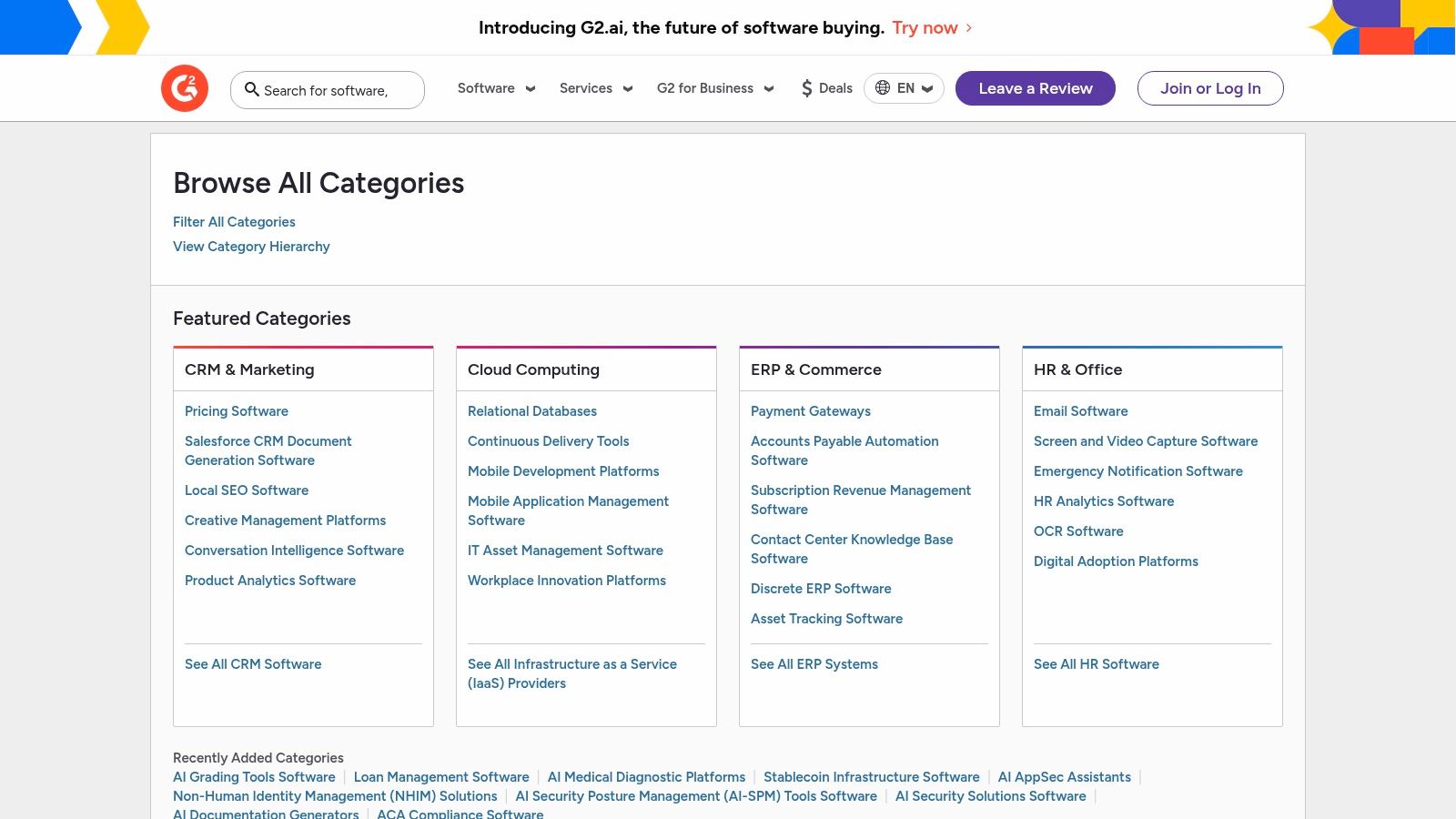
G2’s strength comes from its deep-rooted trust within the tech community. Its review verification process and detailed questionnaires produce high-quality, authentic feedback that tech-savvy buyers rely on. For consultants, this platform offers a unique opportunity to capture leads at the point of maximum intent, when a company is not just considering a service but also the technology stack that underpins it.
Strategic Breakdown & Key Features
G2's platform is designed for direct comparison and granular discovery, helping businesses find the right specialist firm with confidence.
- Technology-Adjacent Categories: G2 excels where consulting meets technology. It features highly specific categories like Digital Transformation Consulting, Cloud Consulting, and Ecommerce Consulting Providers, attracting a focused audience.
- Side-by-Side Vendor Comparison: A standout feature allows potential clients to select several firms from a category and create a dynamic comparison table, evaluating them on factors like ratings, company size, and user satisfaction metrics.
- Verified Review System: G2 employs stringent verification, often using LinkedIn profiles and business emails, to ensure reviews come from legitimate users. This builds a foundation of trust that is critical for high-ticket consulting services.
Key Insight: A strong presence on G2 positions your consulting firm as a key implementation or strategy partner within a specific technology ecosystem. When a business researches a platform like Salesforce or HubSpot, seeing your firm listed as a top-rated consultant for that platform creates an incredibly powerful and relevant lead source.
Actionable Takeaways for Webflow Users
Connecting your G2 profile to your Webflow site creates a unified credibility narrative, especially for technology-focused consultancies.
- Showcase G2 Badges: Once you accumulate reviews, G2 provides badges (e.g., "High Performer," "Category Leader"). Use Webflow's image element or custom code embeds to place these badges prominently on your homepage, service pages, and in your site footer. This provides instant social proof. Webflow Tutorial: Download the official badge images from your G2 profile. In Webflow, add an
Imageelement, upload the badge, and add aLink Blockaround it pointing to your G2 profile page. - Create a Tech Partner Page: Build a dedicated landing page on your Webflow site showcasing the technology platforms you specialize in. For each platform, embed the corresponding G2 Grid report or your G2 review widget to validate your expertise with third-party reviews. The Webflow CMS is perfect for managing this content dynamically.
- Drive Reviews from Case Studies: On your Webflow case study pages, after detailing a successful project, add a Call-to-Action (CTA) button that links directly to your G2 review page. Frame it as "See What More Clients Say on G2." This tactic leverages the moment of highest perceived value to encourage new, high-quality reviews. Webflow Tutorial: Design a standard CTA button component in Webflow. Turn it into a
Componentso you can reuse it across multiple case study CMS pages with different link destinations if needed.
Website: https://www.g2.com/categories
4. Upwork
While often associated with freelance tasks, Upwork has evolved into a powerful talent marketplace where businesses can source and engage high-caliber boutique consultants and specialized experts. For consulting firms, particularly smaller or niche practices, Upwork provides a direct channel to clients actively looking for specific skills, from go-to-market strategy and financial modeling to operational efficiency and data analytics. It serves as a lead generation engine and a platform to build a portfolio of diverse projects.

The platform's primary advantage is its flexibility and direct access. Clients can quickly find and engage consultants for short-term, high-impact projects without the lengthy procurement processes of traditional firms. The review and Job Success Score system creates a meritocratic environment where quality of work and client satisfaction are directly tied to future visibility and opportunities, making it one of the best websites for consulting firms to quickly build a reputation based on performance.
Strategic Breakdown & Key Features
Upwork’s platform is designed to facilitate quick, secure, and transparent engagements between clients and consultants. This structure allows both parties to de-risk the relationship and scale as needed.
- Paid Consultations: A key feature is the ability for clients to book short, paid consultations (typically 30-60 minutes). This allows consultants to showcase their expertise and build rapport before committing to a larger project.
- Robust Filtering: Clients can search for consultants based on specific skills, hourly rates, location (including U.S.-only), and Job Success Scores, ensuring they find the right fit for their needs and budget.
- Secure Project Management: Upwork provides built-in tools for contracts, milestone-based payments, and escrow services. This protects both the consultant and the client, ensuring payment is secured for work completed.
- Talent Scout: For larger needs, Upwork offers a recruiter service that helps clients create a curated shortlist of top-tier talent, saving them time on vetting and interviewing.
Key Insight: Upwork allows consulting firms to "unbundle" their services. Instead of selling a large, monolithic project, you can offer highly specific, project-based work or even paid discovery sessions, which dramatically lowers the barrier to entry for new clients.
Actionable Takeaways for Webflow Users
Your Webflow site is your firm's home base, while Upwork can be a powerful channel for acquiring new clients. Integrating the two creates a seamless brand experience. For a deeper dive into talent platforms, you can find valuable insights on how to approach outsourcing web development on Blockstudio.co.
- Create a Dedicated Landing Page: Build a specific landing page in Webflow for leads coming from Upwork. Use the Webflow CMS to feature case studies and testimonials relevant to the services you offer on the platform. This provides social proof beyond Upwork's internal reviews. Webflow Tutorial: Create a new page called
/upwork. Hide it from site search via Page Settings -> SEO if you want it to be exclusive. Add a parameter to your profile link (e.g.,yoursite.com/upwork?ref=upwork) to track visits in analytics. - Showcase Your "Consultation" Offering: On your Webflow service pages, mirror Upwork’s paid consultation model. Use Webflow's e-commerce or a scheduling tool integration (like Calendly) to offer a "Paid 1-Hour Strategy Session." This can act as a paid lead magnet for high-intent prospects.
- Use Your Profile to Drive Traffic: In your Upwork profile, link back to specific, high-value content on your Webflow site, such as in-depth case studies or white papers. This positions you as an expert and drives potential clients from the marketplace to your owned brand platform, where you control the narrative.
Website: https://www.upwork.com/hire/business-consultants/
5. Webflow Templates Marketplace
While not a singular website, the Webflow Templates Marketplace is an indispensable resource for consulting firms aiming to build a high-performance digital presence without the timeline or budget of a fully custom build. It provides a strategic shortcut, offering professionally designed, pre-built sites specifically structured for the needs of a consulting practice. These templates serve as a powerful foundation, incorporating best practices for layout, user experience, and content hierarchy.

The primary advantage is speed-to-market combined with elite-level design. For a fraction of the cost of a custom project, a firm can acquire a template with pre-configured CMS collections for case studies, services, team members, and blog posts. This allows firms to focus on what matters most: articulating their value proposition and publishing thought leadership, rather than getting bogged down in foundational web development. Many of the best websites for consulting firms are built on these robust templates.
Strategic Breakdown & Key Features
The marketplace is structured to help you find a digital storefront that aligns perfectly with your brand and service offerings. The templates are more than just pretty designs; they are functional systems built on Webflow's powerful no-code platform.
- Consulting-Specific Structures: Many templates are purpose-built for professional services, including dedicated page layouts for case studies, service descriptions, pricing tables, and career openings.
- Built-in CMS Collections: Launch with a ready-made structure for your most critical content. Easily add new case studies, blog articles, or team bios through the user-friendly Webflow Editor without needing a developer.
- Figma Files Included: A significant number of premium templates include the original Figma design files. This is a massive asset for customizing visuals, creating new page layouts, or ensuring brand consistency across all marketing materials.
- Responsive & Optimized: Templates are designed to be fully responsive out of the box and are generally built with clean, SEO-friendly code, giving you a head start on page speed and technical optimization.
Key Insight: Using a Webflow template doesn't mean your site has to look generic. It's a launchpad, not a limitation. The real value is in acquiring a well-architected foundation that you can rapidly customize with your own branding, messaging, and content to create a unique and effective lead-generation engine.
Actionable Takeaways for Webflow Users
Selecting a template is just the first step. The real work is in customizing it to become a high-performing asset for your firm.
- Customize the CMS: Before you write a single case study, customize the Webflow CMS fields for your specific needs. Webflow Tutorial: Go to the
CMSpanel, find the "Case Studies" or "Projects" Collection, and click its settings icon. ClickAdd New Field. Add aPlain Textfield for "Key Results," anOptionfield for "Client Industry," and aReferencefield to link to the "Services" Collection. This creates a structured, repeatable process for publishing compelling proof of your work. - Style Your Brand Systematically: Use the Webflow Style Selector and Global Swatches feature to systematically update the template's fonts, colors, and button styles. Webflow Tutorial: In the
Stylepanel, find theColorssection and add your brand colors as new swatches, checking the "Global" box. Now, select an element like the Body (All Pages) tag, go to Typography, click the color swatch, and apply your global color. This ensures brand consistency across every page with just a few clicks. - Optimize Page Meta Settings: Go through every static page and CMS template page and update the meta title and meta description within the Webflow Page Settings panel. Webflow Tutorial: In the
Pagespanel, hover over a page (like "Home") and click the settings icon. Scroll down to theSEO Settingssection. Write a unique, keyword-rich Title Tag and Meta Description. For CMS pages (e.g., Blog Posts), use the+ Add Fieldbutton to pull dynamic content like the post's name into the title.
Website: https://webflow.com/templates
6. ThemeForest (Envato Market)
While not a singular consulting site, ThemeForest is a massive digital marketplace where consulting firms can find pre-built website templates, primarily for WordPress and HTML. For firms looking for a rapid, cost-effective launch pad without starting from a completely blank slate, it offers a vast library of designs tailored to the professional services industry. It’s an essential resource for inspiration and for understanding current design trends in the consulting space.
The platform's value lies in its sheer volume and competitive pricing. You can browse thousands of themes, view live demos, and read user reviews before purchasing. This allows consulting firms, especially those on a tight budget or timeline, to find a feature-rich, professional-looking design that can be customized to their brand. Many themes come bundled with premium plugins and one-click demo imports, significantly speeding up the development process.
Strategic Breakdown & Key Features
ThemeForest's structure is built to help users quickly filter a massive catalog down to a handful of relevant, high-quality options. This makes it one of the best websites for consulting firms to source design inspiration or purchase a ready-made foundation.
- Extensive Filtering: Users can sort themes by best-sellers, new releases, price, user rating, and last updated date. You can also filter by compatibility with page builders like Elementor or WPBakery.
- Live Demos & Previews: Nearly every theme offers a fully functional live demo. This allows you to interact with the design, test responsiveness, and evaluate the user experience before committing.
- Social Proof & Ratings: Each theme displays its total number of sales and an average user rating. This transparency helps identify popular, well-supported themes and avoid those with poor track records.
Key Insight: ThemeForest is an invaluable idea-generation tool, even if you don't buy a theme. Analyzing the top-selling consulting themes reveals what layouts, features, and content structures are currently resonating with the market and converting visitors into leads.
Actionable Takeaways for Webflow Users
While you can't use a WordPress theme directly in Webflow, you can leverage ThemeForest as a powerful strategic resource to accelerate and improve your Webflow project.
- Deconstruct Winning Layouts: Identify 3-5 top-selling consulting themes on ThemeForest. Analyze their homepage structure, service page layouts, and case study presentations. Webflow Tutorial: Take screenshots of the sections you like. In Webflow, use
Div Blocks,Grids, orFlexboxto rebuild the structure. For example, if you see a three-column feature section, add a Div Block and set its display to Grid with three columns. Then place content inside. This uses the theme as a high-fidelity wireframe. - Identify Essential Features: Note the common features included in these popular themes, such as call-to-action sections, team member showcases, client logo bars, and pricing tables. Ensure your Webflow site plan includes building these essential components to meet client expectations.
- Use Demos for Client Buy-In: Before starting a complex build in Webflow, you can show a client a live demo from ThemeForest to get approval on a specific design direction. This is much faster than creating a custom prototype and helps align expectations early, making the subsequent Webflow development process smoother.
Website: https://themeforest.net/
7. Awwwards
While not a direct lead-generation platform like a B2B marketplace, Awwwards is an indispensable resource for any consulting firm planning a website redesign or seeking to elevate its digital brand presence. It's a professional web design and development competition body that showcases the best of the best in digital design, creativity, and innovation. For consultants, it serves as a high-caliber inspiration gallery and a directory for vetting elite-level design and development partners.

The platform's value is in its curation and expert evaluation. Websites submitted are judged by a panel of specialists on criteria like design, usability, creativity, and content. This process provides a powerful benchmark, allowing firms to see what cutting-edge digital experiences look like and identify the agencies capable of producing them. This makes it one of the best websites for consulting firms to de-risk a significant investment in their online presence.
Strategic Breakdown & Key Features
Awwwards helps consulting firms move beyond generic templates and understand what truly world-class digital branding entails. Its structure allows you to research both design patterns and potential creative partners with precision.
- Curated Inspiration: Search and filter award-winning websites by category (e.g., "Corporate"), tags (e.g., "Clean," "Minimal"), and even color palettes. This is invaluable for creating a mood board and design brief for a new site.
- Agency & Freelancer Directory: The directory features studios and individuals with a proven track record of award-winning work. You can view their portfolio, awards history, and areas of expertise to shortlist potential partners for a redesign project.
- Detailed Scoring: Each awarded site comes with a breakdown of its scores for design, usability, creativity, and content. This helps you analyze why a particular site is effective and what elements contribute to its success.
Key Insight: Awwwards isn't for finding clients; it's for defining your digital identity. Use it to benchmark your current site against the best in the world and to find a design partner who can translate your firm's premium services into a premium online experience.
Actionable Takeaways for Webflow Users
For consulting firms using Webflow, Awwwards is the perfect tool for gathering inspiration to push the platform's creative capabilities to their limits.
- Benchmark Your User Experience: Before a redesign, browse the Awwwards nominees and winners in the corporate or professional services categories. Pay close attention to their site structure, calls-to-action, and interactive elements. Use this research to inform your new information architecture and ensure your website navigation best practices are up to par.
- Find Webflow-Specific Inspiration: Use the "Made with Webflow" collection on Awwwards to see what top-tier designers are building with the same tool you're using. Webflow Tutorial: Pay special attention to the scroll-based and mouse-move animations. You can replicate many of these in Webflow's
Interactionspanel. Select an element, go to the Interactions tab, and create an "Element Trigger" (e.g.,Mouse move over element) or a "Page Trigger" (e.g.,While page is scrolling) to start building your own animations. - Create a High-Fidelity Design Brief: When engaging a designer or agency (even one found outside of Awwwards), use specific examples from the platform to build your design brief. Instead of saying "we want a modern design," you can provide links to 3-5 Awwwards sites and pinpoint the exact elements you admire, from typography choices to loading animations.
Website: https://www.awwwards.com/
Top 7 Websites for Consulting Firms — Comparison
From Inspiration to Implementation: Build Your Lead-Generating Website
This deep dive into the best websites for consulting firms reveals a clear pattern: a great website is more than a digital brochure; it's a strategic asset for growth. We've seen how industry leaders like McKinsey and niche specialists on Awwwards leverage sophisticated design, clear messaging, and intuitive user experiences to attract and convert high-value clients. The core lesson is that inspiration is just the starting point. True success lies in translating these examples into a tangible, high-performing site tailored to your firm's unique strengths.
Synthesizing the Winning Formula
Across all the standout examples, from the social proof powerhouses on Clutch.co and G2 to the bespoke designs celebrated on Awwwards, several foundational principles emerged as non-negotiable for an effective consulting website.
- Clarity Over Complexity: Every top-tier site communicates its unique value proposition instantly. Visitors should understand who you are, what problems you solve, and for whom you solve them within seconds of landing on your homepage.
- Trust as a Cornerstone: Social proof is paramount. This isn't just about a few logos; it’s about strategically placing detailed case studies, client testimonials, industry awards, and platform reviews (like those on G2 and Clutch) to build credibility at every turn.
- Guided User Journeys: The best websites don't leave conversions to chance. They create deliberate pathways, guiding visitors from initial interest to a specific call to action, whether that's scheduling a consultation, downloading a whitepaper, or viewing a detailed case study.
- Performance is Paramount: A slow, clunky website undermines even the most brilliant messaging. Modern platforms like Webflow are consistently chosen for their ability to deliver fast load times, seamless animations, and a superior user experience, which are all critical for keeping potential clients engaged.
A well-designed consulting website is a powerful engine for inbound lead generation, attracting prospects who are already seeking your expertise. For a deeper dive into this crucial aspect, read Your Guide to Inbound Lead Generation to learn how to build a system that consistently brings qualified opportunities to your door.
Actionable Next Steps for Webflow Users
Seeing what’s possible is one thing; building it is another. For those using Webflow, here’s how to put these insights into practice and transform your digital presence.
- Conduct a Value Proposition Audit: Review your homepage hero section. Does it pass the five-second test? If not, rewrite your H1 and subheading to be ruthlessly clear and benefit-oriented. A/B test different versions using a tool like Google Optimize or Optimizely.
- Integrate Dynamic Social Proof: Move beyond a static "logos" section. Use Webflow’s CMS to create a dynamic case study collection that can be tagged and filtered by industry or service. This allows prospects to easily find relevant success stories, dramatically increasing the impact of your proof points.
- Optimize Your Lead Capture Funnels: Instead of a generic "Contact Us" page, create targeted landing pages for each core service. Use Webflow's powerful form builder to design multi-step forms that reduce friction and increase completion rates for demo requests or consultation bookings.
- Leverage Templates as a Foundation: Don't start from scratch. Use a high-quality template from the Webflow Templates Marketplace or ThemeForest as your structural base. This allows you to focus your resources on customizing the branding, messaging, and content that truly differentiate your firm, rather than building basic layouts.
Ultimately, studying the best websites for consulting firms provides the blueprint. The next step is to move from analysis to action. By focusing on a crystal-clear value proposition, building unwavering trust, and creating intentional user journeys on a flexible platform like Webflow, you can transform your website from a static portfolio into your most powerful engine for client acquisition.
Ready to turn these insights into a high-performance website that drives real business growth? Block Studio combines expert Webflow design and development with integrated SEO and content strategy to build consulting websites that don't just look good, they generate qualified leads. Visit Block Studio to see how we can help you build your firm's most valuable marketing asset.