.png)

7 SaaS Content Marketing Examples to Inspire Your Webflow Site in 2025
The best SaaS marketers don't just create content; they reverse-engineer what works. The challenge isn't finding inspiration, but turning that inspiration into a repeatable, high-performance growth engine. Many marketing teams get stuck in a cycle of observation, admiring competitors' wins without a clear path to replicate their success. This article is designed to bridge that critical gap between seeing what's possible and actually implementing it.
We've curated and deeply analyzed 7 top-tier saas content marketing examples that drive significant organic growth and conversions. Forget surface-level descriptions; we're breaking down the exact strategies, tactical playbooks, and key metrics behind their success. This isn't just a list of pretty websites. It’s a strategic guide to understanding the why behind high-performing content so you can build your own.
Each example includes screenshots, direct links, and a mini case study that unpacks the campaign's goals and impact. To make these insights immediately useful, we provide actionable tutorials showing you how to implement these winning tactics directly on your Webflow site. This focus on practical application ensures you can move from inspiration to execution quickly. To inspire your own efforts, you might also review these top B2B content marketing examples for a broader perspective. Get ready to move beyond simple observation and start building a content machine that attracts qualified traffic and converts visitors into loyal customers.
1. BuzzSumo: How to Identify and Replicate Viral Content Topics in Webflow
BuzzSumo’s platform is a powerful engine for content ideation and competitive analysis. It removes the guesswork from content strategy by revealing what’s already resonating with your target audience, making it one of the most effective saas content marketing examples for data-driven teams. Instead of creating content based on assumptions, you can pinpoint proven topics and formats that generate engagement and shares.
This approach is invaluable for SaaS marketers who need to justify their content investment with tangible results. By analyzing top-performing articles, videos, and infographics in your niche, you can reverse-engineer success and build a content calendar that attracts high-quality traffic and leads.
Strategic Analysis: The Data-Driven Content Engine
The core of BuzzSumo's power lies in its massive index of content and social sharing data. It allows you to search by keyword or domain to see which pieces of content have earned the most engagement across platforms like Facebook, Twitter, and Pinterest. This isn't just about finding popular topics; it’s about understanding the "why" behind their success.
Key Strategic Insight: Success leaves clues. BuzzSumo helps you deconstruct viral content to understand the headlines, formats, and emotional triggers that captivate an audience. You can then apply these principles to your own content, significantly increasing its chances of success.
Webflow Tutorial: Building an Interactive Content Hub
After using BuzzSumo to find your topic, present it with a superior user experience in Webflow.
- Set Up Your CMS Collection: In Webflow, go to the CMS panel and create a new Collection called "Blog Posts." Add fields for
Post Title(Plain Text),Slug(auto-generated from title),Featured Image(Image),Post Body(Rich Text), andCategory(Option). - Design the Collection Page: Create a new page that will serve as your blog's main archive. Drag a "Collection List" element onto the canvas and bind it to your "Blog Posts" collection. Design the layout for a single item (e.g., image on the left, title and summary on the right).
- Add Interactive Elements: Use Webflow Interactions to make your content more engaging. Select a chart or statistic image in your blog post template. Go to the Interactions panel, create a "Scroll into View" trigger, and apply a simple "Fade In" or "Scale Up" animation. This adds a dynamic feel that sets your content apart.
- Implement Filtering: To help users navigate your content, use a solution like Finsweet's free "Attributes" library. Add a simple script to your site's custom code and then add custom attributes to your Collection List and filter buttons. This allows users to sort blog posts by category without reloading the page, creating a fast, app-like experience.
Pricing and Access
BuzzSumo offers several pricing tiers, including a limited free plan that allows for a few searches per day. Paid plans start at $199/month and provide more extensive search capabilities, competitor analysis, and trend monitoring.
Website: https://buzzsumo.com/
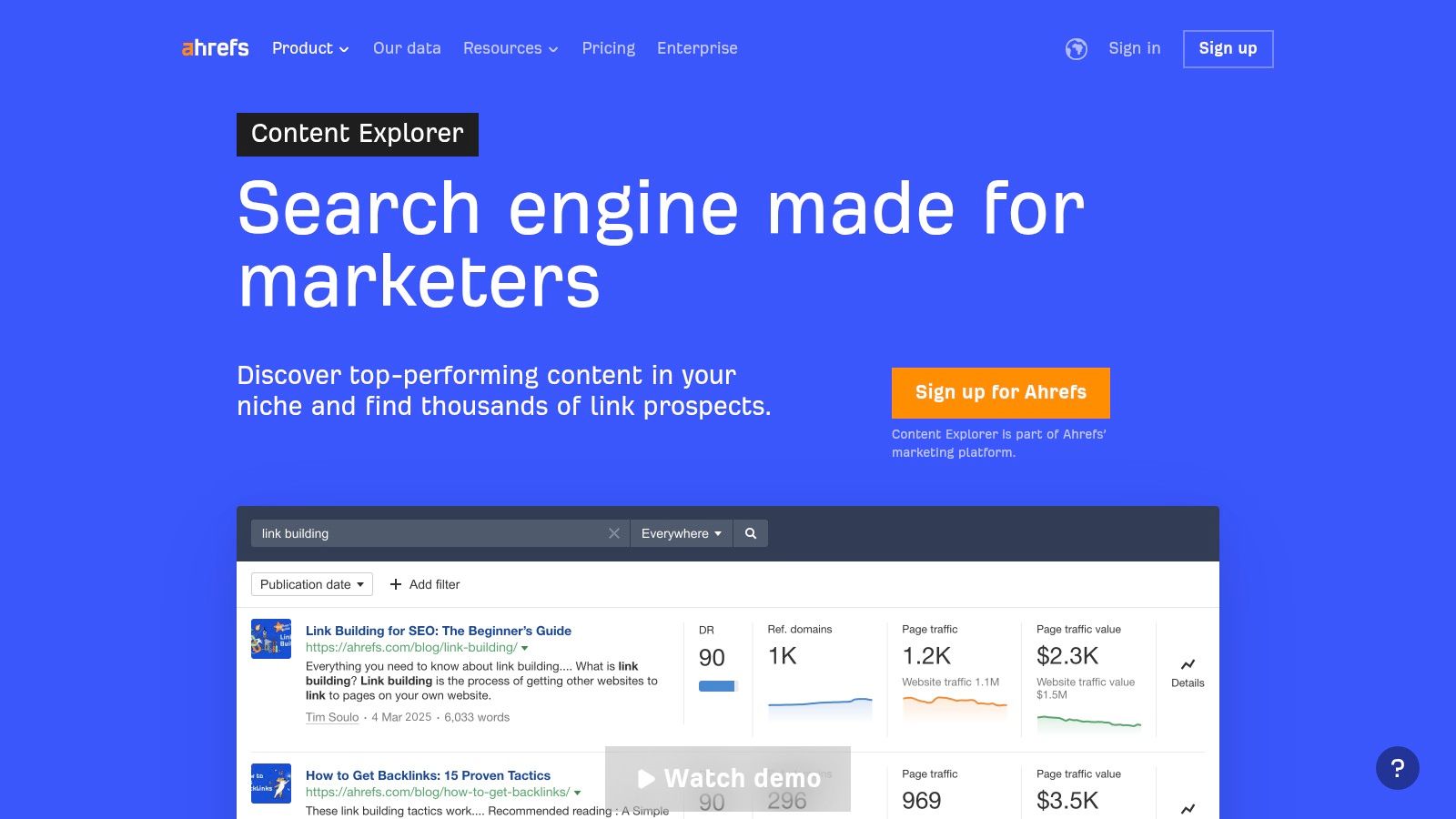
2. Ahrefs (Content Explorer): Validating Content Ideas with SEO and Backlink Data
Ahrefs’ Content Explorer goes beyond simple topic ideation; it’s a validation engine for your entire content strategy. Where other tools show you what's popular on social media, Ahrefs reveals what earns valuable backlinks and organic search traffic, two critical components for long-term SaaS growth. This makes it an indispensable tool among saas content marketing examples for teams focused on sustainable, SEO-driven results.
By analyzing the search performance and link authority of existing content, you can confidently invest in topics that have a proven history of attracting the right kind of attention from both users and other websites. This data-first approach minimizes risk and maximizes the potential for high-impact content.
Strategic Analysis: The SEO-Driven Content Blueprint
The true power of Ahrefs Content Explorer is its integration with one of the world's best backlink and keyword databases. You can find content that not only generated social buzz but also attracted high-authority backlinks and ranks for valuable keywords. This allows you to build a content strategy that serves both top-of-funnel engagement and bottom-of-funnel SEO authority.
Key Strategic Insight: High-performing content is often a "linkable asset." Ahrefs helps you identify the characteristics of content that other authoritative sites are willing to link to, such as original research, comprehensive guides, and free tools. This provides a clear roadmap for creating content that builds your domain's authority.
Webflow Tutorial: Creating a Gated Resource Hub
Once Ahrefs helps you identify a topic for a high-value "linkable asset" (like a report or ebook), build a system in Webflow to capture leads with it.
- Create a "Resources" CMS Collection: In Webflow, build a new CMS Collection for your gated assets. Include fields like
Resource Name,Cover Image,Description, and aFile Fieldto upload the PDF. - Design the Landing Page Template: On the "Resources" Collection template page, design the layout. Pull the
Cover ImageandDescriptionfrom the CMS. Add a "Form Block" element. - Style the Form and Success State: Customize the form fields (e.g., Name, Email). In the Form Settings, select the "Success" state. Instead of a simple message, design a custom
divblock with a clear "Download Now" button. - Link the Form Button to the File: On the "Success" state's download button, go to the Element Settings panel. Choose "Get file from Resources" and link it to the
File Fieldfrom your CMS. Now, when a user submits the form, they'll see the success state with a direct link to download the file, creating a seamless experience. For more on crafting content that justifies this kind of lead capture, see this guide on how to write SEO articles that consistently rank.
Pricing and Access
Ahrefs offers several tiered plans, starting with the Lite plan at $99/month. Full access to Content Explorer and its most powerful filters requires higher-tier plans. Pricing can also vary by region, which is typically shown at checkout.
Website: https://ahrefs.com/content-explorer
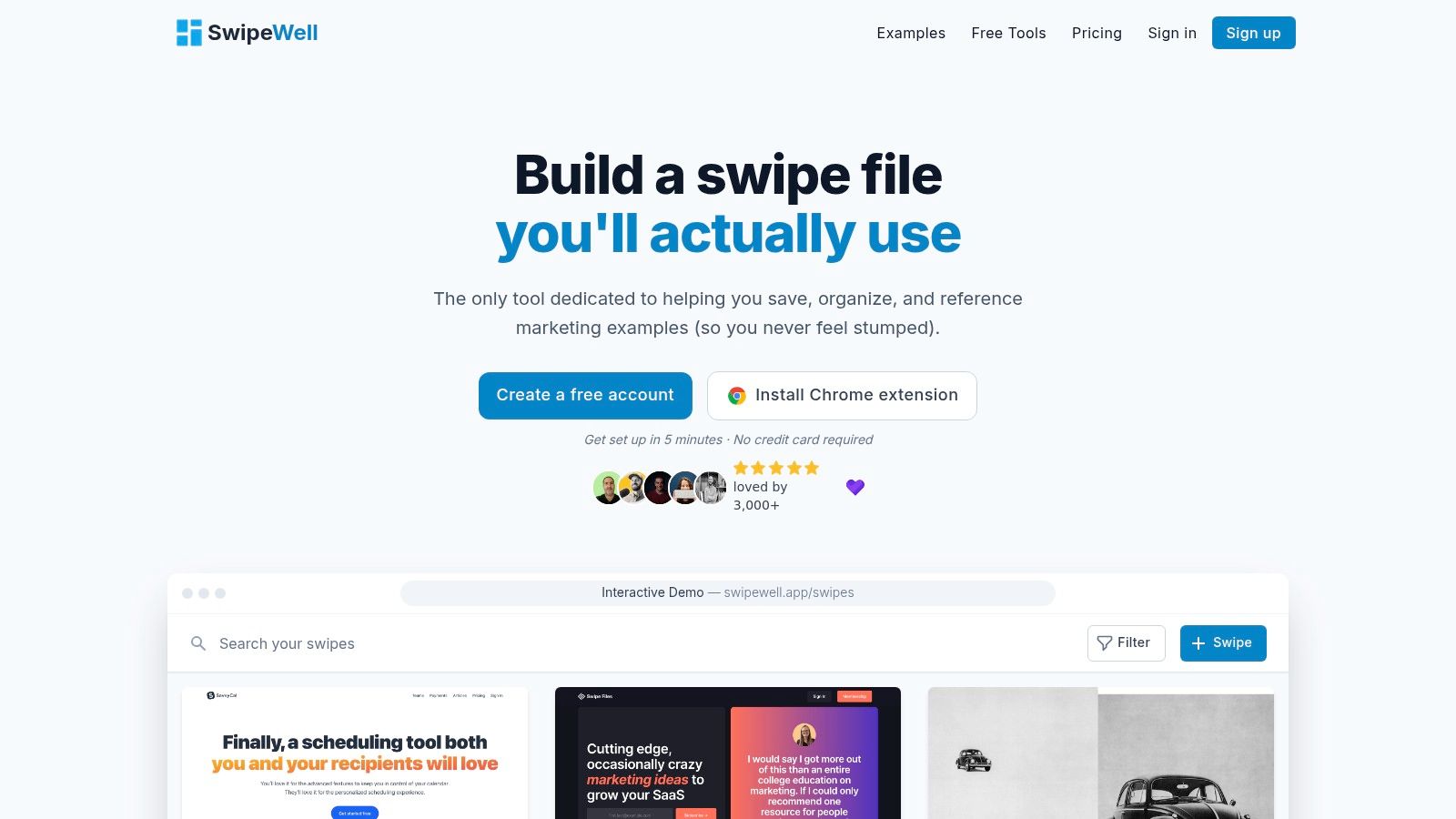
3. SwipeWell: Building a High-Converting Marketing Inspiration Library
SwipeWell is a modern swipe file application designed to help marketers capture, organize, and reference high-quality marketing examples. Instead of scattered screenshots, it provides a centralized library for ads, landing pages, and emails, making it a goldmine for one of the most crucial parts of content creation: inspiration. For SaaS teams, it streamlines the process of finding and applying proven marketing patterns, transforming random ideas into structured, effective campaigns.
This tool is particularly useful for content and product marketers who need to create landing pages, ad copy, or email sequences that convert. By curating a library of successful saas content marketing examples, you can quickly identify commonalities in messaging, design, and calls-to-action, then apply those insights to your own projects.
Strategic Analysis: The Inspiration-to-Execution Flywheel
SwipeWell’s core value is transforming inspiration from a passive activity into an active, strategic asset. Its one-click Chrome extension and powerful tagging system allow you to build a personalized, searchable database of what works. This solves a major bottleneck in content marketing: the struggle to consistently generate fresh, effective ideas based on proven industry successes.
Key Strategic Insight: Great marketing is rarely created in a vacuum; it’s remixed and improved upon. SwipeWell provides the framework to systematically deconstruct competitor and industry-leading creative, allowing you to build better marketing by standing on the shoulders of giants.
Webflow Tutorial: Building Reusable "Components" from Inspiration
Use your SwipeWell findings to build a library of reusable sections in Webflow for faster page building.
- Identify a Common Pattern: After saving examples in SwipeWell, notice a recurring layout you like, such as a three-column feature grid with an icon, heading, and paragraph.
- Build the Section in Webflow: On a new page or a style guide page, build this section perfectly. Use
divblocks, grids, or flexbox to structure it. Apply your brand's styling (colors, fonts, spacing). - Create a Component: Select the parent
divthat contains your entire feature grid section. Right-click and choose "Create Component." Give it a clear name, like "Feature Grid - 3 Column." - Reuse and Customize: Now, whenever you build a new landing page, you can drag your "Feature Grid" component from the Components panel. You can override the text and images for that specific instance while the core structure and style remain consistent. This allows you to build pages based on proven layouts in minutes, not hours.
Pricing and Access
SwipeWell offers a free plan limited to 10 saved swipes. The Pro plan is $15/month for individuals, offering unlimited swipes and advanced features. Team plans start at $30/month for two users, providing shared workspaces and collaborative tools.
Website: https://www.swipewell.app/
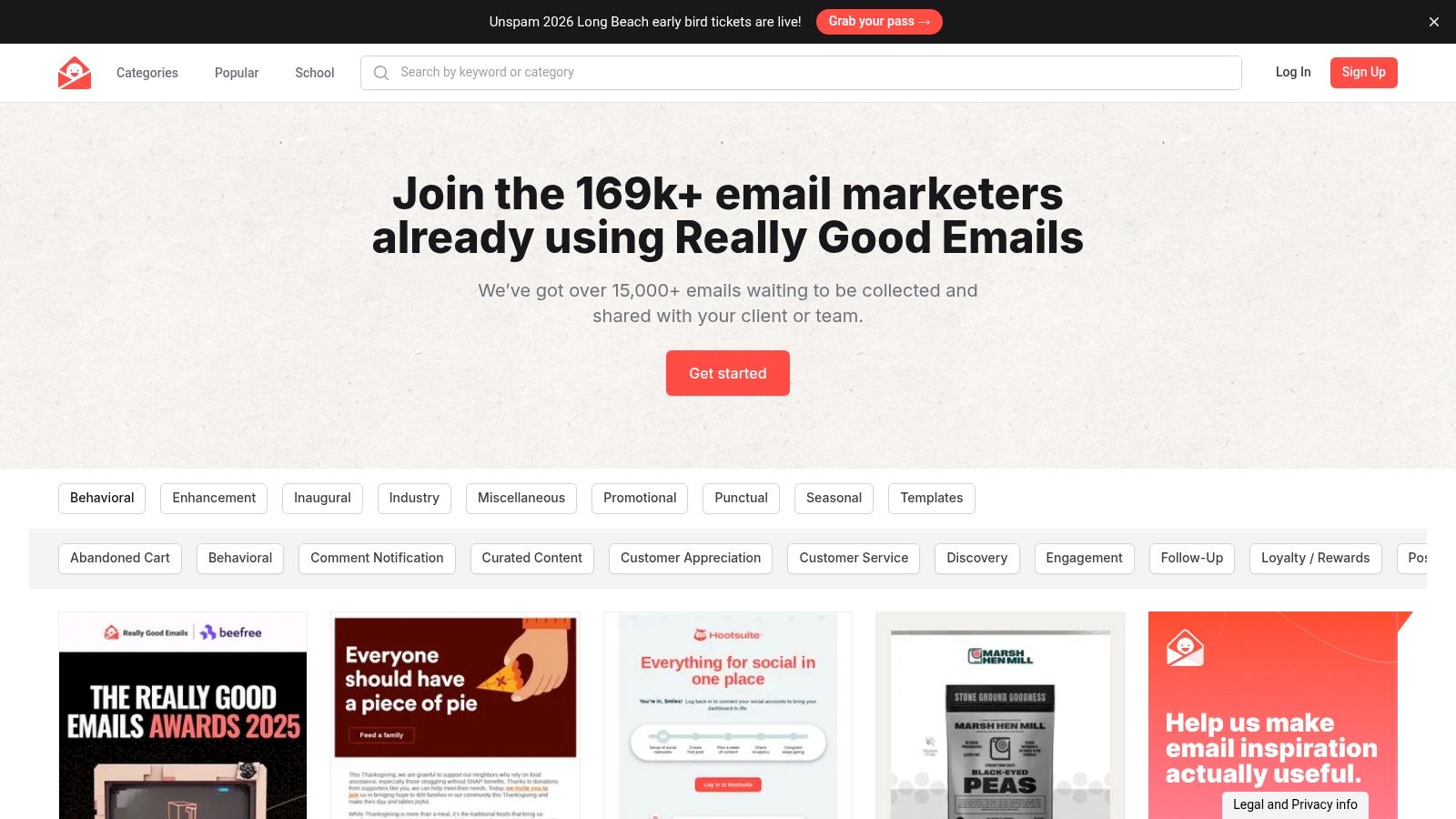
4. Really Good Emails (RGE): Deconstructing High-Converting Email Campaigns
Really Good Emails (RGE) is a vast, curated library of email designs and copy, serving as an essential resource for inspiration and competitive analysis. For SaaS marketers, it’s a goldmine for understanding email lifecycle marketing, from onboarding sequences to feature announcements. This platform stands out as a prime saas content marketing example because it focuses on a critical, often-overlooked channel: the inbox. Instead of guessing what works, you can see how leading brands structure their messaging.
This approach helps SaaS teams refine their email content strategy, ensuring every touchpoint is optimized for engagement and conversion. By studying thousands of successful examples, marketers can borrow effective design patterns, copywriting formulas, and call-to-action strategies to improve their own campaigns.
Strategic Analysis: The Email Content Pattern Library
The strategic value of RGE is in its sheer volume and meticulous categorization. With over 15,000 examples, you can filter by SaaS-specific categories like "Onboarding," "Product Updates," or "Welcome Emails" to identify patterns in messaging and design. This isn't just a gallery; it's a living playbook for customer communication that reveals how top companies nurture leads, retain users, and drive action.
Key Strategic Insight: Your email marketing is a direct extension of your product's user experience. RGE allows you to model your email content after the best in the industry, ensuring your communication feels as polished and intuitive as your platform itself.
Webflow Tutorial: Optimizing On-Site Forms for Email Signups
Use insights from RGE to build a newsletter signup form in Webflow that people actually want to fill out.
- Find Your Angle in RGE: Browse RGE for "Newsletter" examples. Note the value proposition. Do they offer tips, exclusive content, or early access? This will inform your form's copy.
- Build a Visually Appealing Form: In Webflow, add a "Form Block." Don't leave it with the default styling. Place it inside a styled
divwith a background color or border to make it stand out. - Craft Compelling Microcopy: Instead of a placeholder that says "Enter your email," write benefit-oriented copy inspired by RGE, like "Get weekly Webflow tips in your inbox." Change the button text from "Submit" to an action-oriented phrase like "Count Me In!"
- Connect to Your Email Platform: Go to your Form's Settings panel. You can either use Webflow's Logic feature (paid plan required) to send data directly to platforms like Mailchimp, or use the "Action" field with a URL provided by your email service provider to link the form. This ensures new signups are automatically added to your mailing list.
Pricing and Access
Really Good Emails is largely free to browse, making it highly accessible. A Pro plan is available for $9/month, which unlocks features like unlimited private collections, team collaboration, and a more robust personal library for saving and organizing inspiration.
Website: https://reallygoodemails.com
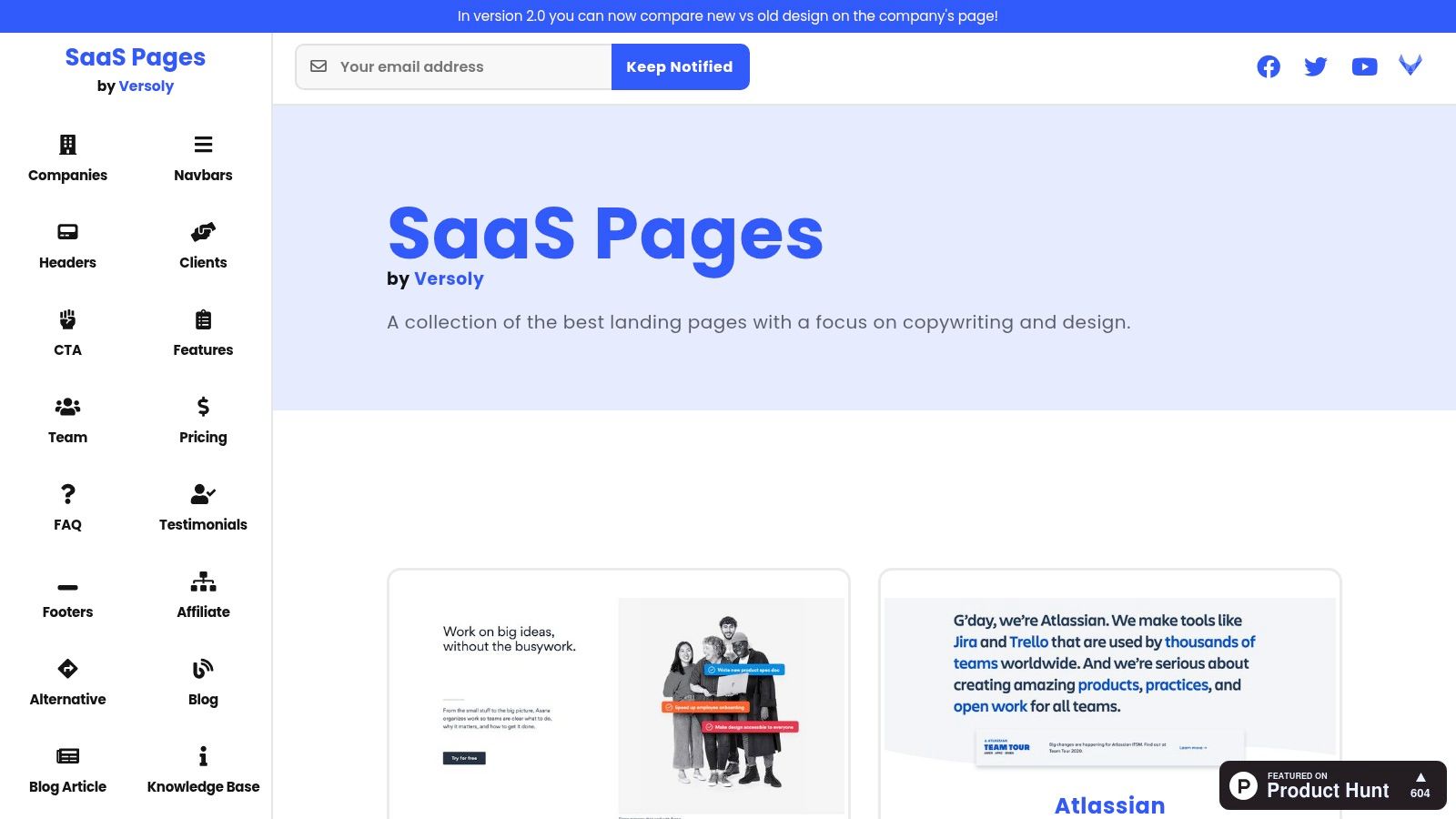
5. SaaS Pages: How to Benchmark and Build High-Converting Landing Pages in Webflow
SaaS Pages is a curated design gallery that solves a critical problem for marketers: understanding what a "good" landing page looks like. It deconstructs high-performing SaaS websites into their core components like headers, feature sections, and pricing tables, offering a masterclass in effective copy and design. This makes it one of the most practical saas content marketing examples for teams focused on conversion rate optimization.
Instead of starting from a blank canvas, you can benchmark your page structure and messaging against the best in the industry. This visual library accelerates the ideation process, ensuring your landing pages are built on proven conversion principles from day one.
Strategic Analysis: The Conversion-Focused Design Blueprint
The genius of SaaS Pages is its granular, block-by-block approach. It recognizes that a successful landing page isn't one monolithic design but a series of persuasive arguments presented through distinct sections. By isolating these "blocks," the platform allows you to analyze how different companies tackle the same challenge, such as communicating features or displaying social proof.
This provides an invaluable framework for content and design teams. You can quickly spot trends in headline formulas, call-to-action (CTA) button copy, and visual hierarchy, removing subjective guesswork from your creative process.
Key Strategic Insight: Great landing pages are assembled, not just designed. SaaS Pages provides the building blocks, showing you how successful companies structure their narrative to guide users from initial interest to final conversion.
Webflow Tutorial: Building a High-Converting "Hero" Section
Your hero section is the most important part of your landing page. Build one in Webflow based on patterns from SaaS Pages.
- Analyze Hero Sections: In SaaS Pages, filter for "Headers" or "Hero" sections. Note the common structure: a primary headline (H1), a supporting paragraph, and a clear call-to-action (CTA) button.
- Structure in Webflow: Add a "Section" element to your page. Inside, add a "Container." Place your
H1,Paragraph, andButtonelements inside the container. This keeps your content neatly centered and responsive. - Optimize the CTA: Don't just use a generic button. Select the button, go to the Style panel, and adjust its size, color, and font weight to make it visually dominant. Give it a hover state (e.g., slightly darker color) to provide visual feedback to the user.
- Add Social Proof: Many hero sections on SaaS Pages include logos of customers. Below your CTA button, add a
divblock. Set its display property to "Flexbox," align "Center," and justify "Center." Place the logo images of your customers inside this div. Flexbox will automatically space them out evenly for a professional look.
Pricing and Access
SaaS Pages is completely free to use. The gallery is frequently updated with new examples, making it a consistently valuable resource for marketing and product teams without any cost.
Website: https://saaspages.xyz/
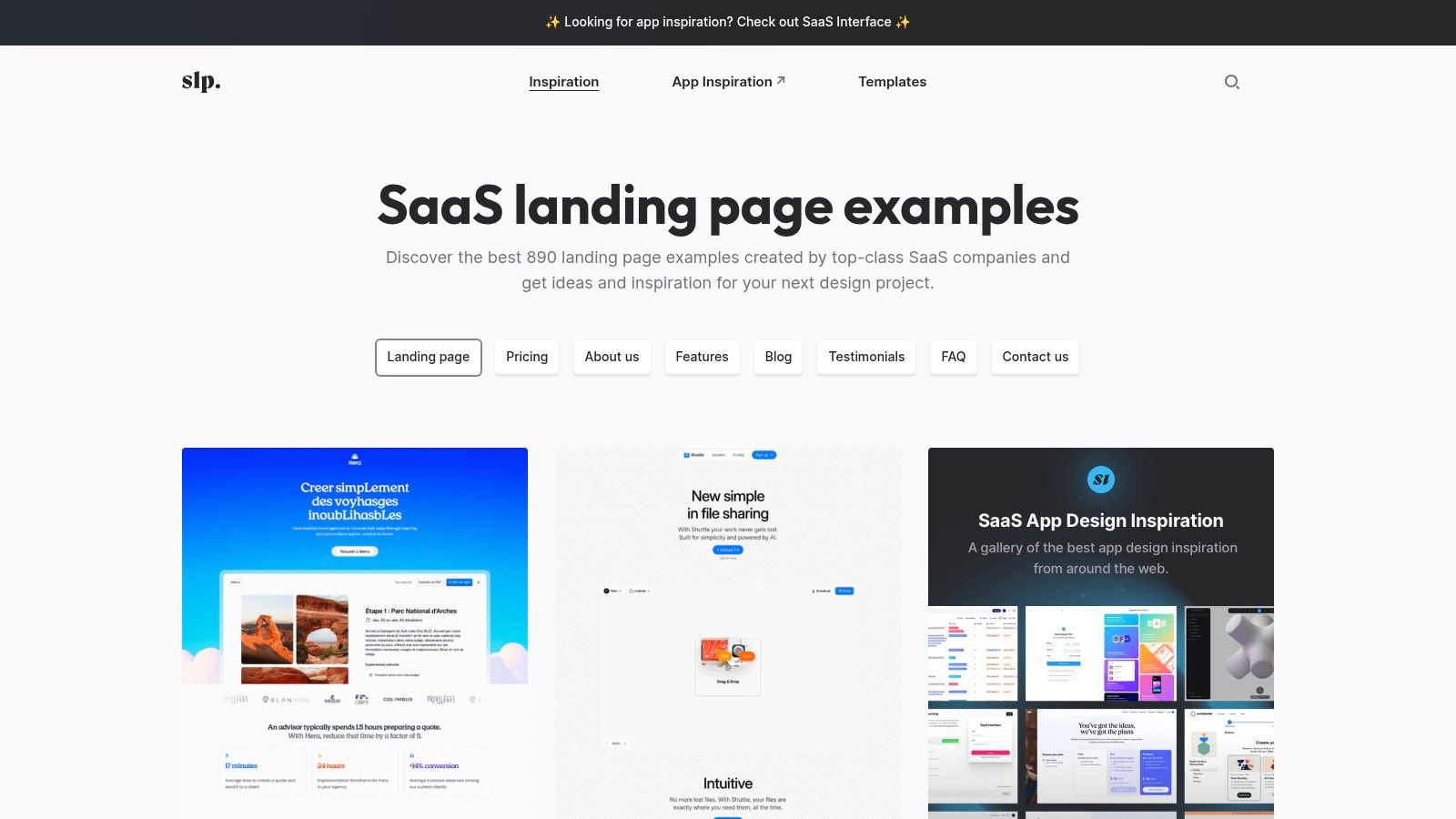
6. SaaS Landing Page: Aligning High-Impact Copy with Conversion-Focused Design
SaaS Landing Page is a curated gallery of high-quality landing pages, pricing pages, and other key website sections from across the SaaS industry. It serves as a visual research tool, allowing marketers to analyze how top companies structure their messaging, present value propositions, and design for conversion. This makes it a crucial resource for teams looking to align their content strategy with compelling visual design.
Instead of guessing which layouts work, you can browse hundreds of real-world saas content marketing examples to see how successful brands handle everything from feature comparisons to call-to-action placement. This visual library ensures your well-crafted copy isn't let down by a poor user experience.
Strategic Analysis: The Visual Blueprint for Content
The strength of SaaS Landing Page lies in its focused curation. It’s not just a random collection of pretty websites; it’s a searchable database of strategic design and content patterns specific to the SaaS business model. You can filter by page type (like Pricing, Blog, or Features) to deconstruct how competitors are communicating their core messages at different stages of the buyer’s journey.
Key Strategic Insight: In SaaS, content and design are inseparable. A powerful message can fail if the layout is confusing, while a beautiful design is useless without clear, persuasive copy. This platform helps you bridge that gap by providing a blueprint for what works.
Webflow Tutorial: Creating a Dynamic Pricing Page
Use SaaS Landing Page to research pricing page designs, then build a flexible one in Webflow.
- Research Pricing Patterns: Search SaaS Landing Page for "Pricing" pages. Note common features like a monthly/annual toggle, a list of features per plan, and a highlighted "Most Popular" option.
- Build with the CMS: Create a "Pricing Tiers" CMS Collection. Add fields for
Plan Name,Price,Feature List(Rich Text), andIs Popular?(Switch). - Design the Pricing Grid: On your pricing page, add a Collection List and bind it to your new collection. Use Webflow's CSS Grid to create a responsive multi-column layout for your pricing tiers.
- Implement Conditional Visibility: To highlight the most popular plan, select the wrapper for a single pricing tier. Go to the Element Settings panel and add "Conditional Visibility." Set the condition to show a special element (like a "Most Popular" banner) only when the
Is Popular?switch is "On" in the CMS. This allows your marketing team to change which plan is highlighted without needing a designer.
Pricing and Access
SaaS Landing Page is completely free to browse. The platform also curates premium templates for Webflow, Framer, and other platforms, which are available for purchase from their respective creators.
Website: https://saaslandingpage.com/
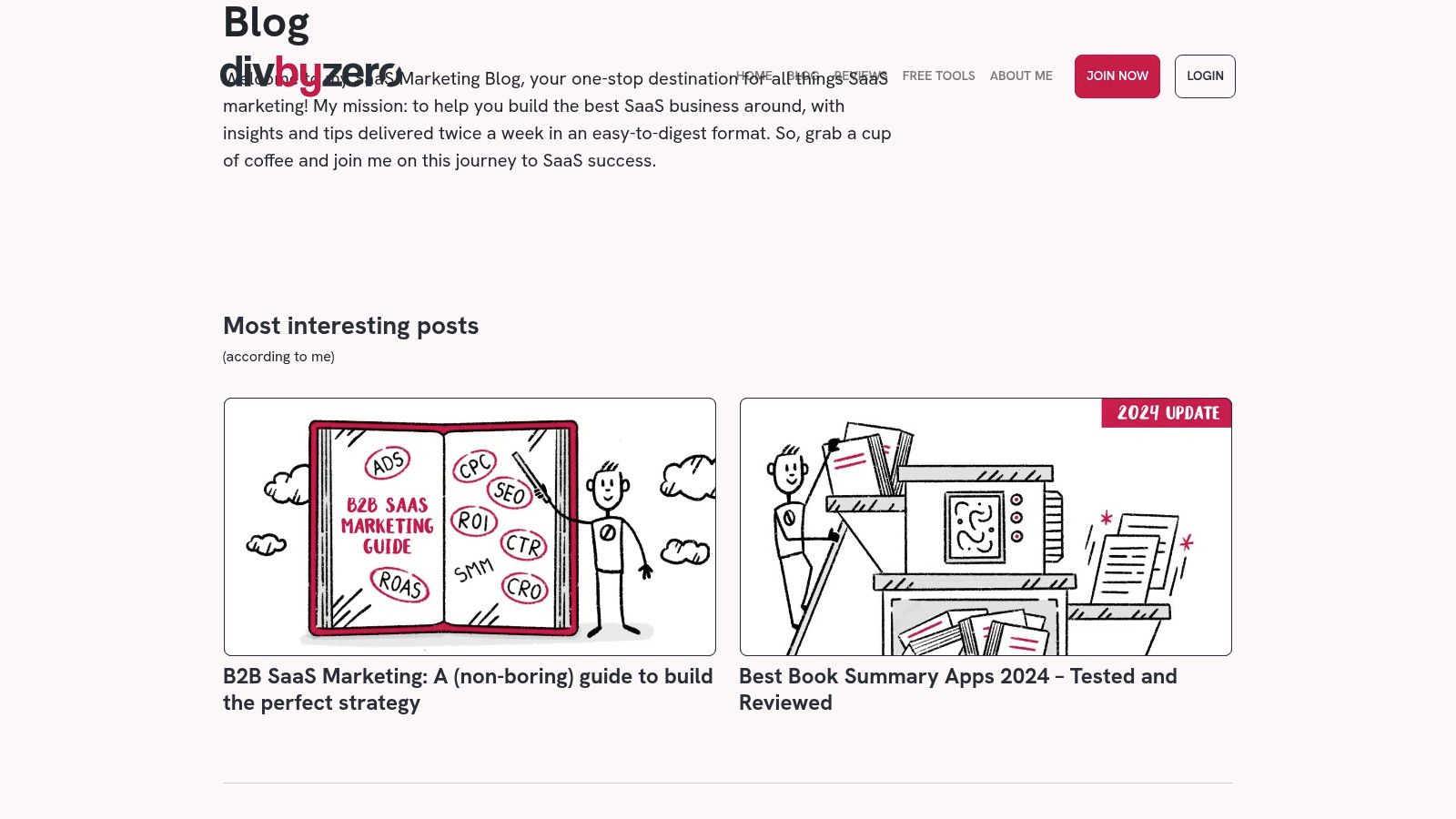
7. DivByZero: A Visual Library for High-Converting Page Layouts in Webflow
DivByZero provides a massive, curated library of SaaS marketing page examples, moving beyond just blog posts to cover the entire customer journey. It’s an essential resource for marketers and designers looking to build high-converting homepages, pricing tiers, and product pages by learning from the best in the industry. This visual-first approach makes it an invaluable addition to any collection of saas content marketing examples.
Instead of guessing which layouts work, you can browse hundreds of real-world examples to inform your own design and content structure. This is particularly useful for Webflow developers who need concrete visual inspiration to translate marketing strategy into functional, beautiful web pages that guide users toward conversion.
Strategic Analysis: Deconstructing Conversion-Focused Design
The strength of DivByZero lies in its breadth and focus. While other tools analyze text-based content, DivByZero allows you to analyze the visual and structural components of SaaS marketing. You can filter by page type, such as "Pricing," "Integrations," or "About Us," to see how successful companies structure their arguments and present information.
This resource helps you understand the flow of a page, the hierarchy of information, and the calls-to-action that top SaaS brands use. It’s a shortcut to understanding design patterns that build trust and drive action, saving countless hours of A/B testing on foundational layouts.
Key Strategic Insight: Great design isn't arbitrary; it follows proven patterns of user psychology and information architecture. DivByZero provides a visual playbook, allowing you to borrow and adapt conversion-optimized layouts from the most successful SaaS companies.
Webflow Tutorial: Building an "Integrations" Page with the CMS
An integrations page builds confidence in your product. Use DivByZero for inspiration and build a dynamic one in Webflow.
- Study Top Examples: In DivByZero's library, review "Integrations" pages. Note how they use logos in a grid and often include a search or filter function.
- Create an "Integrations" CMS Collection: Set up a new CMS collection with fields for
Integration Name,Logo(Image),Description, andCategory(Option field, e.g., "Analytics," "CRM"). - Design a Responsive Logo Grid: On your integrations page, add a Collection List and connect it to your new collection. Inside the list item, place the
Image(for the logo) and theName. Set the Collection List's display property to "Grid" and adjust the columns to be responsive (e.g., 4 columns on desktop, 2 on tablet, 1 on mobile). - Add Search/Filter Functionality: For a better user experience, add live filtering. Use a no-code tool like Jetboost or Finsweet's Attributes. By adding a few custom attributes to your Collection List and your category filter buttons/search bar, you can allow users to instantly find the integration they're looking for without any page reloads.
Pricing and Access
DivByZero’s library is free to access. However, you must create a free account to unlock and view the full gallery of examples. The catalog is regularly updated with new additions.
Website: https://divbyzero.com/tools/saas/examples
7 SaaS Content Marketing Examples — Side-by-Side Comparison
Turn Your Website Into a Revenue Engine
Inspiration is the starting point, but execution is what drives growth. Throughout this article, we’ve dissected powerful saas content marketing examples, moving beyond surface-level praise to uncover the strategic frameworks that make them successful. From Ahrefs' product-led content machine to SwipeWell's niche library, a clear pattern emerges: the most effective content is deeply integrated with the product, laser-focused on a specific audience, and built on a platform that enables speed and creativity.
The tools we've analyzed, like BuzzSumo for trend identification and SaaS Pages for design inspiration, provide the raw materials for your strategy. However, the real magic happens when you translate those insights into tangible assets on your website. This is where a platform like Webflow becomes your competitive advantage, allowing you to bypass development bottlenecks and build the exact experiences your strategy demands.
Key Takeaways: From Examples to Execution
As you move from analysis to action, keep these core principles at the forefront. The most successful saas content marketing examples consistently demonstrate these traits:
- Audience-Centricity is Non-Negotiable: Every successful campaign starts with a deep, almost obsessive, understanding of the customer's pain points. Ahrefs doesn't just write about SEO; they solve specific problems their target users face daily.
- Product is the Protagonist: The best content naturally and authentically integrates the product as the solution. It’s not a forced sales pitch but a logical conclusion to the problem being discussed.
- Design and UX Amplify the Message: A great idea packaged in a poor user experience will fail. Tools like SaaS Landing Page and DivByZero highlight how crucial clean, intuitive design is for credibility and conversion.
- Consistency Compounds Results: A single blog post rarely moves the needle. It's the consistent creation of high-value content, built over time, that establishes authority and drives sustainable organic growth.
Actionable Next Steps for Your Webflow Site
You have the inspiration and the strategic framework. Now, it's time to implement these learnings on your Webflow site to create a true revenue engine.
- Conduct a Content Gap Analysis: Use Ahrefs’ Content Explorer to identify high-intent keywords your competitors rank for but you don't. Prioritize topics that align directly with your product's core use cases. This is the foundation of a data-driven content strategy.
- Build a High-Velocity Template Library: Don't start from scratch every time. Within Webflow, create a set of reusable CMS Collection templates for different content formats: blog posts, case studies, landing pages, and resource hubs. This dramatically increases your team's publishing speed.
- Integrate Interactive "How-To" Components: Instead of just writing about how your product solves a problem, show it. Use Webflow's interactions and embed capabilities to create mini-tutorials or interactive modules directly within your blog posts, guiding users through key features.
- Optimize for Conversion at Every Stage: Review your existing content. Is every page optimized with a clear, relevant call-to-action? Use Webflow's flexible layout system to add contextual CTAs, resource download forms, or demo booking sections that align with the content's intent.
By systematically applying these tactics, you transform your website from a simple digital brochure into an active, lead-generating asset. The saas content marketing examples we've explored aren't just one-off successes; they are the result of a disciplined, repeatable process that combines sharp strategy with powerful tools. Your Webflow site gives you the ultimate canvas to execute this process without compromise, enabling you to build, test, and scale your content marketing efforts faster than the competition.
If you're ready to implement these strategies but need an expert team to accelerate your growth, Block Studio can help. We combine data-driven content marketing with expert Webflow development to build predictable revenue engines for ambitious SaaS companies. Learn how we can help you scale your organic growth.