.png)


How to Conduct an SEO Audit for Your Webflow Site
An SEO audit is basically a deep-dive into your website to figure out what's holding you back in search rankings. It’s a full health check that looks at your site's technical setup, your on-page content, and your authority online. The goal isn't just to find problems—it's to create a solid game plan to get more eyes on your site and boost your organic traffic.
This isn't just about ticking boxes on a technical checklist. It's a strategic move to unlock real growth.
Why a Webflow SEO Audit Is Your Growth Blueprint
It’s a common misconception among Webflow users that a slick design automatically means you'll rank well. While Webflow gives you an amazing starting point, there are tons of invisible issues that can quietly sabotage your organic traffic and burn through your marketing budget. An SEO audit is your map to finding and fixing these hidden blockers.
Think of it like a doctor's check-up for your website. You might be pouring money into new blog posts or paid ads, but if Google can't even crawl your pages correctly or your site is painfully slow, you're just throwing that money away. Issues like a messy site structure, poor indexing, or slow page speeds are like tiny leaks in a bucket—slowly but surely draining your potential.
Shifting from a Cost to an Investment
It’s easy to see an audit as just another expense. But you really need to see it as an investment—one that uncovers hidden revenue. If you're a SaaS startup running on Webflow and your organic traffic has flatlined despite all your hard work, that’s a huge red flag. A thorough audit almost always points directly to the technical bottlenecks causing the problem.
And you'd be surprised how often tiny, overlooked details cause the biggest headaches. For example, a recent study found that 23% of websites forget to link to their XML sitemap in their robots.txt file, making it much harder for Google to discover all their content. Even worse, 17% of sites have redirects inside their sitemaps, which just confuses the heck out of search crawlers. You can dig into more of these common website issues in recent SEO statistics. These are exactly the kinds of problems a good audit brings to light.
An SEO audit turns guesswork into a clear action plan. It stops you from wondering what’s wrong and gives you a data-backed, prioritized list of what to fix first for the biggest impact.
Uncovering Actionable Insights
Ultimately, finding problems is only half the battle. A proper audit delivers real solutions that are specific to your platform. For those of us using Webflow, that often means zeroing in on platform-specific quirks.
- Auto-generated sitemaps: Webflow auto-generates your sitemap, but have you checked if it's correct? Go to
yourdomain.com/sitemap.xmlto see it. Make sure it's submitted to Google and doesn't include pages you've set to "noindex." - Dynamic content indexing: Do you use CMS Collections for your blog or services? In your Collection settings, ensure the template page isn't accidentally set to be excluded from search results.
- Third-party scripts: That custom code for your chat widget or analytics? Check your site settings under
Custom Code. Too many scripts in the<head>section can seriously slow down your site and impact Core Web Vitals.
Working through these points methodically gives you a clear path forward. It ensures your beautifully designed Webflow site doesn’t just look good—it actually works as a powerful engine for bringing in qualified, organic traffic and growing your business.
2. Your Technical SEO Health Check in Webflow
Alright, with the planning done, it's time to get our hands dirty and look under the hood of your Webflow site. A technical SEO audit is, without a doubt, the most critical part of this whole process. It's the foundation for everything else. If your site’s technical health is poor, even the best content in the world won’t rank.
This is where you become a detective. Using tools like Google Search Console and Screaming Frog, you'll start hunting for the hidden problems that stop search engines from properly crawling, indexing, and understanding your website. Think of it as making sure all the roads leading to your site are clear, well-lit, and easy for Google's crawlers to travel.
The main goal here is to find and fix any roadblocks—things like crawl errors, broken links, or messy redirect chains that can really hurt your search performance.
This flowchart breaks down the simple but powerful flow of an SEO audit, moving from identifying issues to resolving them and ultimately driving growth.
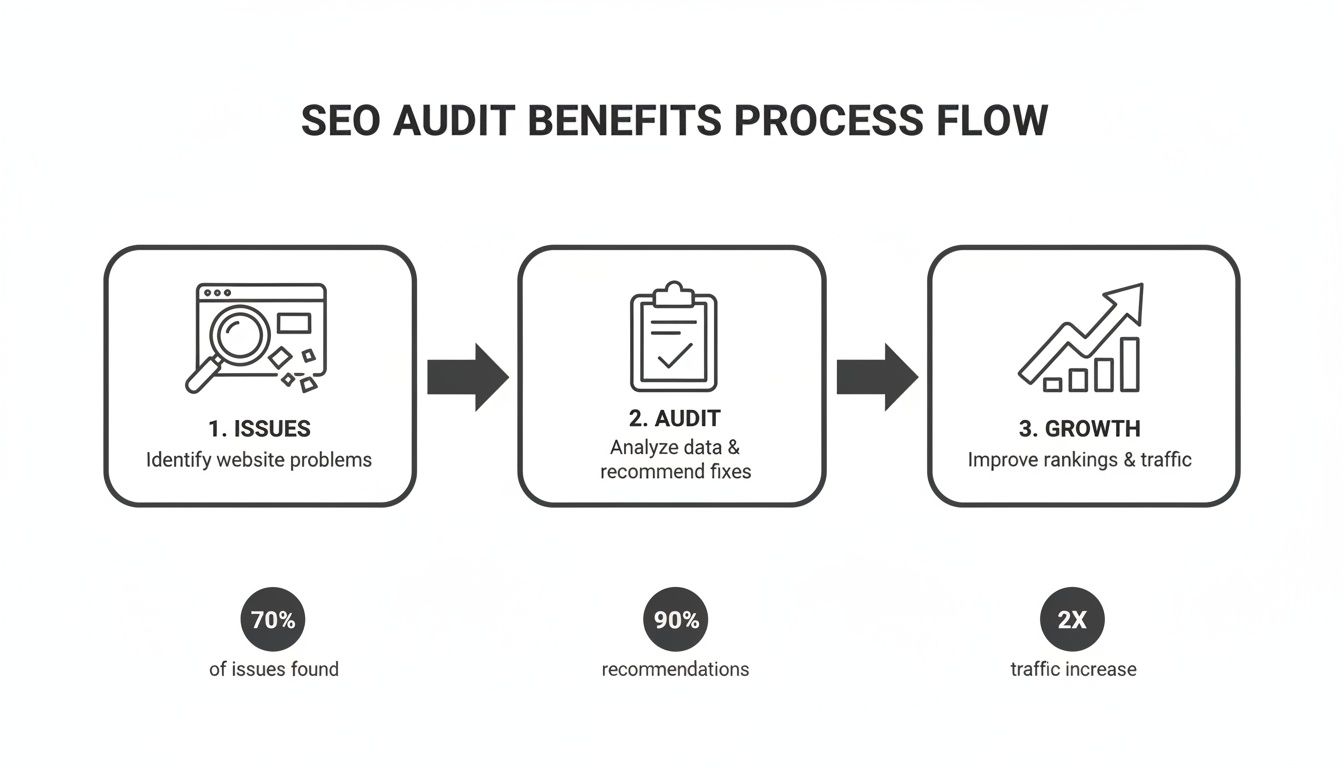
As you can see, a good audit is a system for turning problems into real, measurable improvements in traffic and performance.
Crawling and Indexability Audit
First things first: can Google actually find and read your content? Webflow gives you a great head start by automatically generating a sitemap.xml file. That’s a huge plus. But you still need to make sure that sitemap is submitted to Google Search Console and that your robots.txt file isn't accidentally telling search engines to ignore important pages.
Webflow Actionable: Go to your Project Settings > SEO. Here you can find your auto-generated sitemap link. Copy it and submit it in Google Search Console under "Sitemaps." In the same Webflow settings tab, review your robots.txt file. Look for any "Disallow" rules that might be blocking key directories like /blog/ or /services/ if you're using CMS Collections.
Next, jump into Google Search Console and open the "Pages" report (it's under the Indexing section). This report is gold. It tells you exactly which pages Google has indexed and, more importantly, which pages it hasn't and why.
You'll likely run into a few common issues:
- "Crawled - currently not indexed": This means Google saw the page but decided not to add it to its index. This often happens with pages it thinks are low-quality or duplicates of other content.
- "Blocked by robots.txt": This is a classic "oops" moment. You’ve unintentionally told Google not to crawl a page you actually want to rank.
- "Page with redirect": A few of these are normal, but if you see a huge number, it could be a sign of redirect chains that are slowing things down and need to be cleaned up.
Sorting out these indexing problems is fundamental. It ensures every valuable piece of content on your site gets a fair chance to show up in search results.
Site Speed and Core Web Vitals
Let's be blunt: slow websites are bad for business. They annoy users and get penalized by Google. A technical audit almost always uncovers some surprising performance bottlenecks. As of 2025, a shocking 54.6% of websites fail to pass Core Web Vitals. That means nearly half the web is suffering from slow speeds that drag down their rankings on Google, which commands a 90.83% global search share.
For B2B tech companies and scale-ups using Webflow, audits often pinpoint platform-specific issues like huge, unoptimized images or render-blocking JavaScript. Fixing these problems isn't just a minor tweak; we’ve seen it lead to 61% surges in organic traffic.
Your go-to tool here is Google's PageSpeed Insights. Test your most important pages—your homepage, service pages, and a few blog posts. On Webflow sites, the usual suspects slowing you down are:
- Massive, uncompressed images: Webflow makes uploading images a breeze, but that's a double-edged sword. Always compress your images with a tool like TinyPNG before you upload them.
- Heavy third-party scripts: That custom code for your chatbot, analytics, or heatmap tool? Take a hard look at your scripts in Project Settings > Custom Code and get rid of anything that isn't absolutely essential.
- Over-the-top animations and interactions: Webflow's powerful interactions are a huge draw, but it's easy to go overboard. Test their impact on performance and simplify them if they're causing lag. Use the browser's DevTools Performance monitor to see how interactions affect rendering.
Tackling performance issues is one of the highest-impact things you can do. A faster site delivers a better user experience and sends powerful positive signals to Google. To dive deeper, check out our guide on website performance optimization tips.
Addressing Webflow Specifics
While Webflow automates a lot of the technical heavy lifting, there are still a few platform-specific details you need to keep an eye on. One common area where people get tripped up is responsiveness. Using an online REM converter can be a lifesaver for making precise CSS adjustments to ensure your site looks perfect on mobile, which is a big deal for SEO.
You also need to double-check how Webflow handles canonical tags, particularly for your dynamic CMS collection pages.
Webflow Actionable: Go to your CMS Collection Template Page Settings > SEO Settings. You can add a global canonical tag link in the custom code section: <link rel="canonical" href="https://yourdomain.com{{wf {'path':'','type':'PlainText'} }}" />. This ensures the canonical points to the right URL, preventing duplicate content issues.
Finally, take a look at your URL structures for CMS items. By default, Webflow uses the item's name to create the URL slug. You'll want to make sure these are clean, short, and contain relevant keywords instead of long, auto-generated gibberish.
Essential Technical SEO Audit Checklist for Webflow
To help you stay on track, here’s a quick-reference checklist. It covers the core technical areas you need to investigate during your Webflow audit, along with the best tools for the job and what you should be looking for.
Working through this checklist will ensure you cover all the essential bases of a Webflow technical audit, setting you up for a much healthier and more visible website.
Auditing On-Page SEO and Content Performance
Alright, with the technical heavy lifting out of the way, it's time to dig into what people—and Google—actually see: your content and on-page optimization. This is where we shift from the site's foundation to the stuff that really engages users. We're moving beyond backend fixes and into the art of making every page as powerful as it can be.
This isn't just a box-ticking exercise; it's a critical part of any real SEO audit. In fact, surveys from 2023/24 involving over 3,800 SEO pros showed on-page optimization was a massive focus. The results? An average 61% jump in traffic and a 32% lift in conversions after a solid audit. When you remember Google handles over 8.5 billion searches a day, you can see how a weak title or thin content can make you completely invisible.
Nail Your Titles and Meta Descriptions
Let's be honest: your title tag and meta description are your page's billboard in the search results. They're often the only thing a user sees before deciding whether to click on your link or a competitor's. They have to work hard.
Thankfully, Webflow makes this part easy. Just head to the "Pages" panel, pick a page, and hit the gear icon. Under the "SEO Settings" tab, you'll find the fields for your "Title Tag" and "Meta description."
Webflow Actionable: For your CMS Collection pages (like blogs or services), you can set dynamic templates. In the SEO settings for the collection's template page, use the + Add Field button to pull in the Name for your title tag and a Summary field for your meta description. A great template is [Post Name] | [Your Brand Name]. This automates unique titles for every item.
Here’s my checklist for auditing them:
- No Missing or Duplicate Titles: Every single page needs a unique title. Run a crawl with a tool like Screaming Frog to instantly flag any missing or duplicated ones.
- Smart Keyword Placement: Is your main keyword in the title? It should be, and ideally, close to the beginning. It's a huge relevance signal for Google.
- Compelling Meta Descriptions: Does the description actually sell the page? It should summarize the content and give people a reason to click. While it’s not a direct ranking factor, a great meta description can seriously boost your click-through rate.
A quick pro-tip: Stop stuffing keywords. Start writing for people. Think of your title and description as ad copy for your organic listing. Make it so compelling that someone has to click.
Give Your Content Structure with Headings
A logical heading structure (H1, H2, H3) isn't just for looks. It gives your content a clear hierarchy that helps search engines understand what the page is all about, from the main topic down to the smaller details. The golden rule is simple: one H1 tag per page. Think of it as the title of your chapter.
Webflow Actionable: In the Webflow Designer, select any text element and use the Settings panel (D key) to choose its tag (H1, H2, etc.). For CMS-driven pages, ensure your Rich Text field is structured correctly, starting with an H2 (since the post title is usually your H1). Audit your main pages to ensure there's only one H1.
As you go through your audit, pop into your most important pages and double-check:
- Is there a single, clear H1 tag?
- Are the main sections broken down with H2s?
- Are more specific points nested under H3s and H4s?
This simple structure makes the page scannable for your readers and gives Google a perfect outline of your content, reinforcing its relevance.
Weave Your Site Together with Internal Links
Internal links are the secret sauce that connects your website. They guide users to related content, spread ranking power (or "link equity") across your site, and help Google understand how your pages relate to one another. A page with a lot of relevant internal links pointing to it signals to Google that it's important.
When you're reviewing your content, always be on the lookout for natural opportunities to link to other pages on your site. For instance, if you have a blog post on "user onboarding best practices," you absolutely should be linking to your product's feature page about onboarding tools. It just makes sense.
This builds your topical authority and keeps people on your site longer. If you really want to get this right, our guide on building an internal linking strategy lays out a complete roadmap specifically for Webflow sites.
Analyze Content Quality and Find the Gaps
Beyond the technical bits, the actual quality of your words is what truly matters. An on-page audit means getting real about whether your content is doing its job. You have to ask the tough questions.
Is this content accurate and up-to-date? Does it actually answer what the user was searching for, or does it leave them hanging? Great content is what earns trust, rankings, and ultimately, conversions.
This is also the perfect time to hunt for "content gaps." These are topics your audience is searching for that you haven't written about yet. Use a keyword tool to see what your competitors rank for that you don't. To get a handle on what’s working and what isn't, this guide to content performance analysis is invaluable. It will show you exactly where the opportunities are for new blog posts or guides that can bring in a whole new audience.
Evaluating Your Backlink Profile and Competitors
So far, we’ve been completely focused on what’s happening on your Webflow site. Now, it’s time to zoom out and look at the bigger picture. Your website doesn’t exist in a bubble; its authority and ranking power are massively influenced by other sites on the web—especially your competitors.
This is where we shift from internal tweaks to external reputation. We need to understand how other sites perceive yours and figure out exactly where you stack up in your industry. First, we’ll dig into who is linking to you, and then we’ll do a little recon on your competitors to see what’s working for them.
Conducting a Backlink Audit
Think of a backlink as a vote of confidence from another website. The more high-quality "votes" you collect, the more Google sees you as an authority. But here's the catch: not all links are good for you. Some can be downright toxic and actively damage your rankings.
The first step is simply getting a full inventory of your current backlinks. Tools like Ahrefs or Semrush are my go-to's for this. Just plug in your domain, and they’ll spit out a comprehensive report of every single site linking back to you.
With that data in hand, your job is to sort the good from the bad. You're looking for:
- High-Quality Links: These are the gold standard. They come from reputable, relevant websites in your niche. One link from a major industry publication is worth more than a hundred from sketchy, unknown directories.
- Toxic Links: Be on the lookout for links from spammy, low-quality, or completely irrelevant sites. These are red flags for Google and can lead to penalties that tank your rankings.
If you uncover a mess of toxic links, you might need to disavow them through Google's Disavow Tool. A word of caution, though: this is a powerful, advanced tactic. Only use it if you're absolutely certain those links are causing more harm than good.
Your backlink profile tells a story about your site's authority. A clean, relevant profile built from genuine sources is a powerful signal to search engines that your content is trustworthy and valuable.
Spying on Your Competitors
Honestly, one of the fastest ways to level up your own SEO is to understand what your competitors are doing right. This isn't about blindly copying their every move. It’s about smart reconnaissance—identifying opportunities and learning from both their wins and their mistakes.
First, you need to know who you’re up against. Pinpoint your top three to five organic search competitors. These are the sites that constantly pop up for the keywords you’re trying to own. Once you have that list, it’s time to use your SEO tool to see what’s under their hood.
Uncovering Competitor Keywords and Content
The main goal here is to find out which keywords are sending the most traffic their way. Zero in on their top-ranking keywords, but pay special attention to the terms where they rank and you don’t. This is an absolute goldmine for content ideas.
For instance, you might find a competitor is ranking for a long-tail keyword that addresses a specific customer problem you never even thought of. Boom—that’s your next blog post. This process is crucial for finding new opportunities, and you can learn more in our complete guide to running a content gap analysis for SEO.
Next, analyze their top-performing pages—the ones getting the most organic traffic and earning the most backlinks. As you review them, ask yourself:
- What topics are they covering?
- What content formats are they using (guides, blog posts, free tools)?
- How is the content structured? Is it easy to read?
- What’s their tone of voice like?
This intelligence gives you a clear roadmap for creating content that will actually resonate with your shared audience. By understanding the strategies that are already working for them, you can build a smarter off-page and content plan to climb the ranks and win those top spots.
Building Your Prioritized SEO Action Plan
Let's be honest: an SEO audit that just gathers dust in a spreadsheet is a waste of time. All the data you've painstakingly collected—the crawl stats, the competitor insights, the technical flaws—is completely worthless until you build a clear plan to do something with it.
This is where the real work begins. We’re going to turn that mountain of findings into a practical, prioritized roadmap for getting things done.
The sheer number of issues a deep audit can uncover is often overwhelming. It’s easy to get stuck in "analysis paralysis," not knowing where to even start. The secret is to avoid that trap by focusing on a simple but powerful framework: balancing potential impact against the effort required to get it done.
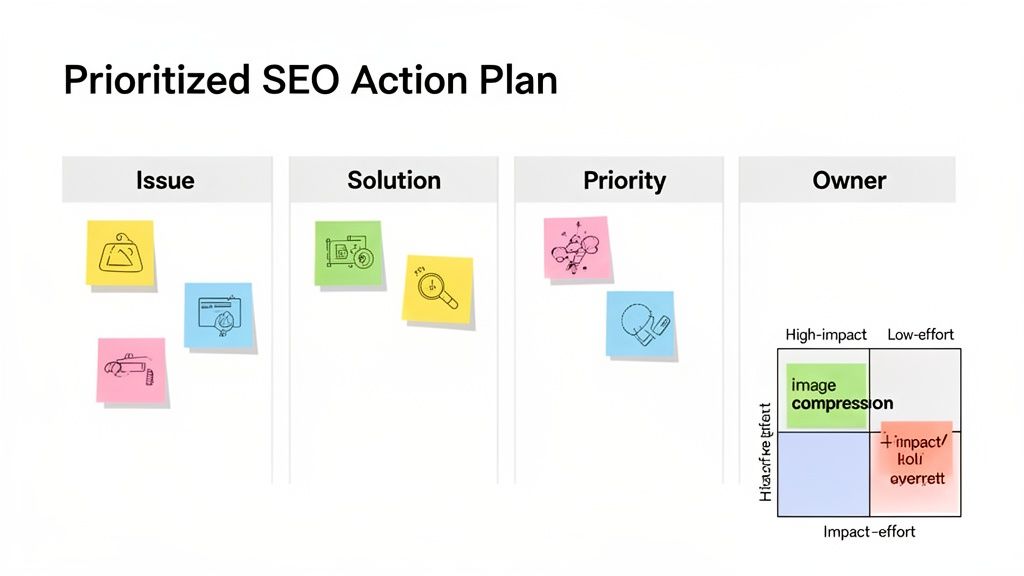
Prioritizing Fixes with an Impact vs. Effort Matrix
I’ve found the best way to cut through the noise is to sort every single issue into one of four buckets. This method makes it instantly clear what you should tackle first. The goal is always to start with the tasks that give you the biggest bang for your buck.
Here’s how I break it down for my clients:
- High Impact, Low Effort (Quick Wins): These are your absolute top priorities. Think of them as the low-hanging fruit that can deliver noticeable results without draining your team's resources. They’re satisfying and build momentum.
- High Impact, High Effort (Major Projects): These are the big, strategic initiatives that can truly move the needle. They require serious time, planning, and potentially a budget, but the payoff can be huge.
- Low Impact, Low Effort (Fill-in Tasks): These are the minor tweaks and housekeeping items. They're good to chip away at when you have downtime, but they should never distract you from the more important projects.
- Low Impact, High Effort (Time Wasters): Just avoid these. They’re resource hogs that deliver very little, if any, real SEO benefit.
For someone running a Webflow site, this framework brings immediate clarity. Let’s say you found a dozen oversized images on your key service pages. Compressing them is a classic quick win. It might take you an hour, tops, but it can dramatically improve page speed and user experience.
On the other hand, a complete site restructure to build out a new hub-and-spoke content model is a major project. It’s a fantastic goal, but it requires deep strategic planning, content creation, and technical implementation.
To help you get started, here's a simple matrix that visualizes this process.
Impact vs. Effort Prioritization Matrix
This simple grid is a fantastic tool for sorting through your audit findings. By plotting each task based on its potential impact and the resources needed, you can quickly identify your "Quick Wins" and map out a realistic plan.
Priority LevelDescriptionExample SEO TaskQuick WinHigh Impact, Low Effort. Do these first for immediate gains.Fix a generic CMS title tag template in Webflow settings.Major ProjectHigh Impact, High Effort. Plan these carefully.Overhaul your site architecture to improve topical authority.Fill-in TaskLow Impact, Low Effort. Tackle these when time permits.Add internal links from old blog posts to a new case study.Time WasterLow Impact, High Effort. Avoid these tasks entirely.Manually disavowing hundreds of low-quality, no-follow links.
Using this matrix prevents you from getting bogged down in minor details while major opportunities sit on the back burner. It forces you to be strategic with your most valuable resource: your time.
Building Your Actionable Roadmap
Once you’ve categorized your findings, it’s time to create a formal action plan. I always use a shared document for this, whether it's a Google Sheet or a board in a project management tool like Asana or Trello. This keeps everyone on the same page and creates accountability.
Your roadmap needs to be more than a simple to-do list; it should be a living document that tracks progress from "To Do" to "Done." To make it truly effective, create columns for each essential piece of information.
Here’s a simple structure I’ve used countless times:
Task / IssueProposed SolutionPriorityOwnerStatusMissing alt text on 25 product imagesWrite descriptive alt text for each image and add it in the Webflow Asset Manager.Quick WinSarah (Marketing)In ProgressKey service page has slow LCP scoreCompress hero image from 2MB to 300KB and switch to WebP format.Quick WinDavid (Design)CompletedNo internal links to new case studiesAdd contextual links from 3 relevant blog posts to each new case study page.Fill-in TaskSarah (Marketing)To DoOutdated blog content from 2021Identify top 5 posts with high potential but declining traffic for a full content refresh.Major ProjectAlex (Content)Not Started
This format is magic because it eliminates ambiguity. It turns a vague problem like "bad on-page SEO" into a specific, assignable task with a clear owner and priority level.
An SEO audit's true value isn't in the problems it finds, but in the prioritized solutions it creates. Your action plan is the bridge between analysis and actual, measurable growth.
Webflow-Specific Action Items
The beauty of working with Webflow is that your solutions can be incredibly specific, which makes implementation so much faster.
Your prioritization matrix might include items like this:
- Quick Win Example: Your audit flags that your blog's CMS template uses the same generic title tag for every single post. The fix is a perfect low-effort task: jump into the Webflow page settings for that collection template and use a variable to set the title tag to
[Post Name] | [Your Brand]. This is an incredibly high-impact fix that instantly improves on-page SEO across dozens, or even hundreds, of pages. - Major Project Example: You’ve identified a huge content gap around a core service you offer. The solution is a high-effort but high-impact project: create a comprehensive pillar page with several supporting blog posts. This requires keyword research, writing, design, and development, all orchestrated within Webflow’s powerful CMS.
By systematically working through your prioritized plan, you ensure your team’s efforts are always focused on what actually matters. This organized approach is what separates a routine audit from a growth-driving strategy.
Your Top Webflow SEO Audit Questions, Answered
Diving into an SEO audit can feel overwhelming, especially when you're trying to figure out how the rules apply to a platform like Webflow. I get these kinds of questions all the time from clients, so let's clear up some of the most common ones.
How Often Should I Run an SEO Audit?
There's no single, perfect answer here, but I've found a rhythm that works well for most businesses. Think of it in two parts.
You absolutely need a full, comprehensive audit at least once a year. This is your deep, top-to-bottom review where you look at everything from technical foundations to content strategy. It's how you spot those bigger, creeping issues that can slowly erode your performance.
Then, to stay on top of things, I recommend lighter "health checks" every quarter. These aren't as intense. You might just pop into Google Search Console to look for new crawl errors, run your main pages through a speed test, or review your top content. This approach lets you catch problems early, before they turn into major headaches.
What Are the Must-Have Tools for a Webflow SEO Audit?
Even though Webflow handles a lot of the heavy lifting on the technical side, you still need a solid toolkit to see the full picture. You don't need to subscribe to dozens of services; a few core tools will get you 90% of the way there.
- Google Search Console: This is non-negotiable. It’s your direct feed of information from Google itself, showing you exactly how they see your site, from indexing issues to performance data.
- A Site Crawler: You need a way to look under the hood at scale. A tool like Screaming Frog or the Site Audit feature in Semrush is perfect for digging up broken links, messy redirect chains, or missing meta descriptions across thousands of pages.
- Page Speed Testers: Start with Google's own PageSpeed Insights. It's the gold standard for checking your Core Web Vitals and will point you directly to the culprits, whether it's unoptimized images or clunky scripts.
- A Keyword & Backlink Tool: Something powerful like Ahrefs or Semrush is essential for the competitive side of things. You'll use it for everything from analyzing your backlink profile to finding what your competitors rank for that you don't.
These tools are the foundation for a proper audit. They give you the hard data you need to move beyond guesswork.
How Can I Tell if My Audit Actually Worked?
An audit is just a to-do list until you see results. The only way to prove its value is to measure the impact of your fixes. Before you change a single thing, you have to benchmark your current performance.
The real win from an audit isn't the report itself; it's the measurable growth you see afterward. Track your core metrics relentlessly to prove the ROI of your hard work.
Set up a simple dashboard or spreadsheet to keep an eye on these key numbers:
- Organic Traffic: The big one. Are more people finding you through search?
- Keyword Rankings: Are you moving up the ladder for the terms that matter most?
- Conversion Rate: Is that new traffic actually turning into customers, leads, or sign-ups?
- Core Web Vitals Scores: Have your pages become noticeably faster and more stable for users?
By tracking these before and after you implement your changes, you can draw a straight line from your audit work to real business results.
Ready to turn your Webflow site into a powerful growth engine? The team at Block Studio combines expert Webflow development with a proven SEO and content strategy to deliver compounding results. Get in touch to see how we can help.