.png)


Content gap analysis seo: Uncover Keywords Competitors Miss
A content gap analysis for SEO is really about one thing: finding the valuable keywords and topics your competitors are ranking for that you aren't. Think of it as a strategic roadmap for capturing qualified traffic. It helps you get past the "just publish more content" mindset and focus on what your audience actually wants to find.
Why Content Gap Analysis Is Your SEO Superpower

It’s easy to fall into the "publish more" trap, especially with a platform as user-friendly as Webflow. Many site owners believe that simply churning out more blog posts will magically lead to more traffic. While consistency is part of the game, this approach often leads to a lot of content that nobody is searching for, which is a huge drain on time and resources.
This is exactly where a content gap analysis shifts your entire SEO strategy from guesswork to a data-driven mission. Instead of throwing content at a wall and hoping something sticks, you get to systematically uncover the exact search queries your target audience uses to find solutions—solutions your competitors are already providing.
Go Beyond Keywords to Uncover Real Pain Points
A common mistake is thinking this process is just about finding a list of missing keywords. Sure, keywords are a huge piece of the puzzle, but a truly effective analysis digs much deeper. It’s about understanding the intent and the pain points behind those search terms.
Let’s say your SaaS, built on Webflow, offers project management software. A basic keyword approach might point you toward "project management tools." A content gap analysis, however, could reveal that your top competitor is crushing it with articles on "how to manage creative agency projects" or "best Asana alternatives for small teams."
See the difference? These aren't just keywords; they are specific, high-intent problems your potential customers are trying to solve. When you identify these gaps, you stop creating generic content and start addressing tangible user needs. And that’s what Google loves to see.
A content gap analysis isn't just an audit; it's an empathy-building exercise. It forces you to see the search landscape from your customer's perspective, revealing the questions they have that you've failed to answer.
To really nail this, you need to understand the different moving parts of the analysis. Each component serves a specific purpose, from initial data gathering to final execution.
The Tangible Impact on Your Growth
This strategic shift delivers real, measurable results. We consistently see a strong link between this practice and organic growth. Websites that regularly perform a content gap analysis see an average organic traffic increase of 35% within six months. Why? Because they are methodically filling topic gaps and capturing keyword opportunities their rivals already own.
Furthermore, businesses using advanced tools for this analysis uncover an average of 120 new keyword opportunities each quarter, with many having low to medium competition. If you want to dive deeper, you can discover more insights from a recent study by SearchAtlas.
For a Webflow site, this translates directly to more qualified leads. By creating content that perfectly matches what your ideal customers are searching for, you attract visitors who are much further along in their buying journey. You stop getting random traffic and start getting prospects actively looking for what you provide, turning your blog from a simple publication into a powerful customer acquisition channel.
Assembling Your SEO Analysis Toolkit
Before you can start uncovering those hidden content gaps, you need to get your tools in order. Think of it like a chef prepping their station—having the right ingredients and equipment ready makes the entire process smoother and far more effective. A solid toolkit is what ensures your whole content gap analysis for SEO is built on a foundation of accurate, actionable data.
At its core, any good analysis is built on three key pillars of data: the keywords you already rank for, the keywords your top competitors are winning, and which of their pages bring in the most traffic. Trying to find all this manually is a fool's errand, which is where SEO platforms become indispensable.
Choosing Your Core SEO Platform
The two heavyweights in the SEO world, Ahrefs and Semrush, are both fantastic for this job, but they tackle keyword gap analysis in slightly different ways.
- Ahrefs (Content Gap Tool): This tool is refreshingly direct. You pop in your domain, add up to ten competitors, and it quickly shows you all the keywords they rank for that you don't. Its biggest advantage is its simplicity and clean interface, which is perfect for a fast-pass to find "quick win" opportunities.
- Semrush (Keyword Gap Tool): Semrush gives you a bit more control. You can compare up to five domains and use filters to get really specific. I especially like the "Missing" filter (keywords all your competitors rank for, but you don't) and the "Untapped" filter (keywords at least one competitor ranks for, but you don’t). It's built for a more strategic, nuanced approach.
Honestly, for most Webflow site owners, either platform will work just fine. I often find myself using Ahrefs for that initial, speedy discovery and then switching to Semrush to dig deeper with its advanced filters. The trick is to just pick one and get really comfortable with its workflow. To get even more efficient, you can also look into advanced AI-powered competitor analysis tools to see what your competition is up to.
A Practical Data-Gathering Workflow
Having the tools is one thing, but using them well is another. Here’s a simple process I follow to gather the essential data without drowning in a spreadsheet with thousands of irrelevant keywords.
- Find Your True SERP Competitors: Don't just assume you know who you're up against. Open an incognito window and search for your top 5-10 target keywords. The domains that consistently show up on page one are your real SEO competitors, even if they aren’t direct business rivals.
- Export Your Baseline Data: First, run your own domain through your tool of choice (Site Explorer in Ahrefs or Organic Research in Semrush). Export every keyword you currently rank for in positions 1-100. This list is your starting point.
- Run the Gap Analysis: Now, plug your domain and your top 3-4 SERP competitors into the gap analysis tool. To keep things focused, I recommend filtering for keywords where your competitors rank in the top 20.
- Filter for Attainable Wins: This is the most important step. Take that massive list of potential keywords and filter it down. I start by looking for a Keyword Difficulty (KD) score under 40 and a monthly search volume of at least 100. This simple filter instantly cuts out the noise and leaves you with a list of realistic targets.
Don't get lost in the sea of data. Your initial goal isn't to find every possible keyword. It's to build a focused, manageable list of the most promising opportunities that actually align with your business goals.
Look Beyond Keywords to SERP Intent
The final—and arguably most critical—piece of your toolkit is your own brain. A list of keywords is worthless if you don't understand the why behind the search.
As you look through your filtered keyword list, start manually Googling the top 5-10 terms that look interesting. Pay close attention to what kind of content is already winning.
- Informational Intent: Are the top results blog posts, "what is" articles, and long-form guides?
- Commercial Investigation: Is the SERP filled with product comparisons, reviews, or "best of" listicles?
- Transactional Intent: Do you see mostly product pages, pricing pages, or service landing pages?
This step is absolutely vital for Webflow site owners. If Google is clearly rewarding in-depth blog posts for a target keyword, building a beautiful but thin landing page in Webflow is a recipe for failure. You have to match the content format to the user's intent. Get this right, and your analysis will lead to content that has a real chance to rank and drive meaningful traffic.
How to Find and Map Your Content Gaps
Alright, you’ve gathered your tools and data. Now for the fun part: turning all that raw information into a treasure map of high-value opportunities. This is where the classic "keyword gap" analysis really shines, but we’re going to go deeper than just a simple spreadsheet comparison. The goal here is to move from a massive list of keywords to a smart, strategic content plan.
At its core, finding content gaps means comparing the keywords your site ranks for against what your top competitors are ranking for. It’s the quickest way to see which topics they’re hitting out of the park while you’re not even in the game.
This process is all about getting your data in order first. You need to know where you stand, what the competition is doing, and then bring it all together to spot the real opportunities.
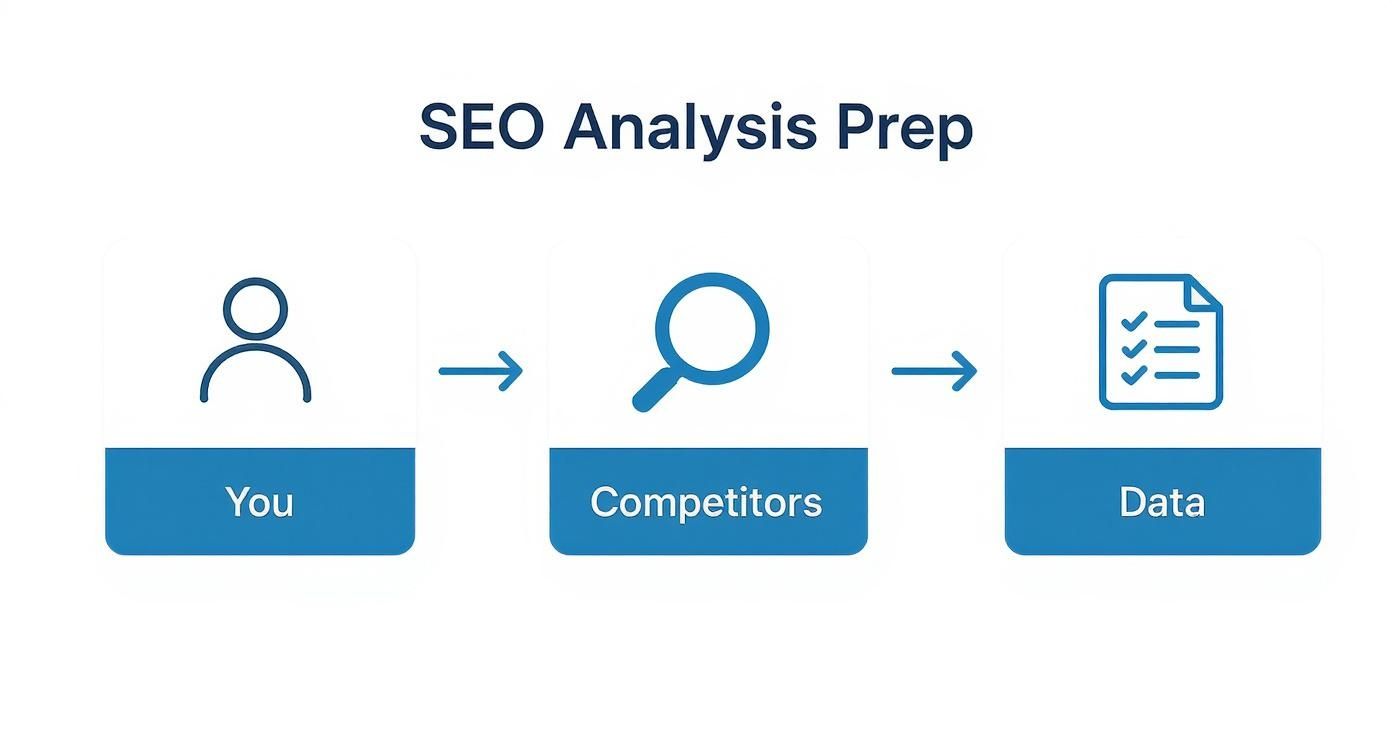
Running the Classic Keyword Gap Analysis
Fire up your SEO tool of choice—something like Ahrefs or Semrush works perfectly. You’ll plug in your own domain alongside two or three of your biggest SERP competitors. The tool will then spit out a list of all the keywords they have visibility for that you don't.
Be warned: this initial export can be a monster, often with thousands of keywords. Don't get overwhelmed.
The real magic is in the filtering. Start by narrowing it down to keywords where your competitors rank in the top 20. From there, apply a keyword difficulty filter—I usually start with anything under 40 KD—to focus on terms you actually have a fighting chance to rank for. Suddenly, that huge list becomes much more manageable and, more importantly, actionable.
Analyzing Competitor Topic Clusters
A keyword-level view is a solid start, but a topic-level analysis is where you find the game-changing insights. Instead of just looking at individual keywords, you need to see how your competitors are grouping related terms into comprehensive topic clusters.
For example, a FinTech SaaS competitor might have a huge pillar page on "small business accounting." This central page probably links out to a bunch of related, in-depth articles like:
- "business expense tracking software comparisons"
- "how to create an invoice"
- "quarterly tax tips for freelancers"
If your Webflow site only has a single blog post on "budgeting tips," you haven't just missed a few keywords. You've missed an entire topic cluster your audience is actively searching for. Mapping these clusters exposes the much bigger, more strategic holes in your content. This kind of planning is also essential for a well-organized website, which is a huge factor for SEO success. For more on this, check out our guide on how to improve your site architecture for SEO.
A single missing keyword is a small leak. A missing topic cluster is a gaping hole in your customer's journey. Your goal is to find and patch these larger structural weaknesses.
Diving Deeper with SERP Feature Analysis
Modern SEO isn't just about cracking the top ten blue links. It's about owning as much real estate on the search engine results page (SERP) as possible. That's where a SERP feature analysis comes into play.
Go back to the keywords you identified in your gap analysis and actually Google them. What SERP features are showing up? Are your competitors consistently winning:
- Featured Snippets? This is a huge opportunity to create clear, concise answers to common questions and steal that top spot.
- People Also Ask (PAA) boxes? This is a goldmine of related questions and long-tail keywords you should absolutely be answering in your content.
- Video Carousels? If you see videos, it’s a strong signal that Google thinks video is the best format for that query.
When a competitor owns the Featured Snippet for a keyword you want, that's a direct, high-priority content gap. You can then craft your new content specifically to provide a better, more direct answer to snatch that position away.
Categorizing Gaps for a Strategic Plan
The final step in mapping out your opportunities is to give them some structure. A raw, unorganized list of keywords is just noise. You need to group your findings into logical categories that can actually inform your content calendar.
I like to use a few simple buckets:
- Informational Gaps: Missing "how-to" guides, "what is" articles, and other top-of-funnel educational content.
- Transactional Gaps: Lacking product comparisons, "best of" lists, or pages that target bottom-of-funnel keywords like "acme alternative."
- Topical Gaps: Entire subject areas where you have zero or very thin coverage.
This simple categorization turns your spreadsheet into a strategic roadmap. It doesn't just tell you what to create, but why you're creating it and how it fits into your broader marketing goals. To keep everything organized and make this process much smoother, I highly recommend using a dedicated content gap analysis template.
Prioritizing Gaps and Building Content Briefs
Okay, so you've done the digging and now you're staring at a spreadsheet with hundreds, maybe even thousands, of potential keyword gaps. This is where the real work begins.
Honestly, finding the gaps is the easy part. The hard part is knowing which ones are actually worth your time. Chasing every single opportunity is a classic mistake—a surefire way to burn through your budget and end up with a pile of content that goes nowhere.
What you need is a system. A smart prioritization framework takes that overwhelming list and turns it into an actionable, data-backed roadmap. It’s all about focusing your effort where it will actually move the needle for your business.
A Simple Framework for Prioritization
To bring some order to the chaos, I recommend evaluating every potential keyword against three core criteria. It's a simple but incredibly effective scoring system that helps the truly high-value targets float to the top.
- Search Volume: Pretty straightforward—how many people are looking for this term each month? Higher is often better, but don’t sleep on lower-volume keywords. They can be hyper-targeted and carry incredible intent.
- Keyword Difficulty (KD): How tough will it be to crack the first page? Your SEO tool will give you a score here, and it's your reality check. This helps you find attainable wins instead of getting into a street fight with industry giants for impossible terms.
- Business Relevance: This is the most important one, in my experience. How closely does this topic map to what you actually sell? A high-volume, low-difficulty keyword is completely useless if it attracts an audience that will never, ever convert.
By scoring each keyword on these factors, you can quickly spot the "low-hanging fruit"—those sweet-spot topics with decent volume, manageable difficulty, and a direct line to your product. These are your top priorities. A systematic approach here is also critical for ensuring your mobile website optimization efforts pay off, since a clunky mobile experience can completely undo all your hard SEO work.
Bridging Strategy and Execution with Content Briefs
Once you've got your prioritized list, you need a way to translate that strategy into actual content. This is where a detailed content brief becomes your best friend. A solid brief ensures that every writer—whether they're on your team or a freelancer—creates something that's perfectly aligned with your SEO goals.
Think of it as more than just a title and a keyword. A great brief is a comprehensive blueprint for success. It eliminates the guesswork and gives the writer everything they need to create a piece of content designed to outperform the competition from day one.
A content brief is the single point of truth for a piece of content. It translates complex SEO data into a clear, actionable set of instructions, ensuring nothing gets lost between the strategist and the creator.
The move toward AI-driven analysis tools has really picked up steam. By 2025, over 63% of websites using AI for SEO have seen real improvements in their content's relevance and visibility. These platforms can chew through thousands of competitor pages to pinpoint missing subtopics and unanswered questions, often cutting down manual research time by as much as 70%. You can dig into more SEO statistics and findings to see the broader impact.
Essential Elements of an Effective Content Brief
A powerful brief is all about providing clarity and direction. Below is a practical rundown of the key sections to include. Nail these, and every article will be set up to win.
Here’s what every one of my briefs contains:
- Primary Target Keyword: The main search term we're going after.
- Secondary Keywords: A list of 3-5 related LSI keywords to weave in naturally.
- Searcher Intent: What is the user trying to do? Are they trying to learn (informational), compare options (commercial), or make a purchase (transactional)?
- Target Audience: A quick sketch of our ideal reader. Who are they? What are their pain points?
- Suggested H2s/H3s: A starting outline built from top-ranking competitor articles and what's showing up in "People Also Ask" boxes.
- Internal Linking Opportunities: A list of existing pages on our own site that we should link out to.
- Top 3 Competitor URLs: Direct links to the pages currently owning the top spots for our target keyword. This is for analysis, not for copying.
This structured approach drives consistency and quality across all your content. It makes sure that your content gap analysis SEO efforts actually lead to results, not just more articles.
Bringing Your Content Strategy to Life in Webflow

This is where the rubber meets the road. All that analysis and planning needs to transform into published, high-ranking content. For those of us using Webflow, this is where we have a serious advantage. The platform's ridiculously flexible CMS and design tools mean you aren't just publishing articles; you're building a scalable, SEO-first content engine.
The secret is to think like an architect before you write a single word. A properly structured CMS Collection is your foundation. Get this right, and every piece of content you produce from your analysis is primed for SEO success the second it goes live. This is about moving beyond the basic "Blog Post Title" and "Rich Text" fields.
Structuring Your Webflow CMS for SEO Dominance
To build a content operation that truly scales, your "Blog Posts" or "Articles" Collection in Webflow needs dedicated fields for every single SEO element that matters. This isn't just about convenience; it's about building a foolproof system that prevents manual errors and ensures consistency. It also empowers your entire team to manage crucial metadata directly in the CMS—no developer needed.
Here’s a quick tutorial on the CMS fields to build into any Webflow Collection for your articles. Setting this up from the start will save you countless hours.
- Go to the CMS Panel: In the Webflow Designer, click on the CMS icon on the left.
- Create a New Collection: Click the "+" icon to add a new Collection, and name it "Blog Posts" or something similar.
- Meta Title (Plain Text): This will override the default title tag. Keep it under 60 characters.
- Meta Description (Plain Text): Controls the SERP snippet. Aim for 155-160 characters.
- Open Graph Image (Image): For social sharing. Use a 1200x630px image.
- Author (Reference Field): Link this to a separate "Authors" CMS Collection to build authority.
- Category (Multi-reference Field): Link to a "Categories" Collection to build topic clusters.
- Schema Markup (Multi-line Text): A field to paste custom JSON-LD schema for rich results.
- Connect in Page Settings: Go to your Blog Post Template Page. In the Page Settings, use the "+ Add Field" button to pull data from your new CMS fields into the
Title TagandMeta descriptionsections.- A sticky table of contents for easy navigation in long-form guides.
- Stylized blockquotes to make expert quotes and key insights pop.
- Custom call-to-action (CTA) blocks that can be strategically placed to turn readers into leads.
- A "Related Articles" section that uses CMS reference fields to automatically feature other relevant posts. This is a game-changer for building topic clusters and passing link equity across your site. Find out more about why this is so critical in our guide on building an internal linking strategy.
- Google Search (Incognito): This is your ground truth. Manually search for your most important topics to see who your real competitors are on the SERP and what kind of content is actually ranking.
- Google Keyword Planner: The search volume data is given in wide ranges, but it’s still incredibly useful for uncovering related keywords and getting a general sense of demand.
- Free Tool Tiers: Tools like Ubersuggest or the free version of Ahrefs offer a small taste of what their paid plans can do. You can usually run a few free reports to get some high-level competitor data.
With a CMS structured like this, you're not just managing content; you're systematically executing on the opportunities your content gap analysis seo uncovered.
From Draft to Live: A Repeatable Workflow
Once your robust CMS is in place, your entire publishing process becomes incredibly smooth. You can establish a clear, repeatable workflow that takes an article from a simple brief to a fully optimized, live page without any friction.
Think about it: a writer gets a brief, drafts the article in a Google Doc, and passes it to an editor. From there, a content manager can copy the final text into the Webflow CMS, filling out every single one of your pre-configured SEO fields, assigning the author, and dropping in any necessary schema. Hit schedule, and you're done.
This kind of process is what separates the pros from the amateurs. It kills bottlenecks and guarantees every single article aligns with your SEO best practices.
The real goal isn't just to publish more content. It's to build a system where publishing high-performing content becomes the default, almost automatic. A well-designed Webflow CMS is the heart of that system.
Designing Article Templates That Engage and Convert
Your content gap analysis shouldn't just tell you what to write—it should inspire how you present it. This is another area where Webflow’s design power gives you a massive leg up. You can craft beautiful, dynamic article templates that keep people reading, which boosts time-on-page and sends all the right engagement signals to Google.
Don't settle for a wall of text. Use Webflow's designer to build templates with features like:
When you connect your SEO strategy directly to Webflow's technical and design capabilities, you close the loop. Your gap analysis stops being a spreadsheet of ideas and becomes the fuel for a complete content production machine built to win.
Got Questions? Let's Talk Content Gaps
Even with the best playbook in hand, you're bound to run into a few questions when you're in the thick of a content gap analysis. It happens to everyone. Let's walk through some of the most common ones I hear from SaaS and B2B teams.
Getting these details right can be the difference between a plan that just sits there and one that actually drives results.
How Often Should I Run a Content Gap Analysis?
For most B2B SaaS companies, a full-blown analysis every quarter is the sweet spot. This rhythm gives your team enough breathing room to actually create and launch the content from your last analysis, while also making sure you don't fall behind on market trends or what your competitors are up to.
Now, if your niche is incredibly fast-paced, you might want to do a lighter monthly check-in. This isn't a deep dive; it's more of a quick pulse check on your top three competitors to see if they're jumping on any new topics you should know about.
And for new Webflow sites? I usually recommend doing your first major analysis about six months after launch. By then, you'll have enough of your own performance data to make the process much more meaningful.
What's the Biggest Mistake People Make?
Hands down, the single most critical mistake is getting obsessed with keywords and completely ignoring search intent. It's a classic trap that wastes a staggering amount of time and budget.
It’s easy to get excited when you see a competitor ranking for a keyword with huge search volume. But that’s just the starting line. You absolutely have to go look at the search results page (the SERP) for that query. You need to understand what people who type that phrase are actually looking for.
Is Google showing them in-depth guides? Product comparison tables? Simple definitions?
A keyword tells you what people are searching for. The SERP tells you why. If you write a 2,000-word blog post when Google is clearly rewarding product landing pages for that keyword, you're set up to fail before you even hit publish.
Can I Really Do This with Free SEO Tools?
Yes, you absolutely can pull off a basic content gap analysis for SEO using free tools. Just know that you're trading money for time—it's a much more manual, scrappy process. You'll be piecing together the puzzle from a few different places.
Here’s what a practical, budget-friendly workflow looks like:
It’s not as slick or efficient as a premium tool, but digging in manually is a thousand times better than flying blind.
Is There Anything Specific to Webflow I Should Know?
Absolutely. While the core strategy is the same no matter the platform, how you implement it in Webflow can give you a massive competitive advantage. Don't overlook the power of the platform itself.
First, think about your CMS Collections from an SEO perspective right from the start. Don't just make a generic "Blog Posts" collection. Build it out properly with dedicated fields for your meta title, meta description, Open Graph image, canonical URL, and even a custom code field for schema markup. This turns optimization into a simple, repeatable step in your publishing process.
Second, become a master of Webflow’s reference and multi-reference fields. These are your secret weapons for building powerful topic clusters. By creating a central "Categories" or "Topics" collection and linking individual articles to it, you can automate much of your internal linking and create the kind of organized site architecture that Google loves to see.
Finally, remember that design matters for SEO. Use Webflow's incredible design power to create article templates that provide a genuinely better user experience. Features like a sticky table of contents for long posts, well-placed CTAs, and custom blockquotes can boost on-page engagement signals, giving you a real edge over competitors whose blogs are just boring walls of text.
Ready to turn your Webflow site into a revenue engine? Block Studio LLC combines expert design, development, and SEO into a unified growth package. We handle everything from technical audits and content strategy to execution and optimization, so you can focus on your business. Get your free growth plan today.