.png)

Top conversion rate optimization strategies for Webflow
Driving traffic to your Webflow site is only half the battle. The real challenge, and the greatest opportunity, lies in efficiently turning those visitors into leads, customers, and sustained revenue. This is where conversion rate optimization (CRO) becomes your most valuable asset. For B2B SaaS and ambitious scale-ups, a well-executed CRO program is not about guesswork or tweaking button colors; it is a systematic, data-driven process for transforming your website into a powerful growth engine. A higher conversion rate means a lower customer acquisition cost and a more profitable marketing funnel.
This article provides a comprehensive guide to the most impactful conversion rate optimization strategies, complete with actionable tutorials and tips specifically for Webflow site owners. We will move beyond generic advice to deliver a prioritized roadmap designed for immediate implementation. You will learn how to leverage powerful techniques like A/B testing, heat mapping, and user experience audits to make informed decisions that directly influence your bottom line.
Inside, we cover 10 proven strategies, including:
- Hypothesis-driven testing: Mastering A/B and multivariate tests to validate changes.
- Funnel and form optimization: Fixing leaks in your signup and checkout processes.
- UX and copy enhancements: Improving usability and messaging to build trust.
- Segmentation and personalization: Delivering tailored experiences to different audience segments.
Each strategy is broken down into practical steps, ensuring every click on your Webflow site has the best possible chance to convert. Let's begin.
1. A/B Testing (Split Testing)
A/B testing, also known as split testing, is the foundational practice of data-driven conversion rate optimization strategies. It's a controlled experiment where you compare two or more versions of a webpage or app screen to see which one performs better. By randomly showing a "control" version (A) and a "variant" version (B) to different segments of your audience, you can definitively measure which one drives more conversions. This scientific approach removes guesswork and allows you to make decisions based on user behavior, not assumptions.
Major brands rely heavily on this method. Amazon famously tests everything from button colors to personalized recommendations, while Netflix A/B tests thumbnail images to maximize user engagement and watch time. The core principle is simple: isolate a single change, measure its impact on a specific goal (like sign-ups or demo requests), and implement the winner. This iterative process leads to incremental but significant gains over time.
Key Actionable Tips for A/B Testing
- Test One Element at a Time: To attribute a change in conversions accurately, only change a single variable per test. For example, test a new headline, but keep the button text and image the same.
- Achieve Statistical Significance: Don’t end a test prematurely. Use an A/B test calculator to ensure your results have a high probability (typically 95% or more) of being statistically significant, meaning they aren't due to random chance.
- Run Tests for Full Business Cycles: Let your test run for at least one to two full weeks. This helps normalize the data and account for fluctuations in traffic and user behavior between weekdays and weekends.
- Document Everything: Create a repository or spreadsheet to track every test you run. Document your hypothesis, the variant details, the results, and key learnings. This builds institutional knowledge and prevents repeating failed experiments.
Webflow Tutorial: Setting Up an A/B Test
Integrating A/B testing tools like Optimizely or VWO into Webflow is a simple copy-paste job.
- Sign up for your chosen A/B testing platform and locate your unique JavaScript tracking snippet.
- In your Webflow project, navigate to Project Settings > Custom Code.
- Paste the snippet into the
Head Codesection and click Save Changes. - Publish your site to make the script active.
- Now, go back to your A/B testing tool's dashboard. You can use their visual editor to load your live Webflow page, click on any element (like a headline or button), and create a variation without touching the Webflow Designer. This setup lets you run experiments without needing a developer for every test.
2. Multivariate Testing (MVT)
Multivariate testing (MVT) is an advanced form of experimentation that takes the principles of A/B testing a step further. Instead of testing two different page versions, MVT allows you to test multiple variations of several different elements on a single page simultaneously. This method identifies which combination of elements performs the best, revealing crucial interaction effects between them that A/B testing cannot isolate. It answers a more complex question: "Which combination of headline, hero image, and CTA creates the highest conversion rate?"
This approach is particularly powerful for optimizing high-impact pages with multiple key elements. For example, a SaaS company might use MVT on its pricing page to test different headline variations, package layouts, and CTA button text all at once. The goal is to discover the single most persuasive combination rather than just the best individual element. This is one of the most sophisticated conversion rate optimization strategies for teams with sufficient traffic.
Key Actionable Tips for Multivariate Testing
- Start with a Manageable Scope: To maintain statistical validity without needing astronomical traffic, begin by testing a maximum of 3-4 key elements. Testing combinations of headlines, subheadings, and a primary call-to-action is a common and effective starting point.
- Ensure Sufficient Traffic Volume: MVT requires significantly more traffic than A/B testing because it must route visitors to many different combinations. As a rule of thumb, ensure you have enough traffic to give each variation a statistically significant sample size.
- Test Interrelated Elements: The real power of MVT comes from understanding interaction effects. Focus your test on elements that likely influence each other, such as a value proposition headline and its corresponding feature list, rather than disconnected page components.
- Plan for Longer Test Durations: Because traffic is split across many more variations, MVT tests inherently take longer to reach statistical significance. Plan for tests to run for several weeks, and be patient before drawing conclusions from the data.
Webflow Tutorial: Preparing for an MVT Test
Enabling MVT on Webflow uses the same integration process as A/B testing, but requires better element organization. Tools like VWO, Convert, or Adobe Target are ideal.
- First, add the platform's JavaScript snippet to Project Settings > Custom Code > Head Code.
- Crucially, in the Webflow Designer, assign clear and unique IDs to the elements you plan to test (e.g.,
hero-headline,pricing-cta-button). You can do this in the Element Settings Panel (D). - Having unique IDs makes it much easier and more reliable to target these specific elements within the MVT platform's visual editor, ensuring the tool can precisely manipulate the correct headline, image, and button for your experiment.
3. Heat Mapping and User Session Recording
Where quantitative data from tools like Google Analytics tells you what users are doing, heat mapping and session recordings show you why. These qualitative tools provide visual evidence of user behavior, moving beyond numbers to reveal the human experience behind the clicks. Heatmaps create a visual representation of where users click, move their mouse, and scroll, while session recordings are like watching a DVR of a user’s entire journey on your site.
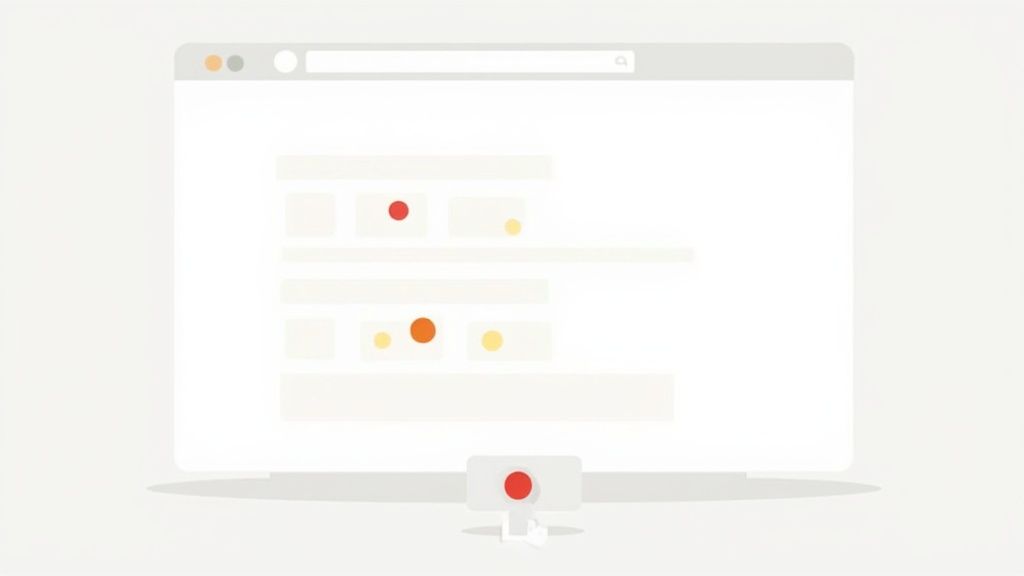
This direct insight is invaluable for conversion rate optimization strategies. For instance, Airbnb used heatmaps to discover that users were more focused on host photos and reviews than property descriptions, leading them to redesign their listings to prioritize trust signals. Similarly, you might discover users repeatedly clicking on a non-interactive element, indicating a design flaw, or see them abandoning a form at the exact same field, highlighting a point of friction. This qualitative feedback is essential for forming strong, evidence-based A/B testing hypotheses.
Key Actionable Tips for Heatmaps and Session Recordings
- Start with Scroll Maps: Before analyzing clicks, use scroll maps on key landing pages to see how far down the page most users get. If your primary call-to-action is below the average fold, it’s likely being missed.
- Analyze Recordings of Non-Converters: Filter session recordings to watch users who visited a pricing page but didn't sign up, or who added an item to their cart but didn't purchase. Look for hesitation, "rage clicks" (rapid, repeated clicks), or confusing navigation paths.
- Combine with Form Analytics: Use tools that connect recordings to form analytics. This allows you to watch the exact session of a user who started filling out your demo request form but dropped off at the "Phone Number" field.
- Validate CTA Placement: Use click maps to confirm that your most important buttons and links are attracting the most attention. If a secondary link is getting more clicks than your "Get a Demo" button, you may need to adjust your visual hierarchy.
Webflow Tutorial: Installing a Heatmap Tool
Adding a tool like Hotjar or the free Microsoft Clarity to a Webflow site is simple.
- Create an account on Hotjar or Clarity and add your Webflow site's URL.
- The platform will provide you with a tracking code. Copy this code to your clipboard.
- In Webflow, go to Project Settings > Custom Code.
- Paste the tracking code into the
Head Codesection and save. - Publish your site. The tool will automatically begin collecting data. You can then go to the tool's dashboard to set up heatmaps for specific pages (like your pricing page) and watch session recordings without any further changes in Webflow.
4. Landing Page Optimization
Landing page optimization is a critical discipline within conversion rate optimization strategies, focusing on improving the performance of dedicated pages built for specific marketing campaigns. Unlike a homepage that serves many purposes, a landing page has one singular goal: to convert a visitor from a specific traffic source. The process involves meticulously aligning the ad message with the page content, removing all distractions, and focusing every single element, from the headline to the call-to-action (CTA), on driving that one specific conversion.
This focused approach is proven to deliver powerful results. Companies like Unbounce and Instapage have built their entire businesses on this principle. For instance, Dropbox’s legendary viral growth was fueled by a simple, highly optimized referral landing page. Similarly, Salesforce consistently achieves conversion rates over 20% on its campaign pages by ensuring perfect message match and a frictionless user experience. These examples show that a well-optimized landing page isn't just a part of a campaign; it's often the most important factor in its success.
Key Actionable Tips for Landing Page Optimization
- Maintain Perfect Message Match: Ensure your headline and core value proposition directly mirror the ad copy that brought the user to the page. This seamless transition reassures visitors they are in the right place. To achieve optimal conversion rates, it's essential to understand the principles behind effective landing pages. For more detailed insights, explore this article on landing page relevance strategies.
- Focus on a Single, Clear CTA: Remove all competing links, including main navigation and footer links. Guide the user toward one primary action with a prominent, benefit-driven CTA button placed above the fold.
- Leverage Social Proof and Trust Signals: Build credibility instantly by including testimonials, logos of well-known clients, industry certifications, or snippets from case studies. Aim for 3-5 powerful trust signals.
- Minimize Form Friction: Only ask for essential information. Every additional field you require a user to fill out increases the chance they will abandon the form. Stick to 3-5 fields for initial lead capture.
- Ensure Mobile Performance: A significant portion of your traffic will come from mobile devices. Your landing page must be fully responsive, with content and forms that are easy to navigate and a load time under 3 seconds.
Webflow Tutorial: Building Scalable Landing Pages
Webflow's CMS is perfect for creating campaign-specific landing pages at scale.
- Create a "Landing Pages" CMS Collection. Add fields for
Headline,Sub-headline,Hero Image,Form Headline, etc. - Design a master landing page template in the Designer and connect the elements to the corresponding CMS fields.
- To hide the main navigation, create a "template" page. In the page's settings, set the header and footer symbols to be hidden, or just don't include them on this template page.
- Now, to launch a new campaign, you simply create a new item in the CMS Collection. Webflow automatically generates a new, unique page. This is far more efficient than cloning static pages. You can connect your Webflow forms to HubSpot, Salesforce, or Zapier in the Form Settings for each form.
5. User Experience (UX) and Usability Testing
While A/B testing provides quantitative data on what users do, usability testing provides the qualitative "why" behind their actions. It involves observing real people as they attempt to complete tasks on your website or application. This direct observation uncovers friction points, confusing navigation, and design flaws that analytics alone cannot reveal. It’s a core component of effective conversion rate optimization strategies because it helps you build empathy and design for your actual users, not for who you think they are.
Major tech companies build their products around this principle. Apple’s famously intuitive iPhone interface is the result of relentless iterative usability testing. Similarly, TurboTax invests heavily in UX research to simplify the complex process of filing taxes, identifying and removing user roadblocks before they lead to abandonment. The goal is to watch, listen, and learn as users interact with your product, providing a direct roadmap for impactful improvements.
Key Actionable Tips for Usability Testing
- Recruit 5-8 Representative Users: According to the Nielsen Norman Group, testing with just five users typically uncovers around 85% of usability problems. Focus on recruiting participants who match your ideal customer profile.
- Create Task-Based Scenarios: Don't just ask users for their opinion. Give them realistic goals to achieve, such as "Find pricing for the team plan and sign up for a demo" or "Locate the documentation for integrating with Salesforce."
- Test Early and Often: Don’t wait for a polished final design. Test wireframes, prototypes, and even competitors' sites to gather insights at every stage of the design process.
- Record and Review Sessions: With permission, record the user's screen and voice. This allows your entire team to watch the sessions, building shared understanding and empathy for user struggles. To truly understand user behavior and inform your UX and usability improvements, delve into various essential user research methods.
- Prioritize Findings by Severity: Not all issues are equal. Categorize findings based on their impact on the user's ability to complete a task and the frequency with which they occur to prioritize fixes effectively.
Webflow Tutorial: Creating Prototypes for Testing
Webflow is an excellent tool for rapid prototyping and usability testing.
- Use the free staging domain: Build your new page or feature directly in Webflow. You can publish it to the
.webflow.iostaging domain for free, without it affecting your live site. - Password-protect the page: For sensitive designs, go to Page Settings > Access Control and set a password for the specific page you want to test. This keeps it private.
- Share the staging link: Use a platform like UserTesting or Maze and provide participants with the direct link to your Webflow staging page and the password. This allows you to test a fully interactive, high-fidelity prototype that feels like a real website, giving you much better feedback than a static Figma design. For insights on improving usability on smaller screens, you can learn more about mobile website optimization.
6. Form Optimization and Field Reduction
Forms are the final gateway to conversion, but they are also a major source of friction. Every field you ask a user to fill out adds cognitive load and a reason to abandon the process. Form optimization is one of the most impactful conversion rate optimization strategies because it directly targets this critical moment. The core principle is to make data collection as seamless and painless as possible by asking for only what is absolutely necessary and guiding the user effortlessly toward submission.

This isn't just theory; it's proven by major SaaS players. HubSpot famously discovered that reducing the number of form fields significantly boosts completion rates, in some cases by over 50%. Similarly, Unbounce has published numerous case studies showing lifts of 25-40% from simply shortening forms. By minimizing the effort required from your visitors, you drastically increase the likelihood they will complete the desired action, whether it's signing up for a newsletter, requesting a demo, or downloading a resource.
Key Actionable Tips for Form Optimization
- Perform a Field Audit: Scrutinize every field on your forms. Ask your team, "Is this data nice-to-have or need-to-have to qualify or follow up with this lead?" Eliminate everything that isn't essential for the initial conversion.
- Use Progressive Profiling: For subsequent interactions, use smart forms that recognize returning visitors and ask for new information instead of repeating fields they've already filled out. This allows you to build a rich contact profile over time without overwhelming them in a single session.
- Implement Real-Time Validation: Provide immediate feedback as users fill out the form. A green checkmark for a valid email or an instant red outline for an error prevents frustration at the point of submission.
- Leverage Multi-Step Forms: For longer forms that are unavoidable (like detailed onboarding or quote requests), break them into smaller, logical steps. A progress bar helps manage user expectations and makes the process feel less daunting.
Webflow Tutorial: Building a Multi-Step Form Natively
You can create a multi-step form directly in Webflow without third-party tools.
- Structure your form: Place all your form fields inside a single Form Block. Inside, create separate Div Blocks for each step (e.g., "Step 1," "Step 2"). Place the relevant fields inside each div.
- Create "Next" and "Back" buttons within each step's div. These are regular buttons, not the final submit button.
- Use Webflow Interactions: Create a "Mouse Click (Tap)" trigger for the "Next" button. Set the interaction to Hide the current step's div (
display: none) and Show the next step's div (display: flexorblock). Do the reverse for the "Back" buttons. - Only the final step should contain the actual Submit Button. For a better user experience, embed free tools like Tally or Jotform. For advanced marketing logic, connect to HubSpot or Marketo.
7. Call-to-Action (CTA) Optimization
Your call-to-action (CTA) is the tipping point between a visitor browsing and a visitor converting. It's the button or link that asks them to take the next step. Optimizing this single element, from its copy and color to its placement, is one of the highest-impact conversion rate optimization strategies available. Even minor adjustments can dramatically influence user decisions and lead to substantial gains in sign-ups, demo requests, and sales.
Leading SaaS companies obsess over their CTAs. For instance, Slack famously boosted trial signups by refining their "Get Started" messaging and button prominence. Similarly, Dropbox found that changing their CTA from the standard "Sign Up" to the more inviting "Get Started" increased conversions. These examples prove that a CTA isn't just a button; it's a direct conversation with your user, and the words you choose matter immensely. Optimizing it ensures your most important action is clear, compelling, and easy to take.
Key Actionable Tips for CTA Optimization
- Use Action-Oriented, First-Person Copy: Frame the CTA from the user's perspective. Instead of "Get Your Demo," test "Get My Free Demo." Use strong action verbs like 'Claim,' 'Start,' 'Build,' or 'Discover' to create a sense of ownership and momentum.
- Emphasize Value, Not Friction: Your CTA copy should reinforce the benefit the user will receive. "Start Your 14-Day Free Trial" is good, but "Claim Your Risk-Free Trial" is better because it directly addresses a potential objection.
- Ensure Visual Prominence: Use contrasting colors that make your primary CTA button pop against the background. Surround it with ample whitespace to eliminate distractions and draw the user's eye directly to the desired action.
- Place CTAs Strategically: Position your main CTA above the fold where it's immediately visible. For longer pages, repeat the CTA or use a sticky navigation bar so the user never has to scroll to find it when they are ready to convert.
Webflow Tutorial: Styling and Testing CTAs
Webflow gives you pixel-perfect control over your CTAs.
- Create a Component: Design your primary CTA button once, then right-click and Create component. Now you can reuse this button across your site, and any style change to the main component will update all instances.
- Add Hover Effects: With the button selected, go to the Style Panel and click the dropdown arrow next to the class name. Select the Hover state. Now, any style changes you make (e.g., changing the background color) will only apply when a user mouses over the button.
- For A/B Testing: Give your main CTA button a unique ID in the Element Settings Panel (e.g.,
primary-cta-home). This makes it easy for a tool like Convert.com or VWO to target that specific element for an experiment.
8. Trust Signals and Social Proof Integration
Trust signals and social proof are psychological triggers that reduce visitor uncertainty by demonstrating that other people and reputable organizations trust your brand. This strategy involves prominently displaying testimonials, reviews, customer logos, security badges, and media mentions to build credibility. By showing that others have had positive experiences, you alleviate purchase anxiety and make potential customers feel more confident in their decision to convert. It's one of the most powerful conversion rate optimization strategies because it leverages a fundamental human tendency: we look to others for cues on how to act.
This principle is ubiquitous in the digital world. Amazon’s star ratings system directly influences purchase decisions, while B2B SaaS platforms like Slack and Asana showcase case studies and logos of major clients like "Trusted by Intuit" to signal enterprise-readiness and reliability. For high-consideration purchases, platforms like G2 and Capterra have built entire businesses on social proof, becoming critical validation points in the B2B buying journey. The goal is to answer the visitor's subconscious question: "Can I trust this company?"
Key Actionable Tips for Trust Signals
- Be Specific and Quantifiable: Instead of a generic testimonial like "Great service!", use one that includes specific, measurable results. For example, "We increased our lead generation by 45% in the first quarter."
- Place Proof Near Conversion Points: Position your strongest social proof, like a key customer quote or a security badge, directly next to your primary call-to-action buttons, pricing tables, or sign-up forms to reduce last-minute friction.
- Use Real Faces and Names: Whenever possible, accompany testimonials with a high-quality headshot, the person’s full name, title, and company. This humanizes the review and makes it significantly more authentic and relatable.
- Showcase Customer Volume and Authority: Displaying metrics like "100,000+ users" or featuring well-known company logos acts as a powerful heuristic. It tells visitors that you are an established and vetted solution.
Webflow Tutorial: Managing Testimonials with the CMS
Use Webflow's CMS to easily manage and display social proof.
- Create a "Testimonials" CMS Collection. Add fields like
Quote(Rich Text),Author Name(Plain Text),Author Title(Plain Text), andAuthor Headshot(Image). - Populate with testimonials. Add several entries into your new collection.
- Design the display: On your homepage, add a Collection List element and connect it to the Testimonials collection. Design one item by dragging the CMS fields into your design. Webflow will automatically style the rest.
- For third-party reviews from sites like G2, Capterra, or Trustpilot, grab their embeddable widget code and paste it into Webflow's Embed element for live, verifiable feedback.
9. Checkout and Payment Process Optimization
The checkout process is the final and most critical step in a user's conversion journey. Any friction, uncertainty, or unnecessary effort at this stage can lead to cart abandonment. Checkout and payment process optimization focuses on creating a seamless, transparent, and trustworthy experience that guides users from adding an item to their cart to completing their purchase with minimal hesitation. It's a high-impact area for conversion rate optimization strategies because even small improvements can significantly reduce abandonment and boost revenue.
Major e-commerce and SaaS platforms have mastered this. Amazon's one-click ordering is the gold standard for removing friction, while Shopify has invested billions in creating a high-converting, universally trusted checkout flow used by millions of merchants. The core principle is to remove all barriers, build confidence with security cues, and make the payment process as effortless as possible. This means eliminating surprise costs, minimizing required form fields, and offering familiar payment options.
Key Actionable Tips for Checkout Optimization
- Offer Guest Checkout: Don’t force users to create an account before they can pay. Make guest checkout the primary, most visible option and offer account creation post-purchase.
- Maintain Cost Transparency: Display all costs, including taxes and shipping fees, as early as possible. Surprise fees are a leading cause of cart abandonment.
- Simplify the Flow: Use a clear, multi-step process with a progress indicator (e.g., Shipping > Payment > Confirmation). Aim for 2-3 steps, as more can feel overwhelming.
- Provide Multiple Payment Options: Go beyond just credit cards. Integrate popular digital wallets like Apple Pay, Google Pay, and PayPal to cater to user preferences and speed up the process.
- Build Trust with Security Badges: Prominently display trust seals like SSL certificates (e.g., McAfee, Norton) and payment provider logos (Visa, Mastercard) to reassure users their information is safe.
Webflow Tutorial: Customizing Your E-commerce Checkout
With Webflow E-commerce, you can enhance the native checkout experience.
- Style the checkout page: In the Pages Panel, you'll find the Checkout and Order Confirmation pages. You can click on these to open a design view where you can style fonts, colors, and buttons to match your brand identity.
- Enable digital wallets: Go to Project Settings > E-commerce > Payments. Here, you can connect your Stripe account. Once connected, you can toggle on Apple Pay and Google Pay (Web Payments) with a single click.
- Add trust seals: On the Checkout page, you can drag and drop Image elements containing security badges (like SSL or payment logos) near the payment section to reassure customers. For more complex logic, consider outsourcing the development of a custom solution.
10. Personalization, Segmentation, and Copy Optimization
Treating every visitor the same is one of the biggest missed opportunities in conversion rate optimization strategies. Personalization and segmentation involve tailoring your website's content, offers, and messaging to specific user groups based on their behavior, demographics, or lifecycle stage. When combined with optimized, benefit-driven copy, this strategy dramatically increases relevance, making users feel understood and guiding them more effectively toward a conversion.
This approach moves beyond a one-size-fits-all website. Think of how Netflix personalizes content recommendations to keep you engaged or how Amazon's tailored product suggestions drive a massive portion of its revenue. The goal is to deliver the right message to the right person at the right time. For a B2B SaaS company, this could mean showing a different headline to a visitor from a Fortune 500 company versus a startup, or presenting a case study relevant to their specific industry.
Key Actionable Tips for Personalization & Copy
- Start with Simple Segmentation: Begin by grouping your audience into broad categories. Common segments include new vs. returning visitors, users by traffic source (e.g., organic search, paid ads), or customers at different lifecycle stages (prospect, active user, at-risk).
- Leverage Behavioral Data: Use data like pages visited, features used, or past purchases to create highly relevant experiences. For example, if a user has repeatedly viewed your "Enterprise Plan" page, personalize the homepage CTA to "Book an Enterprise Demo."
- Lead with Benefits, Not Features: Your copy should always answer the user's question: "What's in it for me?" Instead of saying "Our software has an AI-powered dashboard," say "Make smarter decisions in half the time with our AI-powered dashboard."
- Optimize for Readability: Use short sentences, clear headlines, and ample white space. Aim for an 8th-grade reading level to ensure your message is easily understood by the widest possible audience. Learn more by reading about how to write compelling meta descriptions, as many of the same copywriting principles apply.
Webflow Tutorial: Personalizing Content Based on Ad Campaigns
You can personalize content for visitors from different ad campaigns without expensive tools by using UTM parameters and a bit of custom code.
- Add a custom attribute: In the Webflow Designer, select the headline you want to personalize. Go to Element Settings (D) > Custom Attributes. Add an attribute with the name
data-variantand a value ofdefault-headline. - Add custom code: Go to Page Settings > Custom Code and add a script in the
Before </body> tagsection that reads theutm_campaignparameter from the URL. If the campaign is 'enterprise_ads', the script will find the element with thedata-variantattribute and change its text. - This is an advanced technique, but for easier, no-code personalization, integrate a tool like RightMessage or Personyze by pasting their script into your site's custom code section.
Top 10 CRO Strategies Comparison
Turn Your Webflow Site Into a Revenue Engine
You now have a comprehensive playbook of ten powerful conversion rate optimization strategies, each one a lever you can pull to transform your Webflow site from a static digital presence into a dynamic, predictable revenue engine. We've moved beyond abstract theory and delved into the granular, actionable tactics that separate high-growth companies from the rest: from the scientific rigor of A/B testing and the nuanced insights of multivariate analysis to the human-centric focus of UX improvements and the persuasive power of optimized copy.
The journey from a website that simply exists to one that actively converts is not about a single magic bullet. Instead, it’s about building a systematic, data-informed culture of continuous improvement. The strategies outlined here, including landing page optimization, form field reduction, and strategic placement of trust signals, are not one-time fixes. They are components of a perpetual growth loop: hypothesize, test, analyze, and iterate.
From Insights to Impact: Your Actionable Roadmap
The true value of this guide lies not in reading it, but in implementing it. The path forward can feel overwhelming, so let's distill the core principles into a clear, actionable plan that you can start executing today, especially on a platform as agile as Webflow.
- Start with the Low-Hanging Fruit: Don't try to boil the ocean. Begin with the foundational elements that often yield the quickest wins. Use heatmaps and session recordings to identify obvious points of friction. Is your primary CTA button buried below the fold? Are users dropping off at a specific field in your demo request form? These are your initial targets. Optimizing a confusing form or clarifying a headline is a high-impact, low-effort starting point.
- Build Your Hypothesis Muscle: Transition from "I think we should change the button color" to "I hypothesize that changing the button color to a higher-contrast shade will increase clicks by 15% because it will improve visual hierarchy and draw more user attention." This simple shift in framing forces you to articulate your reasoning and define what success looks like, which is the cornerstone of effective CRO. Use a prioritization framework like ICE or RICE to systematically decide which hypotheses to test first.
- Embrace Incremental Gains: While massive, site-wide redesigns have their place, the real power of conversion rate optimization lies in the compounding effect of small, consistent improvements. A 2% increase in conversion this month, followed by a 3% increase next month, quickly builds significant momentum. This iterative approach minimizes risk and allows you to learn precisely what resonates with your audience.
- Connect Webflow to Your Data: Your Webflow site is not an island. Ensure it's deeply integrated with your analytics stack. Use tools like Google Analytics, Hotjar, and your testing platform to create a complete picture of user behavior. For Webflow users, this means leveraging the platform's custom code embeds to easily add tracking scripts and using native integrations or services like Zapier to ensure form submission data flows seamlessly into your CRM and analytics tools. This closed-loop system is essential for measuring the true impact of your conversion rate optimization strategies.
The ultimate goal is to create a user experience so intuitive, compelling, and seamless that conversion becomes the natural next step for your ideal customer. Every test you run, every piece of copy you refine, and every form you simplify contributes to this goal. By adopting this mindset, you are not just tweaking a website; you are building a scalable, efficient, and powerful customer acquisition machine.
Ready to turn these strategies into sustained revenue growth without overburdening your internal team? Block Studio LLC specializes in transforming Webflow websites for B2B SaaS and scale-ups into high-performing conversion engines. We manage the entire CRO process, from data analysis and hypothesis generation to test implementation and reporting, so you can focus on what you do best. Visit us at Block Studio LLC to learn how we build growth systems, not just websites.