.png)


How to Do SEO Audit for a Webflow Site
Before you even think about crawling a single URL, you need a game plan. A proper SEO audit isn't just about running a tool and getting a list of errors; it’s a strategic process. Getting the prep work right from the start is what separates a report that gathers dust from one that actually moves the needle.
This foundational work really boils down to three things: setting clear goals, grabbing a snapshot of your current performance, and lining up the right tools for the job.
Laying the Groundwork for a Successful Audit
Jumping straight into a site crawl without clear objectives is a classic mistake. I've seen it happen countless times. You end up with a mountain of data but no clear path forward. Think of this initial phase as drawing up the blueprint—it ensures every action you take is deliberate and focused.
So, what does success actually look like for you? Are you trying to boost organic traffic by 20%? Maybe you're laser-focused on ranking for a handful of high-intent keywords. Or perhaps the end goal is simply more qualified leads coming through the website. Nailing down these specifics gives the entire audit a clear purpose.
Establishing Your Performance Baseline
With your goals locked in, the next step is to take a "before" photo of your site's performance. This baseline is non-negotiable. It's the only way you'll be able to prove that all the hard work you're about to do actually paid off.
Make sure you document these key metrics right now:
- Organic Traffic: Hop into Google Analytics and note your average monthly organic visitors.
- Keyword Rankings: Check Google Search Console for your average position and which keywords are bringing in the most clicks.
- Click-Through Rate (CTR): What’s your site-wide CTR from the search results? This is a great indicator of how well your snippets are performing.
- Crawl Errors: Take a screenshot of the Coverage report in Google Search Console. You'll want to see this number go down.
This whole setup process—goals, data, tools—is what sets the stage for a smooth and effective audit.
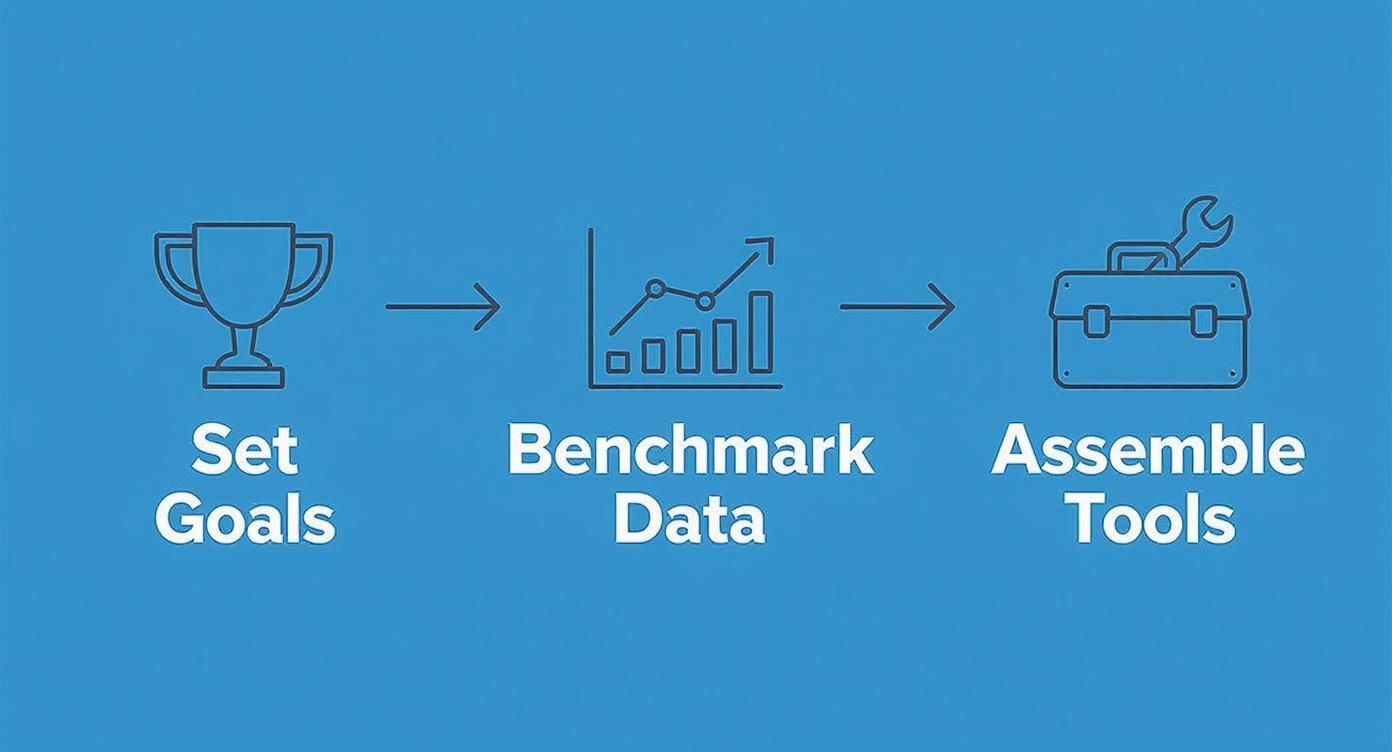
As you can see, a structured approach makes all the difference.
Assembling Your Webflow Audit Toolkit
Alright, last step before the real fun begins: gathering your tools. For a thorough Webflow audit, you'll need a mix of software to handle everything from technical crawling and content analysis to checking out your backlink profile.
Here's a look at the toolkit I recommend for getting the job done right.
Your Essential Webflow SEO Audit Toolkit
This table outlines the go-to tools for each stage of the audit. You don't need all of them, but a good mix of these will cover all your bases.
Tool CategoryRecommended Tool(s)Primary Use Case
Crawlers Screaming Frog, Sitebulb Finding broken links, redirect chains, and on-page issues at scale.
All-in-One Platforms Ahrefs, Semrush Keyword research, backlink analysis, rank tracking, site audits.
Performance Tools Google PageSpeed Insights, GTmetrix Measuring Core Web Vitals and diagnosing speed issues.
Analytics & Tracking Google Analytics, Google Search Console Monitoring traffic, user behavior, index coverage, and performance.
Free Browser Tools Detailed SEO Extension, Redirect PathQuick on-page checks, title/meta analysis, and redirect tracing.
Having these ready to go means you can move seamlessly through the audit without stopping to find the right tool for each task.
A common mistake is jumping straight into a site crawl without clear objectives. By first defining what you want to achieve, every piece of data you collect will serve a purpose, making your final action plan much more effective.
The SEO services market is a beast, valued at $82.3 billion in 2023, and it's not slowing down. That competition is exactly why a methodical audit is so critical. To make sure your work pays off, you have to conduct an SEO audit that drives results.
This careful preparation is also the perfect foundation for building a stronger site, which starts with getting the structure right. We'll dig deeper into that when we discuss the ideal site architecture for SEO.
Diagnosing Your Technical SEO Health
Alright, with our goals set and tools at the ready, it's time to pop the hood and see what's really going on with your site's technical engine. This is where we make sure search engine crawlers can find, understand, and index your Webflow site without hitting any frustrating roadblocks. Think of it as clearing the pathways for Googlebot so it has a smooth, easy journey through your content.
Many of the most damaging SEO problems are completely invisible on the surface. They won't show up in your site's design, but they can quietly sabotage your ability to rank. We're going to methodically work through these potential blockers, starting with the very first files a search engine looks for.

Uncovering Crawl and Indexing Errors
Our investigation starts with two surprisingly powerful files: robots.txt and your XML sitemap. The robots.txt file is essentially a set of instructions telling search engines which parts of your site they should and shouldn't access. It’s a powerful tool, which means a tiny mistake—like an overly aggressive "Disallow" rule—can accidentally hide entire sections of your website from Google.
While Webflow conveniently auto-generates this for you, you still need to give it a once-over. Just add /robots.txt to your root domain to view it. The main thing to look for is any rule that might be blocking essential CSS or JavaScript files, as this can stop Google from rendering your pages correctly.
Next up is the XML sitemap. This is your site's roadmap, showing search engines all the important URLs you want them to discover. You can find Webflow's version at /sitemap.xml.
Scan your sitemap for these common hiccups:
- Non-canonical URLs: Your sitemap should only list the one true, "canonical" version of each page.
- "Noindexed" pages: A
noindextag tells Google not to index a page, so including it in your sitemap sends a confusing, mixed signal. - Redirects or broken links (404s): The sitemap needs to be a clean list of live pages that return a 200 status code.
Google Search Console is your best friend for this. Jump into the "Sitemaps" report to see if Google has processed your file correctly and flagged any errors.
Diving into Site Architecture and Structure
Once you've confirmed search engines can find your content, you need to make sure the site’s layout actually makes sense to them. A logical site architecture is critical; it helps spread authority (or "link equity") throughout your site and gives users a much better experience. Imagine trying to find a book in a library with no signs or organized sections—that’s what a poorly structured website feels like to both users and Google.
Generally, a shallow structure works best. This means anyone (or any bot) should be able to get to any page in just a few clicks from the homepage. If your most important pages are buried six levels deep, they'll be seen as less important and will struggle to rank.
This is also where your URL structure comes into play. Keep them clean and descriptive. A URL like yourdomain.com/services/webflow-seo is infinitely better than a messy one filled with random parameters, like yourdomain.com/service_page_id=123.
Tackling Duplicate Content and Schema
Duplicate content is one of those sneaky issues that can really dilute your SEO authority. It happens when the same (or very similar) content shows up on multiple URLs. The fix is a simple bit of HTML called a canonical tag (rel="canonical"), which points search engines to the definitive version of a page that you want to be indexed.
A classic example on Webflow sites is a single blog post being accessible through several different category pages, creating multiple URLs for the exact same content. Verifying your canonical tags ensures Google consolidates all ranking signals to your preferred URL.
Another technical powerhouse is Schema markup (also called structured data). This is extra code you add to your site to help search engines understand your content on a deeper level. The reward? Your pages can show up as "rich results" in the SERPs—think star ratings, FAQ dropdowns, or event details right in the search results. Use Google’s Rich Results Test tool to check your current markup for errors and find new opportunities.
Don't underestimate the power of a clean technical foundation. A single misplaced "Disallow" in your robots.txt or a widespread canonicalization error can completely undermine thousands of hours of content creation and link building. Get the basics right first.
And remember, technical SEO isn't just a desktop game anymore. With mobile devices now generating around 60% of all website traffic and Google owning over 93% of the mobile search market, your site has to perform flawlessly on small screens. These foundational checks are crucial for reaching that enormous audience. For a closer look at dialing in your mobile experience, check out our guide on comprehensive mobile website optimization.
Auditing Your On-Page Content and Performance
Alright, now that we've tightened up the technical foundation, it's time to shift our focus to what people—and Google—actually see. This is all about the content on your Webflow site and how quickly it gets in front of your audience. After all, a perfectly built site with weak content or a sluggish user experience won't get you very far.
Let’s dig into the content first. I like to think of a website as a library. You can have a beautiful, perfectly constructed building, but if the books are irrelevant, outdated, or impossible to find, the whole thing is useless. The same logic applies here. Every single page on your site needs to have a clear purpose and answer a specific user need.

Evaluating Content Quality and Relevance
First things first, you need to figure out which pages are doing the heavy lifting and which are just taking up space. This means hunting for "thin content"—those pages with barely any text that offer zero real value. You also need to look for duplicate content, where you have the same information living on different URLs. Both of these issues can seriously dilute your site's authority and waste Google's precious crawl budget.
A huge part of this process is a thorough content gap analysis. This is where you find out what topics your audience is searching for that you haven't even touched on yet. It's a fantastic way to see exactly what keywords and themes your competitors are ranking for, giving you a crystal-clear roadmap for new content.
While you're at it, take a hard look at whether your existing content actually matches user intent. If someone searches for "Webflow pricing comparison," does your page actually compare prices, or is it just a generic sales pitch? A mismatch like that leads to high bounce rates and signals to Google that your page isn't the right answer.
Optimizing Core On-Page Elements
Once you have a good handle on your content quality, it's time to get back to basics and fine-tune the classic on-page SEO elements. These are the direct signals you send to search engines telling them what each page is about. They might seem simple, but getting them right is absolutely fundamental to ranking.
Here’s a practical checklist I run through for key pages:
- Title Tags: Is the title compelling? Does it have the primary keyword near the start? You need to keep it under 60 characters to avoid getting cut off in the search results.
- Meta Descriptions: This doesn't directly impact rankings, but a good meta description is your ad copy in the SERPs. It needs to accurately summarize the page and make people want to click.
- Header Tags (H1, H2s): Every page needs one—and only one—H1 that nails the page's main topic. From there, use H2s and H3s to break up the content logically. This makes it easier for both users and search crawlers to follow the hierarchy.
- Image Alt Text: Any image that isn't purely decorative needs descriptive alt text. It’s crucial for accessibility and gives search engines another clue about your page's content, which can help you rank in Google Images.
- Internal Linking: Are you strategically linking between related pages? This is key for helping users discover more of your content and for spreading link equity throughout your site. A solid plan is a must; you can get some ideas from our guide on building a powerful internal linking strategy.
It’s important to remember that even with perfect optimization, Google still calls the shots. Recent data shows that Google modifies 76% of titles it displays, a big jump from 61% in 2022. This just goes to show why you need to check how your pages actually look in the wild during an audit.
Analyzing Site Performance and Core Web Vitals
With your content strategy sharpened, the final piece of this puzzle is speed. Nothing kills a potential conversion faster than a slow-loading website. Google feels the same way, which is why its Core Web Vitals are such a critical ranking signal.
These metrics measure what a real user actually experiences on your site:
- Largest Contentful Paint (LCP): How fast does the main content load? You want this to be under 2.5 seconds.
- Interaction to Next Paint (INP): How quickly does the page respond when someone clicks or taps? Anything below 200 milliseconds is good.
- Cumulative Layout Shift (CLS): How much does the layout jump around while the page is loading? An ideal score here is less than 0.1.
A fast website is no longer a luxury—it’s a fundamental part of the user experience that directly impacts your bottom line. Slow pages frustrate users, kill conversions, and actively hurt your search rankings.
Tools like Google PageSpeed Insights are your best friend here. Just plug in a URL, and it will spit out a performance score along with specific, actionable fixes. On Webflow sites, the usual suspects are uncompressed images, render-blocking JavaScript, and too many third-party scripts. Fixing these not only helps your SEO but also creates a much better experience for every single person who visits your site.
A Quick Sanity Check on Your Webflow-Specific Settings
Every SEO audit covers the universal rules of search, but Webflow has its own powerful—and sometimes tricky—set of controls. It's a fantastic platform, but a single overlooked setting in the Designer or Site Settings can completely sabotage your hard work. Think of this part of the audit as checking the specific wiring of your house; the main power might be on, but one flipped switch in the fuse box can leave your most important rooms in the dark.
This is where we dig into the platform itself to make sure its features are working for you, not against you.

Indexing and Sitemap Health: The Master Switch
I've seen this happen more times than I can count: a beautiful new site launches, traffic stays flat, and panic sets in. The culprit? The master indexing switch was never turned off after development. It's the most critical—and common—Webflow mistake.
First, head to your Site Settings > SEO. The very first toggle you see is "Disable Site Search Indexing." Make absolutely sure this is turned off. If it's on, you’ve basically put up a "do not enter" sign for Google.
Once you’ve confirmed the site-wide setting, you need to do some spot-checking on individual pages. Inside the Designer, open the settings for your most important pages—homepage, key service pages, a few blog posts. Find the "Search Engine Indexing" option and ensure it isn’t accidentally set to noindex. One wrong click can make a vital page invisible.
Webflow also automatically generates your XML sitemap at yourdomain.com/sitemap.xml. During your audit, you need to:
- Check it for accuracy: Make sure it lists all your important pages and doesn't include things like thank-you pages or internal redirects.
- Confirm it's submitted: Pop over to Google Search Console and ensure your sitemap is submitted and being read without errors.
Taming Duplicate Content with Canonicals and Clean URLs
Duplicate content is a silent killer for SEO. It happens when the same piece of content lives on multiple URLs, which confuses search engines and splits your ranking signals. Webflow's powerful CMS can sometimes create this issue if you're not careful, especially when a blog post can be reached through different category pages.
This is where canonical tags save the day. They tell Google, "Hey, of all these similar pages, this is the one you should pay attention to."
For your static pages, you can set the canonical URL directly in the page settings under the "Advanced" section. For CMS Collection items (like blog posts or portfolio pieces), you'll want to configure the canonical tag field in your CMS Collection Settings > SEO to point to the definitive URL for each item. This is a non-negotiable step.
While you're at it, review the URL structure for your CMS collections. You want clean, logical, keyword-rich paths. For example, structuring your blog posts with a /blog/ prefix (like yourdomain.com/blog/my-awesome-post) is far better for both users and SEO than a flat structure like yourdomain.com/my-awesome-post.
One of the fastest ways to tank your rankings is through broken links and lost link equity. A solid Webflow audit always involves a thorough check of your 301 redirects, making sure old URLs are properly mapped to their new homes. This preserves both the user journey and the authority you've worked so hard to build.
Mastering the 301 Redirect Manager
Over time, sites evolve. You'll change URLs, delete old content, and restructure entire sections. If you don't tell search engines where the old pages have gone, visitors (and Googlebot) will hit a 404 error page. This is bad for user experience and means you lose all the valuable authority those old URLs had accumulated.
Webflow’s built-in 301 redirect manager is your best friend here. Go to Site Settings > Publishing > 301 Redirects. This is your command center for URL forwarding.
Audit your existing redirects to make sure they're still correct. More importantly, add new ones for any broken links your site crawl uncovered. A classic example is updating a blog post's slug to be more SEO-friendly. The moment you do that, you must immediately add a redirect from the old URL to the new one to pass along its ranking power.
Step 6: Diving Into Your Backlink Profile and Authority
With your Webflow site’s technical and on-page elements in good shape, it's time to look outward. What happens off your site—specifically, who links to you—is a huge factor in how search engines see your credibility. No SEO audit is complete without a serious look at your backlink profile.
Think of it this way: every link to your site is a vote of confidence. But not all votes are equal. One link from a major player in your industry is worth more than a hundred links from sketchy, low-quality directories. That's why just counting your links is a waste of time. Quality and relevance are the only things that move the needle.
Uncovering and Sizing Up Your Backlink Portfolio
First things first, you need a complete list of every single site linking to you. This is where tools like Ahrefs or Semrush become your best friends. Pop your domain in, and they’ll spit out a full report of all your backlinks and the domains they come from.
Now, the real work begins. As you scan through the list, you need to put on your detective hat and assess the quality of each link. For every website that links to you, ask yourself:
- Is it relevant? A link from a blog that talks about the same stuff you do? That's a great signal. A link from a random, unrelated site? Not so much. It might even be a red flag.
- Does it have authority? Look at metrics like Ahrefs' Domain Rating (DR) or Semrush's Authority Score (AS). These are quick health checks. Links from high-authority sites carry more weight.
- Does the linking page actually get traffic? A link on a page that real humans are reading is far more valuable than one collecting dust on some forgotten corner of the web.
This gives you a bird's-eye view of your profile’s health. What you want to see is a solid base of links from relevant, authoritative sources.
Spotting Red Flags: Toxic Links and Anchor Text
As you dig in, you're bound to find some junk. These are what we call "toxic" links. They usually come from spammy directories, private blog networks (PBNs), or sites with paper-thin content. Too many of these can seriously hurt your rankings.
The other piece of the puzzle is your anchor text distribution—the actual clickable words people use to link to you. A healthy, natural-looking profile has a good mix:
- Branded: "Block Studio"
- Naked URL: "www.blockstudio.co"
- Generic: "click here"
- Keyword-focused: "Webflow growth agency"
If your profile is stuffed with an unnatural amount of "Webflow growth agency" links, it screams manipulation to Google and can land you in hot water. Your audit needs to flag any weird patterns here for a closer look.
Evaluating backlinks isn't just a hunt for treasure; it's also about getting rid of the trash. Broken and toxic links can actively poison your authority, making a thorough cleanup a high-impact part of any real SEO audit.
It's shocking how many backlinks are simply broken. Some studies show that over 66% of backlinks might point to dead pages, which is a massive waste of authority. This alone shows why a backlink audit is so critical, especially when you realize that over 96% of pages get zero traffic from Google. Check out more key SEO statistics to see just how fierce the competition is.
If you uncover a truly nasty batch of toxic links, you might have to consider using Google's Disavow Tool. But be warned: this is a tool of last resort and should be used with extreme caution.
To help you get started, I’ve put together a simple rubric. This isn’t a perfect science, but it’s a great way to start thinking critically about each link you find.
Backlink Quality Assessment Rubric
MetricHigh Quality (Good)Medium Quality (Okay)Low Quality (Bad)Domain AuthorityDR 60+ / AS 60+DR 30-59 / AS 30-59DR <30 / AS <30Site RelevanceDirectly related to your niche/industry.Tangentially related or a general news/directory site.Completely unrelated or irrelevant.Page TrafficThe linking page receives consistent organic traffic.The linking page has minimal or no organic traffic.The entire site has no discernible traffic.Link PlacementEditorially placed within the main body content.In an author bio, sidebar, or footer link list.Part of a spammy comment, forum signature, or directory.Anchor TextNatural, branded, or relevant partial-match.Generic ("click here") or a naked URL.Over-optimized, exact-match keyword stuffing.
Use this framework to sort your backlinks into different buckets. It’ll make it much easier to spot the high-value links you want more of and identify the problematic ones that might need cleaning up.
Turning Your Audit into Action
Let's be honest: an SEO audit is just an expensive document until you actually do something with it. All that data you've painstakingly gathered—from crawl errors and content gaps to messy backlinks—is worthless without a clear, structured plan to fix things. This is where you transform a mountain of problems into a manageable project.
The real goal here isn't just to make a list of everything that's broken. It's about building a prioritized roadmap that gets you the biggest wins with the least amount of headache. This final step is what turns all your hard work into real, measurable growth for your Webflow site.
How to Prioritize What to Fix First
Not all SEO issues carry the same weight. A site-wide indexing problem? That's a five-alarm fire. A handful of missing meta descriptions? More of a slow burn. The key is to categorize every single task so you don't get lost in the weeds.
I've always found a simple framework works best. Score each issue on two key factors:
- Impact (or Severity): How badly is this hurting your SEO performance? Give it a score, from Critical (the site is fundamentally broken) to Medium (good to fix) to Low (a minor tweak).
- Effort (or Resources): How much time and energy will this take? Is it a 5-minute settings change in Webflow, or will it need a developer and several weeks of work?
This simple matrix instantly reveals your quick wins: the high-impact, low-effort tasks. Think about fixing a broken canonical tag setting in the Webflow Designer. That’s a quick adjustment that can solve huge duplicate content problems almost overnight. Knocking these out first not only shows immediate progress but also builds momentum for the bigger fights ahead.
Building a Clear Roadmap for Your Team
Your remediation plan needs a home, and a simple spreadsheet (like Google Sheets) is perfect. This isn't just a to-do list for you; it's a living document for accountability and communication, especially if you're collaborating with a team or reporting back to a client.
For every single task, your roadmap should clearly lay out:
- The Issue: What’s the problem, in plain English? (e.g., "Blog post images are missing alt text").
- Location: Where is the problem? Provide the exact URL or site section.
- Recommended Fix: A quick summary of how to solve it.
- Priority: Your Impact/Effort score (e.g., High Impact / Low Effort).
- Owner: Who’s on the hook for getting this done?
- Status: A simple tracker to keep everyone aligned (e.g., Not Started, In Progress, Complete).
A great remediation plan creates clarity and accountability. It shifts the conversation from "the site has problems" to "here is exactly what we are fixing this week, who is doing it, and why it matters."
This structured approach is crucial for getting buy-in from stakeholders. When you present your findings, don't just read a list of technical jargon. Lead with the high-impact issues and explain the why behind each fix, tying it directly to business goals like more traffic, better leads, or increased revenue. That’s how you turn a technical report into a powerful business case.
A Few Common Questions
Even with a comprehensive guide, a few questions always pop up when you're in the weeds of an SEO audit. Here are some quick answers to the things we hear most often from folks working with Webflow.
How Often Should I Run an SEO Audit?
A full, deep-dive audit like this? I'd say doing one annually is a great rule of thumb. It gives you a solid baseline year over year.
But you don't want to let things slide for a full 12 months. That's why we recommend a lighter "health check" every quarter. Think of it as preventative maintenance—it helps you spot and fix minor issues before they grow into major headaches.
Of course, there are times when you need to drop everything and run a full audit immediately. These are usually after big site changes, such as:
- A complete redesign or rebranding.
- Migrating your site to a new domain.
- A massive content overhaul where you're adding or removing a lot of pages.
Moments like these are notorious for introducing unexpected bugs. An audit is your safety net.
What's the Single Most Important Thing to Check on a Webflow Site?
Honestly, if you only have 60 seconds, go check your indexing settings. It sounds basic, but it's the one thing that can completely derail everything else.
In your Webflow Project Settings > SEO, there's a little checkbox for "Disable Site Search Indexing." It's incredibly easy to forget to uncheck this after you launch a site. If that box is checked, you're essentially telling Google to ignore your entire website. All your hard work on design, content, and optimization becomes invisible.
Always, always double-check this first. Then, take a quick look at your most important pages to make sure they aren’t individually set to noindex by mistake.
A beautifully designed website with perfect content is completely useless if search engines can't find it. Verifying your indexing settings is the fastest, highest-impact check you can possibly do.
Can I Do This Myself, or Do I Need to Hire an Expert?
You can absolutely tackle this yourself. Following this guide and using the fantastic free tools out there—like Google Search Console and the free versions of tools like Ahrefs or Screaming Frog—will get you a long way. You’ll be able to find and fix a ton of common, high-impact problems on your own.
So, when should you call in a pro? I'd say it's time to hire someone when you have a massive, complex site, or when you've tried everything you can think of and are still struggling to rank. An experienced SEO can dig into the more subtle, nuanced issues and build a strategy that a standard checklist might miss.
An SEO audit is your roadmap. It shows you what’s broken and where the opportunities are. At Block Studio LLC, we turn that roadmap into action, implementing the technical fixes and building out content strategies that create real, compounding growth. If you’re ready to go from audit to results, let’s talk. Learn more about our Webflow growth programs.