.png)


How to Increase Organic Traffic on Your Webflow Site
Before you can grow your organic traffic, you have to know where you stand. The first step is always to diagnose your website's current health and set a clear performance baseline. This initial audit is the data-driven foundation for your entire growth strategy. Forget guesswork; a thorough audit is the blueprint for everything that follows.
Build Your Growth Foundation with a Webflow SEO Audit
Jumping straight into writing content or building links without understanding your starting point is like driving across the country without a map. Before you can figure out how to increase organic traffic, you need a clear, unbiased picture of where your Webflow site is right now. Think of this initial SEO audit less as finding fault and more as uncovering opportunities.
This first step is the strategic blueprint that will guide every single action you take. It helps you focus your limited resources on activities that will actually move the needle, rather than chasing vanity metrics or trying random tactics you read about online.
Establish Your Performance Baseline
So, what does success actually look like? You need hard numbers to measure your progress against. The two non-negotiable tools for this are Google Search Console and Google Analytics 4 (GA4).
These platforms will give you the essential data points to track:
- Organic Sessions (GA4): This is the total number of visits to your site from unpaid search results. It’s your primary indicator of overall organic health.
- Keyword Rankings (Google Search Console): This shows which search terms are actually bringing people to your site and your average position for those queries. It tells you what Google thinks you're an authority on.
- Click-Through Rate (CTR): Pulled from Search Console, this metric reveals how compelling your page titles and meta descriptions are in the search results. A low CTR often means your messaging isn't resonating, even if your ranking is decent.
This simple workflow is the core of any good growth strategy: measure your baseline, analyze the data for real insights, and then build your plan around what you've learned.
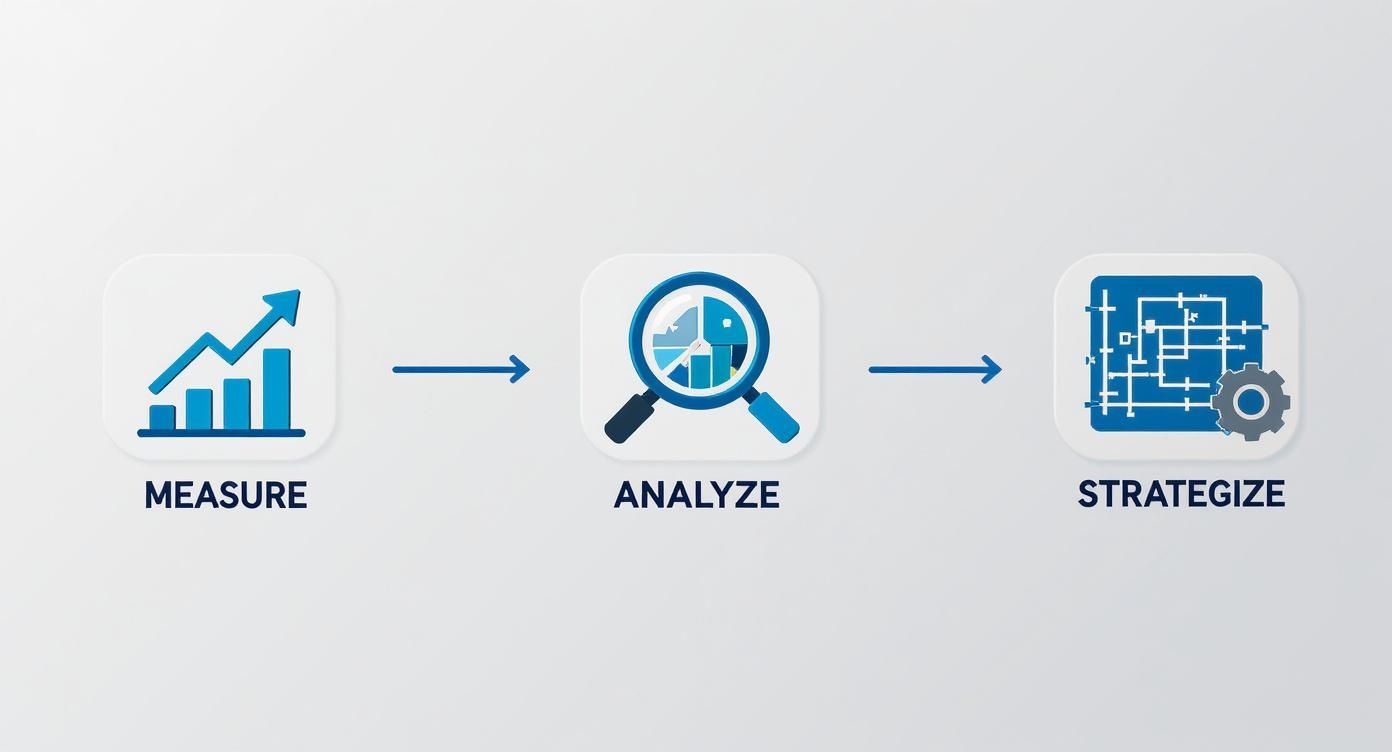
Following this process ensures your efforts are grounded in reality, not just assumptions.
To make this easier, here’s a quick-reference table for the core metrics you should be watching.
Your Core Organic Growth Metrics and Tools
This table breaks down the essential KPIs and the go-to tools for tracking your organic traffic progress.
Keep this list handy. It's the dashboard for your SEO efforts, telling you what's working and what isn't.
Uncover Webflow-Specific Issues
Once you have your core metrics, it’s time to dig into the Webflow platform itself. I've seen many traffic-limiting issues hiding in plain sight within a site's settings and CMS.
A surprisingly common culprit is an incorrect indexing setting. For example, a developer might disable indexing on a staging domain (*.webflow.io) and forget to re-enable it on the live site after launch.
Webflow Tutorial: Check Your Indexing Settings
- Go to your Webflow Dashboard.
- Click the three dots on your project and select Settings.
- Navigate to the SEO tab.
- Scroll down to the Indexing section and ensure the toggle for "Disable Webflow Subdomain Indexing" is ON. This prevents your
.webflow.iosite from being indexed. - More importantly, make sure your custom domain is not being blocked by a
noindextag in your Custom Code section.
An SEO audit is less about finding what's broken and more about discovering what's possible. It transforms your website from a collection of pages into a strategic asset ready for growth.
Another critical check is to analyze your CMS Collections. Do you have old blog posts or case studies with zero organic sessions over the past six months? These pages might be "dead weight," diluting your site's authority and creating a poor user experience.
For a deeper dive into the complete process, our detailed guide on how to do an SEO audit provides a comprehensive, step-by-step checklist. This initial audit provides the crucial intelligence you need to not just grow, but to truly start Mastering Organic Search Visibility.
Build Your High-Impact Keyword and Content Engine
Your SEO audit gave you the map. Now, it's time to build the engine that will actually drive you toward your traffic goals. Sustainable growth isn't about publishing a blog post whenever you feel like it. It's about creating a systematic process—a true content engine—that consistently solves real problems for your ideal customers. This is how you transform your Webflow site from a digital brochure into a must-read resource in your industry.
The whole thing starts with smart, business-focused keyword research. This isn't about chasing huge, vanity search terms. It's about digging deep to find the exact questions and pain points your audience is typing into Google every single day.

Uncover Keywords with Real Intent
First things first, you need to get inside your customer's head. What words do they use to talk about their problems? What are they really looking for?
Start by brainstorming your "seed keywords." These are the broad, one-or-two-word terms at the heart of what you do. For a B2B SaaS company with project management software, these seeds might be "project management," "team collaboration," or "Gantt charts." Simple enough.
But the real magic happens when you use SEO tools to expand those seeds into long-tail keywords. These are the longer, more specific phrases that tell you exactly what a searcher wants. For example, that simple "project management" seed can lead you to a goldmine of intent-driven phrases:
- "Best project management software for small creative teams" (This person is ready to buy.)
- "How to track project milestones effectively" (They're evaluating solutions.)
- "What is agile project management" (They're just starting their research.)
These long-tail keywords might have lower search volume, but their conversion potential is through the roof because they come from users with a specific, urgent need. Don't underestimate this. One website I saw focusing on cost-of-living guides went from 10,000 to 425,000 pages in just three months by programmatically targeting thousands of these specific keywords. The result? A staggering 10,737% jump in organic traffic, with that new content driving more than half of all site visits.
Map Keywords to the Buyer's Journey
Look, not all traffic is created equal. To build a proper content engine, you have to map your keywords to the different stages of the buyer’s journey. This is how you make sure you’re creating content that meets people exactly where they are.
- Awareness Stage: The person knows they have a problem but doesn't know the solution yet. Your content here should be educational, answering those big "what is" or "how to" questions.
- Consideration Stage: Now they're actively researching solutions. This is where you hit them with content that compares options, provides useful templates, or offers "best of" lists.
- Decision Stage: They're ready to pull the trigger. This is the time for case studies, direct product comparisons, and detailed feature breakdowns that seal the deal.
Organizing your keywords this way is a game-changer for prioritizing your work. Awareness-stage content builds your audience and top-of-funnel, but it's the decision-stage content that directly impacts revenue. A healthy content plan needs a strategic mix of all three.
The goal is to create a library of content that nurtures a user from their first casual search all the way to becoming a paying customer. Each piece of content serves a distinct purpose in that journey.
Build Topic Clusters to Dominate Your Niche
Instead of just publishing a random collection of articles, the best way to build authority is with topic clusters. This strategy is powerful. You create one massive, authoritative "pillar page" on a broad topic, and then you support it with multiple "cluster pages" that dive deep into related subtopics.
For example, your pillar page could be an ultimate guide to "Webflow SEO." Your cluster pages would then be individual articles on things like "Webflow image optimization," "managing 301 redirects in Webflow," and "optimizing Webflow CMS for search." Then, you link all those cluster pages back to the main pillar page. This sends a massive signal to Google that you are a comprehensive authority on the entire subject.
Webflow Tutorial: Building a Topic Cluster
- Create your Pillar Page: Design a comprehensive static page in Webflow for your main topic (e.g., "Webflow SEO Guide").
- Create your Cluster Content: In a CMS Collection (e.g., "Blog Posts"), write individual articles for each subtopic.
- From each cluster post, add a link pointing back to your main pillar page.
- On the pillar page, add a dynamic Collection List that pulls in and links out to all the related cluster posts. You can filter this list using tags or categories to keep it organized.
- For Static Pages: In the Pages Panel, click the gear icon next to a page name. Scroll down to the SEO Settings section to input your "Title Tag" and "Meta description."
- For CMS Collection Pages: Go to your CMS Collection and open its Template Page. Click the gear icon in the Pages Panel. Here, you can use the "+ Add Field" button to pull dynamic content (like the "Name" of a blog post) into your Title Tag and Meta description fields. This automates the process for all your posts.
- Open the Assets Panel (image icon on the left).
- Hover over any image and click the gear icon.
- In the "Alt text" field, type a concise description of the image. For decorative images that don't add meaning, check the "Decorative" box. This sets the alt attribute to empty, which is correct for accessibility.
- Check Your Sitemap: Webflow automatically generates your
sitemap.xmlfile. Go toSite Settings > SEOand ensure "Auto-generate sitemap" is toggled on. You can view your sitemap by adding/sitemap.xmlto your root domain. - Set Up 301 Redirects: Anytime you change a URL slug, you must create a redirect. Go to
Site Settings > Publishing > 301 Redirects. In the "Old Path" field, enter the old slug (e.g.,/old-blog-post). In the "Redirect to Path" field, enter the new one (e.g.,/new-blog-post). Click "Add Redirect." - Use Canonical Tags Wisely: If you have pages with similar content, you need to tell Google which one to rank. In the Page Settings for the duplicate page, scroll to the Custom Code section. In the
Inside <head> tagbox, add this line, replacing the URL with your primary version:<link rel="canonical" href="https://www.yourdomain.com/primary-page-url" />
- Image Compression: Before uploading, compress all images using a tool like TinyPNG. Inside the Webflow Designer, select an image, go to the Settings Panel (gear icon), and under "Load," choose Lazy. This defers loading until the image enters the viewport.
- Use Responsive Images: When adding an image, Webflow automatically creates responsive variants. In the image settings, ensure the "Sizes" attribute is set correctly to tell the browser which image version to load for different screen sizes.
- Simplify Interactions: Complex "Page load" interactions in the Interactions Panel can block page rendering. Review them and switch to "Scroll into view" triggers where possible to improve initial load time.
- Clean Your CSS: Use the Style Manager (paint brush icon) to find and remove unused CSS classes from your project. A cleaner stylesheet means a faster load.
- Run the Audit Panel: In the Designer, click the checkbox icon on the bottom-left to open the Audit Panel. This will automatically flag common accessibility issues like missing alt text, low-contrast text, and empty links.
- Check Heading Order: Use a tool like the Web Developer browser extension to visually check that your
H1,H2,H3tags are in a logical, sequential order on every page. - Ensure Keyboard Navigation: Unplug your mouse and try to navigate your site using only the Tab key. Can you access all links, buttons, and form fields? If not, you need to adjust your element structure and tab order.
- Run an industry survey. Poll your audience or a specific market segment on a hot-button issue and publish the findings.
- Analyze your own data. Dive into your internal numbers to uncover interesting trends or benchmarks that no one else has.
- Build an ultimate resource. Create the definitive guide, checklist, or free tool that solves a major pain point for your audience.
- Refreshing the Information: Update old stats, swap in new examples, or expand a section to make the content more comprehensive and up-to-date.
- Improving On-Page SEO: Tweak the title tag and meta description to be more compelling. Is it boring? Make it interesting. Re-examine your H2s and H3s to better match what people are actually searching for.
- Strengthening Internal Links: Find other relevant, high-authority posts on your blog and add more internal links pointing to the page you want to boost. This sends a strong signal to Google that this page is important.
- Building a Few Backlinks: Sometimes, a single, high-quality backlink pointing directly to an underperforming URL is all it takes to jump it from page two to page one.
A crucial part of this process is to run a content gap analysis to uncover what your competitors are ranking for that you aren't. This turns your blog from a simple publication into a strategic tool for dominating the search results in your niche.
Master On-Page and Technical SEO in Webflow
You’ve got a content engine humming along, but even the best articles will just sit there collecting dust if search engines can't find and understand them. This is where the real groundwork begins: on-page and technical SEO.
Think of it as your direct line of communication with Google. Getting this right ensures your Webflow site is perfectly structured for crawling, indexing, and ultimately, ranking.
Great SEO is a marriage of two things: incredible content and a technically solid website. This is actually a huge advantage for anyone building on Webflow. The platform gives you surprisingly granular control over the technical details that other systems either hide or make a nightmare to manage.
Let's dive into how to use those tools to give your content the best possible shot at success.
Optimize Your On-Page Elements for Clicks
On-page SEO is all about the optimizations you make directly on your pages and within the Webflow CMS. These are the elements that both people and search engines see, and they have a massive impact on whether someone actually clicks on your result.
The first place to start is with your title tags and meta descriptions.
Webflow Tutorial: Setting Title Tags & Meta Descriptions
Next, give your content a clear, logical structure with header tags (H1, H2, H3). This is dead simple in Webflow's Rich Text editor. Your page title is your one and only H1. Use H2s for the main sections and H3s for the sub-points within them.
Finally, a quick win that's often overlooked: image alt text.
Webflow Tutorial: Adding Alt Text
Configure Your Technical SEO in Webflow Settings
"Technical SEO" can sound a bit scary, but Webflow has done a fantastic job of simplifying the most critical tasks. These settings are all about making sure your site is easy for search engines to crawl and free of common problems that can quietly tank your rankings.
This is where you'll find Webflow's SEO settings panel. It's your command center for controlling indexing rules, managing your sitemap, and setting up redirects, all without needing to call a developer.

Having this centralized control is a game-changer. You can handle core technical SEO tasks that would otherwise require clunky plugins or custom code.
Here's a quick checklist of the technical items to manage right inside Webflow:
Getting a handle on these on-page and technical settings in Webflow isn't just a "nice-to-have"—it's non-negotiable if you're serious about increasing organic traffic. This is the foundation that allows your amazing content to actually be discovered.
By making a habit of checking these elements, you keep your site clean, efficient, and perfectly tuned for search engine crawlers. That technical diligence, combined with your content engine, is a powerful recipe for real, sustained organic growth.
Enhance User Experience and Site Performance
A slow, confusing website is the fastest way to kill your organic traffic. Visitors will hit the back button in seconds, and Google takes that as a massive hint that your page isn't the right answer.
Think about it from a user's perspective. If a page takes forever to load or is a jumbled mess on their phone, they're gone. That's why site performance isn't some backend technical chore—it’s a critical piece of your entire SEO strategy.
When your site is fast, intuitive, and works flawlessly on any device, people stick around. They click more, read more, and engage more. These are precisely the positive signals that tell search engines your site is a quality result worth ranking higher.
Prioritize Your Core Web Vitals
Google created a specific set of metrics called Core Web Vitals to quantify the user experience of a page. Essentially, they measure how fast your site loads, how quickly a user can interact with it, and whether the layout jumps around unexpectedly.
You can have the best content in the world, but if your Core Web Vitals scores are poor, you're fighting an uphill battle for rankings. Luckily, Webflow gives you all the controls you need to nail these metrics.
Webflow Tutorial: Speed Optimization Checklist
Build for a Mobile-First World
It’s no longer a debate: most of your traffic comes from mobile devices. Because of this, Google now operates on a mobile-first indexing model. This means Google primarily looks at the mobile version of your site to determine its rankings. Your mobile experience isn't an afterthought; it is your site.
Webflow’s built-in responsive breakpoints are your best friend here. Click through each device view in the Designer. Is the text readable without pinching and zooming? Are the buttons easy to tap with a thumb? If not, you're providing a frustrating experience that will absolutely hurt your organic performance.
A fast, mobile-friendly, and intuitive website doesn't just satisfy search engine algorithms. It builds trust with your visitors, encouraging them to explore, engage, and ultimately convert.
Make Your Site Accessible to Everyone
A great user experience has to work for every visitor, including those with disabilities. Accessibility isn't just a compliance issue; it’s a way to broaden your audience and improve usability across the board.
Webflow Tutorial: Quick Accessibility Wins
By focusing on accessibility, you're creating a better experience for everyone. To really dig into this, it's worth understanding how accessibility enhancements can boost your website's traffic and improve overall performance.
Build Your Site's Authority with Strategic Link Building
Think of high-quality backlinks as votes of confidence from other established sites. In the eyes of Google, these votes signal that your content is trustworthy and authoritative, which is a massive factor in driving more organic traffic. We’re not talking about old-school, spammy link schemes here. This is about a modern approach focused on earning genuine endorsements from respected players in your industry.
Just one great backlink from an authoritative site can easily outweigh a hundred low-quality ones. It does more than just boost your SEO—it sends qualified referral traffic your way and builds your brand’s credibility. The right link puts you in front of a whole new, highly relevant audience.

Write Genuinely Valuable Guest Posts
Guest posting is a classic for a reason—it still works incredibly well, but only if you do it right. The trick is to stop thinking about "getting a link" and start focusing on "providing incredible value" to someone else's audience. Forget about pitching generic, recycled articles.
Instead, really dig into the publications you're targeting. Get a feel for their readers, their tone of voice, and the topics that perform well for them. Your goal is to pitch a unique, deeply researched article that fills a genuine gap in their content library. When you deliver something so good they would have been happy to pay for it, the backlink becomes an afterthought—a natural result of your excellent contribution.
Create Content That Naturally Attracts Links
The best, most sustainable way to build links is to create things people want to link to. This means original research, unique data, and deep-dive industry surveys are your best friends. Journalists, bloggers, and content creators are constantly on the hunt for credible sources they can cite to back up their own arguments.
Here are a few ideas to get you started:
These "linkable assets" work for you around the clock, passively earning high-quality links. I've seen a single well-executed data study pull in dozens of authoritative links for months, sometimes even years.
The goal of modern link building isn't to trick search engines. It's to build genuine relationships and create assets so valuable that other experts are proud to reference them.
Get into Digital PR
Digital PR is all about creating stories and assets that are compelling enough to earn media coverage. This is less about cold outreach asking for links and more about generating a buzz that leads to natural mentions and links from news outlets and top-tier blogs.
Ask yourself what makes a story newsworthy. Can you connect your product to a current trend? Does someone on your team have a unique expert take on a recent industry event? Landing these high-authority placements gives your site's credibility an enormous lift.
The data backs this up. Research consistently shows that the number one result in Google has, on average, 3.8 times more backlinks than the results in positions two through ten. And it’s not just a vanity metric; 75% of marketers view SEO and backlink building as a highly effective strategy for hitting their goals.
While you're out there earning external links, don't neglect the power of your own content. A smart internal linking structure is crucial for spreading authority throughout your site and guiding users to your most important pages. For a full playbook on this, check out our guide on creating a powerful internal linking strategy. When you combine a strong external and internal linking game, you create a powerful authority signal that benefits your entire domain.
A Few Common Questions About Organic Growth
As you start rolling up your sleeves and putting these strategies to work, you're bound to have questions. Growing organic traffic isn't a straight line, and it’s smart to know what to expect. Here are the real answers to some of the most common things we get asked.
How Long Does This Actually Take?
It’s the question on everyone’s mind, and the honest answer is that SEO is a marathon, not a sprint. You might see some small, encouraging bumps in keyword rankings within a few weeks, but building real, sustained organic traffic takes time—usually somewhere between four to twelve months.
That window is pretty wide because it depends entirely on a few things: how competitive your industry is, the current state of your Webflow site’s SEO health, and most importantly, how consistently you execute.
If you're starting from scratch with a brand-new site, the first few months are pure foundation-building. You're just getting on Google's radar. The real traffic gains often kick in later, once you've proven your site is a credible voice.
On the other hand, if you have an established site with a bit of authority already, a focused content refresh and optimization push can bring tangible results much faster, often closer to the three-to-six-month mark.
The name of the game is consistent, patient effort. SEO rewards persistence, not one-off projects. The compounding effect of steady content creation, link building, and technical tune-ups is what creates lasting success.
Can I Get More Traffic Without Writing a Ton of New Content?
Yes, absolutely. In fact, this is one of the smartest ways to get some quick wins. The tactic is often called historical content optimization, and it's all about finding the gold you already have buried on your site.
Go look for pages that are performing okay but not great. I'm talking about the articles stuck on the bottom of page one or anywhere on page two in Google—usually floating in positions 5 through 20. These pages already have a little authority and are indexed for the right keywords; they just need a nudge to climb higher and start grabbing a much bigger piece of the click pie.
You can breathe new life into these underperforming pages by:
This approach is incredibly efficient. You’re not starting from a blank page; you’re just polishing an existing asset to help it shine.
In Webflow, What's the Single Most Important SEO Factor?
It's tempting to look for that one silver bullet, but great SEO is really about getting a lot of small things right. That said, for Webflow users, the most powerful combination you can focus on is high-quality, expert content built on a foundation of technical excellence.
Webflow gives you an incredible amount of control over the technical side of SEO right out of the box. You can manage your sitemap, set up 301 redirects, customize all your meta data, and handle canonical tags without ever touching a line of code or fighting with a clunky plugin. This is a massive advantage—don't let it go to waste.
But a technically perfect site with thin, mediocre content is just a well-built ghost town.
Your biggest growth lever will always be filling your technically-sound Webflow site with genuinely valuable, well-researched content that solves real problems for your audience. When you consistently publish expert-level stuff that people actually want to read and share, you create the perfect formula that search engines are designed to reward.
Get the technicals right, then pour all your energy into the content. Ignoring either side of that equation will always hold you back.
Ready to turn your Webflow site into a consistent source of qualified leads? At Block Studio LLC, we combine expert Webflow development with a proven SEO and content engine to deliver compounding growth for ambitious teams. Learn how we can build your revenue engine.