.png)


What is Semantic SEO? Practical Guide to Topics and Intent
For years, SEO felt like a game of keyword stuffing. The goal was to find a popular term and cram it into your titles, headings, and paragraphs just enough times to get Google’s attention. If you could do it without sounding too robotic, you had a decent shot at ranking.
Those days are long gone. Search engines, especially Google, have gotten much, much smarter.
Going Beyond Keywords: What Is Semantic SEO?
The old keyword-first approach just doesn't cut it anymore. Google's algorithms have shifted their focus from matching the exact words in a search to understanding the meaning and context behind them. It's less about what a user types and more about what they’re actually trying to find out.
This is the heart of semantic SEO: creating content that’s optimized around topics and user intent, not just isolated keywords. It’s about building a web of interconnected content that completely answers a user's underlying questions, even the ones they haven't asked yet.
The Evolution from Keywords to Concepts
This change didn't happen overnight. It was the result of a series of game-changing algorithm updates that taught Google how to think more like a person and less like a machine.
A few key milestones pushed us into this new era:
- Hummingbird (2013): This was the big one. Hummingbird allowed Google to parse entire phrases and conversational questions, moving beyond single-word queries.
- RankBrain (2015): Google rolled out a machine-learning AI to better decipher ambiguous searches and connect them to the right topics.
- BERT (2019): This update gave Google a massive boost in understanding natural language, letting it grasp the subtle nuances and context of words within a sentence.
Together, these updates gave Google the ability to see the relationships between ideas, concepts, and real-world things—what we in the SEO world call "entities." Now, instead of just seeing a string of text, Google understands that "Webflow," "website builder," and "no-code platform" are all closely related concepts under a much broader topic.
The scale of this is staggering. By 2025, Google's Knowledge Graph had ballooned from 570 million entities a decade earlier to an incredible 8 billion entities and over 800 billion facts. Some SEOs have even reported that focusing on entities can boost search visibility by up to 1400% over traditional methods. You can explore more data on the impact of semantic strategies to see just how powerful this is.
In essence, traditional SEO is like a librarian who only knows book titles. Semantic SEO is like a librarian who has read every book, understands the story inside, and knows exactly how they all connect on the shelf.
What does this mean for your Webflow site? It means you have to do more than just drop keywords into a blog post. You need to demonstrate true topical authority by covering a subject from every angle, anticipating what your audience will ask next, and providing genuinely useful answers.
Traditional SEO vs. Semantic SEO
To really understand the shift, it helps to see the two approaches side-by-side. The difference isn't just tactical; it's a fundamental change in how we think about content and search.
The table makes it clear: we've moved from a narrow, keyword-centric world to a much richer, context-driven one. Simply put, we're no longer writing for bots—we're creating resources for people, and Google is finally smart enough to reward us for it.
The Three Pillars of Semantic SEO
If you really want to get a handle on semantic SEO, it helps to break it down into three core components. Think of them as the building blocks that work together to show search engines what your content actually means. By getting these concepts right, you can start building a Webflow site that search engines don't just understand, but actively reward with better rankings.
At the heart of it all is understanding what a user is trying to accomplish. This simple map shows how context and real-world 'things' (entities) all funnel into satisfying that core user intent.
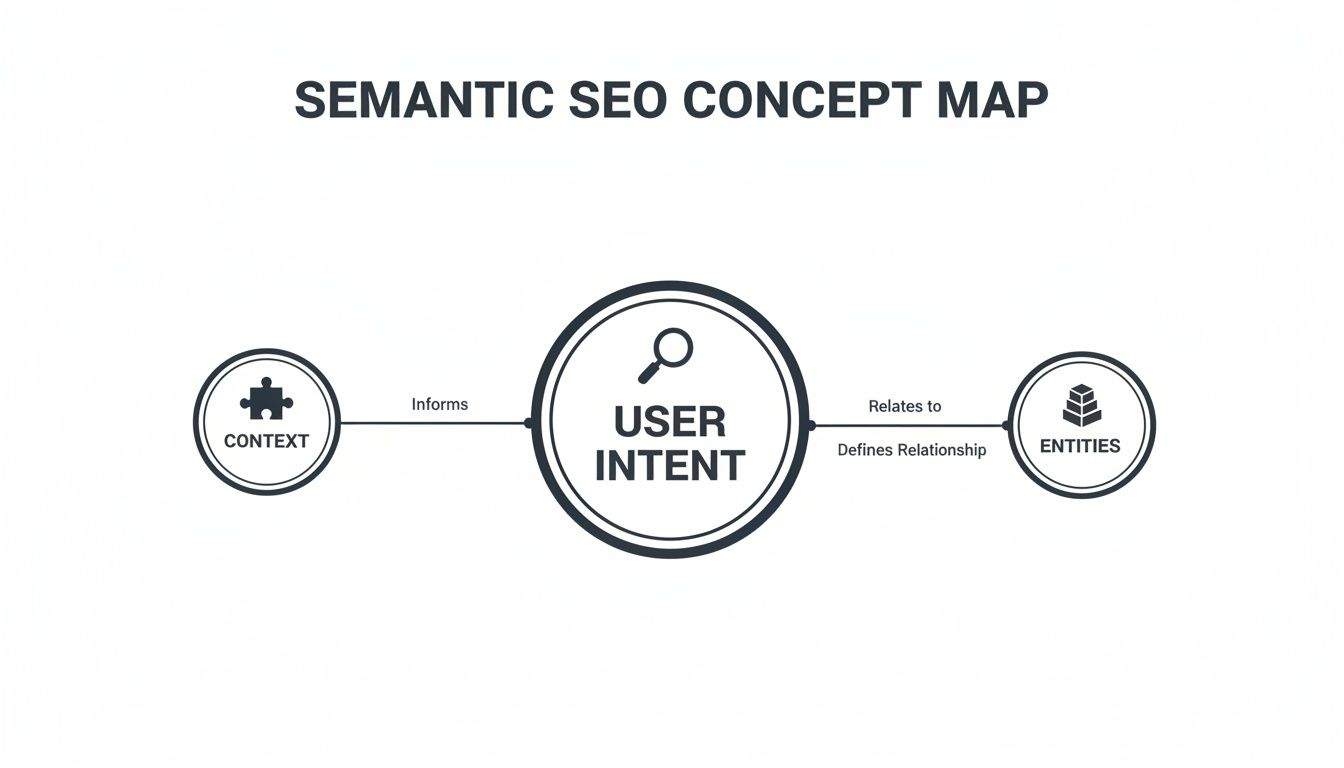
Ultimately, everything we do in semantic SEO is about getting better at answering the user's question or solving their problem.
Pillar 1: Entities
I like to think of entities as the nouns of the internet. They are the real-world people, places, things, and concepts that Google can identify and connect. For example, "Webflow" is an entity. So is "San Francisco," "responsive design," and "SaaS marketing."
Google's famous Knowledge Graph is really just a gigantic database of these entities and the intricate web of relationships between them. When you mention "Webflow," Google doesn't just see a word. It understands you're talking about a specific no-code web development platform with a headquarters in San Francisco.
So, what does this mean for your Webflow site? It means you have to think beyond a single keyword. If you’re a design agency, your content should naturally weave in related entities like:
- Tools: Figma, Adobe XD, Client-First
- Concepts: User experience (UX), conversion rate optimization (CRO), visual development
- People: Well-known Webflow developers or influential designers in the space
By connecting these dots, you’re helping Google see your site as a genuine authority on the entire Webflow ecosystem, not just a page trying to rank for one term.
Pillar 2: User Intent
The second pillar, user intent, is all about the "why" behind a search. It’s about getting into the user's head and figuring out what they’re really trying to do. Just matching the words they typed isn't enough anymore—you have to solve their underlying problem.
Take the query "Webflow pricing," for example. The intent is clearly commercial. That person is deep in the evaluation stage and needs cold, hard facts about plans and costs. But someone searching "how to add custom code in Webflow" has an informational intent. They need a tutorial, a step-by-step guide to get them unstuck.
Nailing user intent is probably the single most important part of modern SEO. If your content doesn't line up with what the searcher wants, it doesn't matter how perfectly you've optimized everything else.
The easiest way to figure this out is to just look at the search results for your target queries. What is Google showing? Blog posts? Product pages? Videos? The SERP itself is your cheat sheet for what users want.
Pillar 3: Topic Clusters
The final pillar, topic clusters, is how you organize your content to prove you're an expert. Instead of publishing one-off, disconnected blog posts, you create a structured network of content centered around a core subject.
The model is pretty simple and has two parts:
- Pillar Page: This is your big, comprehensive guide that covers a broad topic from A to Z. For a Webflow agency, a great pillar page could be "The Ultimate Guide to Webflow SEO."
- Cluster Content: These are shorter, more focused articles that go deep on the specific subtopics you touched on in the pillar page. Think "How to Implement Schema in Webflow" or "Optimizing Image Alt Text in the Webflow CMS."
Every one of those cluster articles links back to your main pillar page. This internal linking framework sends a powerful signal to Google, showing that you have deep authority on the entire topic. Your site stops being a random collection of posts and becomes a recognized resource—making it much easier to rank for those big, competitive terms that drive your business. This structure is especially powerful when you build it out using the Webflow CMS.
Putting Semantic SEO to Work on Your Webflow Site
It’s one thing to get your head around the concepts of entities, intent, and topic clusters, but actually putting that knowledge into practice is where the real results come from. If you're using Webflow, you’re in luck—its powerful CMS gives you the perfect toolkit for building a semantically sound site that search engines will absolutely love. Let's move from theory to action with a direct playbook for getting it done.
Tutorial: Building Topic Clusters with Webflow CMS
The topic cluster model is your architectural blueprint for semantic SEO, and Webflow's CMS is the perfect tool for the job. You can create specific CMS Collections for your pillar pages and all the supporting content, which builds clear, logical connections between them.
Here is an actionable tutorial for Webflow site owners:
- Create a "Pillar Pages" Collection: In your Webflow project, create a new CMS Collection named "Pillar Pages." Add fields for the pillar page title, a rich text field for the body content, an image field, and any other elements you need for your main guide.
- Create a "Cluster Content" Collection: Create a second collection called "Cluster Content" for your supporting blog posts. This will have similar fields (Title, Rich Text, Image), but with one crucial addition.
- Add a Reference Field: Inside your "Cluster Content" Collection settings, add a new field. Select "Reference" as the field type. In the field settings, select the "Pillar Pages" collection. This creates a direct link between the two. Name it something like "Related Pillar Page."
Now, when you create a new cluster article, you can simply select its corresponding pillar page from a dropdown menu. In your Cluster Content template page, you can then add a "Related Articles" section that pulls in other posts linked to the same pillar page, creating a powerful, automated internal linking structure.
By using Reference and Multi-Reference Fields in Webflow, you're not just creating links; you're building a machine-readable map of your website's expertise. This is the technical foundation of demonstrating topical authority.
Tutorial: Implementing Structured Data in Webflow
Once your content is organized, the next step is to communicate that structure directly to search engines using structured data (also known as Schema markup). Think of it as adding little explainer labels to your content that Google can read instantly. For any blog post, you'll want to implement "Article" or "BlogPosting" schema.
This might sound overly technical, but Webflow makes it surprisingly simple with its Custom Code embed feature. You definitely don't need to be a developer.
Here’s a quick step-by-step tutorial:
- Generate Your Schema: Use a free tool like Merkle’s Schema Markup Generator. Select the "Article" type and fill in the details like the headline, author, and publish date. The tool will spit out the JSON-LD code you need.
- Navigate to Your CMS Collection Page: In the Webflow Designer, open the template page for your blog post collection (e.g., your "Cluster Content" template).
- Add a Custom Code Embed: Find the "Embed" element in the Add panel and drag it onto your page. To apply the schema correctly, go to Page Settings > Custom Code and paste it in the
Inside <head> tagsection. - Paste and Customize the Code: Paste the script from the generator into the custom code box. Now for the clever part: use Webflow's "+ Add Field" button to replace the static text with dynamic fields from your CMS. For example, you’ll connect the placeholder headline to the "Name" or "Title" field from your blog post collection.
Here’s a snapshot of what the final code might look like inside the Webflow custom code area, set up to pull information dynamically from the CMS for every post:
<script type="application/ld+json">{"@context": "https://schema.org","@type": "BlogPosting","headline": "ADD-YOUR-POST-NAME-FIELD-HERE","image": "ADD-YOUR-MAIN-IMAGE-FIELD-HERE","author": {"@type": "Person","name": "ADD-YOUR-AUTHOR-NAME-FIELD-HERE"},"publisher": {"@type": "Organization","name": "Your Company Name","logo": {"@type": "ImageObject","url": "URL-TO-YOUR-LOGO.png"}},"datePublished": "ADD-YOUR-PUBLISH-DATE-FIELD-HERE"}</script>
By setting this up with dynamic fields, you've created a "set it and forget it" template. Every new blog post you publish will automatically have the correct structured data applied. This one-time setup gives Google precise context about your content, boosting its ability to rank you for the right queries and dramatically increasing your chances of landing in rich results like featured snippets and "People Also Ask" boxes.
Creating Content That Google Understands

At its heart, semantic SEO is really just about creating better, more helpful content. It’s about moving past the old-school habit of chasing individual keywords and instead focusing on answering a person's entire range of questions on a topic.
This means you’re not just writing a blog post. You’re building a comprehensive resource—one so thorough that your reader doesn't need to hit the "back" button to keep searching. To do this, you have to think like your audience. Stop asking, "What keyword will they search for?" and start asking, "What problem are they actually trying to solve?" When you get the goal behind the search, you can create content that delivers real value. Google rewards that.
Uncovering the Questions Your Audience Asks
So, where do you start? The first step is solid topic research. Your goal is to map out every related question, subtopic, and concept connected to your main subject. The good news is you don't need a bunch of expensive tools to get going. Google itself is a goldmine.
One of the best places to look is the "People Also Ask" (PAA) box that pops up in search results. These are the literal questions people are typing into the search bar. With research showing a PAA box now appears in 43% of all searches, it’s an incredibly valuable source of insight.
Think of the "People Also Ask" section as a direct line into your audience's mind. Each question is a potential H2 or H3 heading for your article, giving you a pre-built outline that perfectly aligns with what users are looking for.
When you systematically answer these questions, you create a piece of content that anticipates the reader's next thought. That makes for a great user experience and sends a strong signal to Google that your page is an authoritative resource.
Building an Article That Satisfies User Intent
With your list of questions and topics in hand, the next job is to structure your content to fully satisfy search intent. This is the "why" behind the search. Is someone looking to learn something new, buy a product, or find a specific website?
Let’s take a search like "Webflow vs WordPress." The intent here is clearly informational and comparison-based. A semantically rich article wouldn't just spit out a feature list. It would dive into the related concepts people are really thinking about:
- Cost of ownership: What are the real costs, including hosting, plugins, and maintenance?
- Ease of use: How steep is the learning curve for a designer versus a developer?
- SEO capabilities: What comes built-in, and what plugins are essential for each platform?
- Scalability: How well does each platform grow with a small business versus a large enterprise?
By covering these related ideas, your article becomes the definitive answer for anyone weighing that decision. This depth is exactly what signals authority to search engines. For a deeper look, our guide on what is search intent will help you nail this crucial concept.
Weaving Concepts Together Naturally
Finally, the real art of semantic writing is weaving all these concepts, entities, and answers together in a natural way. This isn't about awkwardly stuffing related terms into your sentences. It's about creating a logical flow that guides the reader through the topic.
Your content should feel less like a document and more like a conversation with an expert.
Use clear headings, short paragraphs, and smart internal links to connect ideas within the article and across your entire site. Each piece of content you create should not only be a great resource on its own but also act as a node in your broader topic cluster, boosting your site's overall authority. To really get a handle on how search engines interpret your work, check out this guide on optimizing content for search engines.
Choosing Your Semantic SEO Tool Stack
Pulling off a sophisticated semantic SEO strategy isn't just about having great ideas—it's about having the right tools for the job. Think of it like a Webflow developer who relies on specific plugins and libraries to build a great site. As an SEO, you need a dedicated tool stack to dig into topics, analyze entities, and track the metrics that actually move the needle.
A well-chosen set of tools takes the guesswork out of the equation and turns your strategy into a data-backed process. They help you uncover the subtle connections between concepts, pinpoint the real questions your audience is asking, and ultimately, build content that covers a topic from every important angle.
Core Tools for Topic and Entity Research
Deep topic research is the bedrock of any semantic strategy. Your mission is to map out the entire universe of a subject, and a few tools are indispensable for getting it done right.
- For Topic Discovery (AnswerThePublic, AlsoAsked): Tools like AnswerThePublic are fantastic for the initial brainstorming phase. They visually map out the questions, prepositions, and comparisons people are using around your topic, basically handing you a ready-made content outline.
- For Content Optimization (SurferSEO, Clearscope): Once you’ve picked a topic, platforms like SurferSEO get to work analyzing top-ranking pages. They tell you exactly which entities, related terms, and common questions you need to include, ensuring your content is semantically complete.
- For Competitor Insights (Ahrefs, Semrush): These all-in-one SEO powerhouses are crucial for seeing what’s already winning. You can dissect top pages to understand their structure, spot content gaps you can swoop in and fill, and see which related topics are sending traffic to your competitors.
As you put your toolkit together, don't forget about competitive analysis. You can find some excellent options by exploring the best free competitor analysis tools that offer SEO capabilities to match your budget. A great place to start applying these insights is with our guide on conducting a https://www.blockstudio.co/post/content-gap-analysis-seo, which shows you how to find opportunities your competition has overlooked.
Redefining How You Measure Success
Perhaps the biggest mental shift with semantic SEO is how you measure success. The old-school approach of chasing a #1 ranking for a single, high-volume keyword just doesn’t cut it anymore. It gives you a tiny, incomplete picture of your performance.
In a semantic world, you have to track metrics that show your growing authority over an entire topic.
The goal is no longer to rank #1 for a single keyword. The goal is to become the undeniable authority on a topic, owning the conversation across dozens or even hundreds of related queries. True success is measured by your overall topical visibility.
Instead of getting bogged down by daily ranking changes for one keyword, shift your focus to these far more meaningful indicators:
- Growth in Topical Authority: Are you ranking for a wider range of related long-tail keywords within your topic cluster? Tools like Ahrefs and Google Search Console are great for showing this expanding footprint.
- Ownership of SERP Features: Look at how many featured snippets, "People Also Ask" boxes, and video carousels you control for your core topics. This is a clear signal that Google sees your content as a definitive source of answers.
- Traffic Growth Across Topic Clusters: Measure the combined organic traffic to your pillar page and all its supporting cluster articles. This holistic view reveals the true impact of your strategy, something tracking a single page’s performance could never do.
To help you get started, here's a look at how you might organize your tools to cover all the essential functions of a semantic SEO workflow.
Semantic SEO Tool Stack
Tool CategoryExample ToolsPrimary Use CaseTopic & Keyword ResearchAhrefs, Semrush, AnswerThePublicUncovering parent topics, identifying user intent, and mapping out topic clusters.Content OptimizationSurferSEO, Clearscope, FraseEnsuring content covers all necessary entities, subtopics, and related questions.Structured DataSchema.org, Merkle Schema Markup GeneratorImplementing Schema markup to help search engines understand content context.Performance TrackingGoogle Search Console, Ahrefs, Google AnalyticsMeasuring topical authority, SERP feature ownership, and cluster-level traffic.Technical SEOScreaming Frog, SitebulbAuditing internal linking structures and ensuring site health supports topic clusters.
Choosing the right combination of these tools will give you the data and insights needed to execute a powerful, modern SEO strategy that goes way beyond simple keywords.
Your Webflow Semantic SEO Action Plan
Alright, enough with the theory. Let's get down to what actually moves the needle. Here’s a simple, step-by-step checklist to put semantic SEO into practice on your Webflow site. I’ve broken it down into three stages to make it manageable, turning abstract ideas into a concrete plan for better rankings.
Stage 1: The Foundational Audit
Before you write a single new word, you need to know where you stand. A quick audit will give you a clear map of your starting point and ensure your new strategy is built on solid ground.
- Define Your Core Topic: First things first, what's the one big thing you want to be the go-to expert on? This is your North Star and the foundation of your first pillar page.
- Identify 3-5 Cluster Topics: Now, brainstorm the main subtopics that branch off from that core idea. These will become the first supporting articles in your content cluster.
- Analyze Your Top 3 Competitors: Go poke around their blogs. What related questions are they answering? What angles are they covering that you’ve missed? This is often a goldmine for easy-win content ideas.
Stage 2: Content Strategy and On-Page Optimization
With your audit done, it's time to build out your content and dial in the details. The goal here is to create a network of genuinely helpful, semantically-linked pages.
- Outline Your Pillar Page: Start by mapping out the H2s and H3s for your main guide. Think of it as the table of contents for your expertise, making sure you cover the topic from every important angle.
- Implement Schema Markup: This is a huge opportunity. Jump into Webflow’s Page Settings > Custom Code and add Article schema to your blog post collection template. It’s like handing Google a cheat sheet that explains precisely what your content is.
- Perfect Your Linking Structure: The way your pages connect is crucial. For a deep dive into this, check out our complete guide on building a powerful internal linking strategy.
Your goal is simple: create a web of content so helpful and interconnected that a user never has to hit the back button to find another resource. This demonstrates true topical authority to search engines.
Got Questions? We’ve Got Answers.
We get it—shifting from old-school SEO to a semantic approach brings up a lot of questions. Let's tackle some of the most common ones we hear so you can move forward with confidence.
Does Semantic SEO Mean Keywords Are Dead?
Absolutely not. Think of keywords less as a target and more as a clue. They’re still your starting point for figuring out what people are actually typing into that search bar.
The real shift is moving from a one-keyword, one-page mindset to covering an entire topic from top to bottom. The keyword gets you in the door, but the rich, comprehensive content you build around the topic is what makes people want to stay. It's about using keywords to decode a user's intent and then creating the definitive resource that answers all their follow-up questions, too.
How Long Until I See Results From This?
Patience is key here. Semantic SEO is about building a real, lasting reputation with search engines, not tricking an algorithm for a quick win. You're playing the long game.
While you might spot some positive signs within a few months, it typically takes a solid 6 to 12 months of consistent effort to see a major impact on your rankings and organic traffic. The reward for that patience is stability. Your rankings won't be as fragile or prone to wild swings every time Google tweaks its algorithm, because you've built genuine authority.
Is This a Nightmare to Set Up on a Webflow Site?
Quite the opposite, actually. Webflow's CMS is practically built for this. The very concept of topic clusters—a core part of semantic SEO—is incredibly easy to manage with Webflow's native features.
You can use CMS fields like Reference and Multi-Reference to create a clean, logical site architecture from the get-go. This makes it a breeze to build the internal linking webs between your main pillar pages and all the supporting articles, which is exactly what search engines need to see to understand your expertise.
A well-structured Webflow CMS acts as a technical blueprint for your topical authority. It explicitly shows search engines how your content is interconnected, making your expertise clear and machine-readable without needing complex plugins or workarounds.
Can't I Just Have AI Write All My Content?
Tread carefully here. Using AI tools for brainstorming, outlining, and even generating a first draft can be a massive time-saver. But letting AI run the show unsupervised is a recipe for bland, uninspired content that won't perform.
Google's E-E-A-T guidelines (Experience, Expertise, Authoritativeness, and Trustworthiness) are all about rewarding content that feels real because it is real. The best strategy is to treat AI as a very smart assistant. Let it handle the grunt work, but a human expert—you—needs to add the unique insights, personal stories, and genuine voice that build trust and truly connect with a reader.
Ready to transform your Webflow site into a revenue engine with a smart, modern SEO strategy? At Block Studio, we combine design, development, and data-driven content to deliver compounding growth. See how we can help you scale.